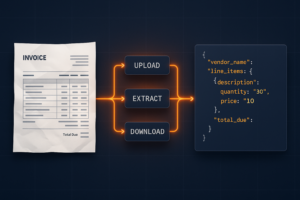
Building a document automation agent with raw REST calls means writing the same boilerplate every time: upload a file, poll for task completion, download the result, handle errors, and manage auth tokens across multiple endpoints. For PDF operations, that loop repeats for every conversion, OCR call, or merge operation in your pipeline. The Foxit PDF API MCP Server collapses those loops into 30+ directly callable tools, with the MCP Server handling upstream REST complexity internally.
This guide covers how the server registers, what it exposes, how Foxit’s eSign and DocGen REST APIs extend the same agent session into signing and document generation workflows, and a concrete four-step workflow you can replicate against your own documents.
MCP Architecture in 90 Seconds
The MCP specification defines three roles. The Host is the LLM runtime (Claude Desktop, VS Code with GitHub Copilot, or Cursor) that manages the conversation and decides when to call tools. The Server is the capability provider, a process that advertises tools over the MCP protocol and executes them against some underlying service. Tools are the individual callable operations each server exposes, defined by a JSON schema the host uses to understand inputs and outputs.
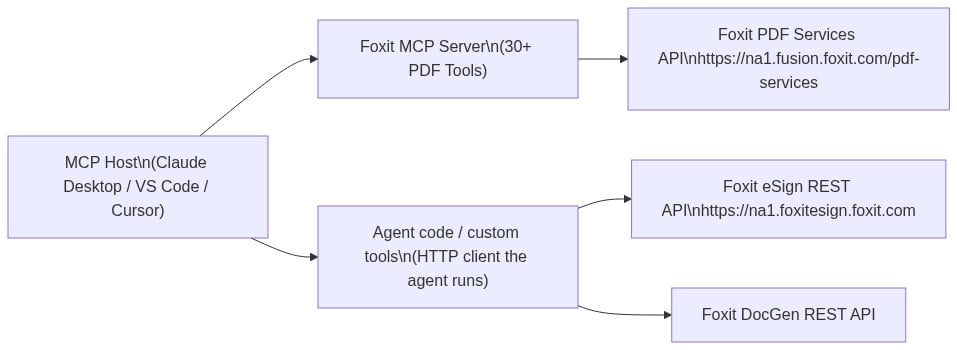
Foxit occupies both sides of this architecture. Foxit PDF Editor ships as an MCP Host, the first PDF application to do so, connecting outward to external MCP servers like Gmail or Salesforce so its AI assistant can reach those services. The Foxit PDF API MCP Server works in the other direction, exposing Foxit’s cloud PDF Services API as 30+ tools for any MCP Host to call.
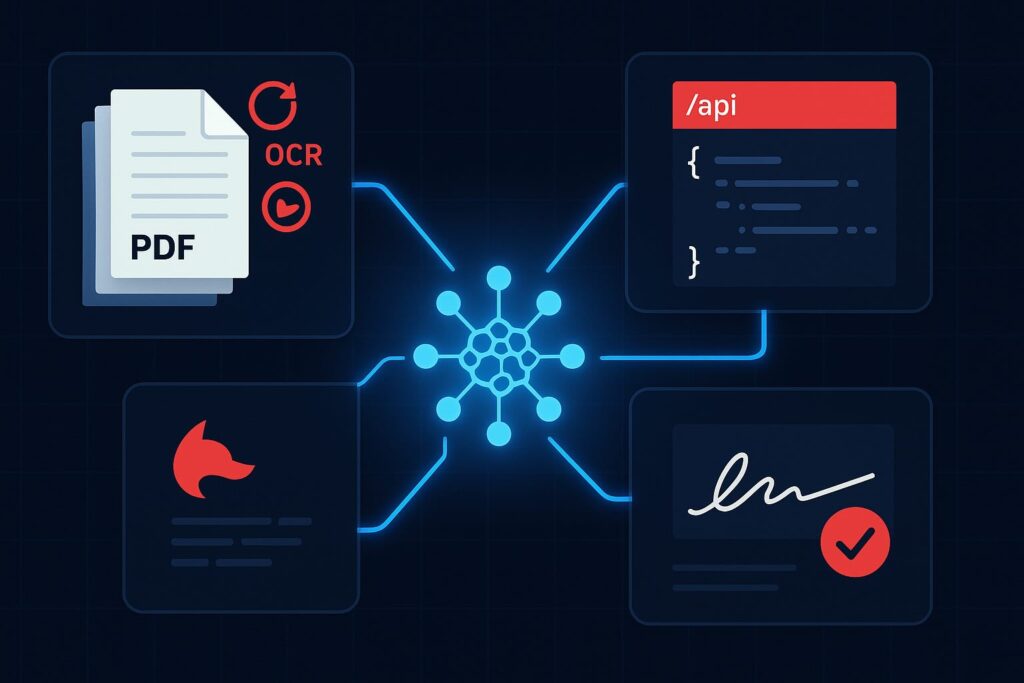
The MCP Server exposes PDF Services operations covering conversion between formats, content extraction, OCR, merge, split, compress, flatten, linearize, compare, watermark, form data import/export, security, and property inspection. Foxit’s eSign API and DocGen API are separate REST services that are not part of the MCP Server, so they are not exposed as MCP tools. A single agent workflow can still reach them, but through the agent’s own code-execution layer rather than through the MCP protocol, a distinction the eSign section explains in detail. The MCP tools handle PDF processing, while code the agent runs handles signing and template generation.
Prerequisites and Configuration
You need three things before registering the server:
- A Foxit developer account (free plan at developer-api.foxit.com, no credit card required) to obtain a
client_idandclient_secret - Python 3.11+ with the
uvpackage manager (or Node.js 18+ withpnpmfor the TypeScript version) - An MCP-compatible host such as Claude Desktop, VS Code, or Cursor
Clone the repo from github.com/foxitsoftware/foxit-pdf-api-mcp-server, then register it in your host’s MCP config. The walkthrough below uses Claude Desktop, but the same command, args, and env values work in any MCP host. In Claude Desktop, open Settings, select the Developer tab, and click Edit Config.
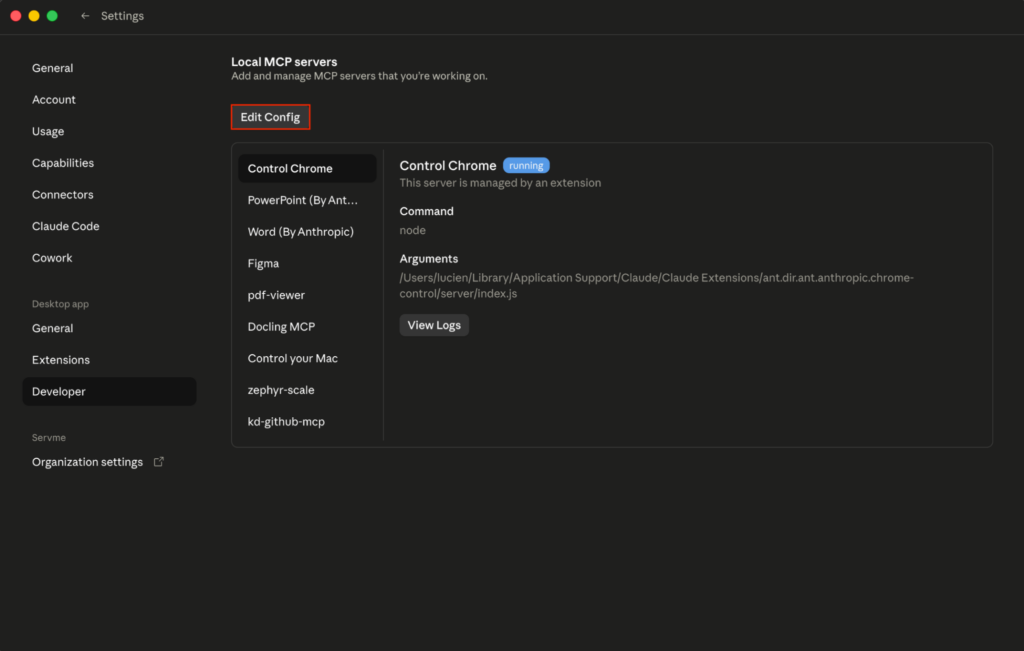
Then open claude_desktop_config.json with any text edito(stored at ~/Library/Application Support/Claude/ on macOS or %APPDATA%\Claude\ on Windows).
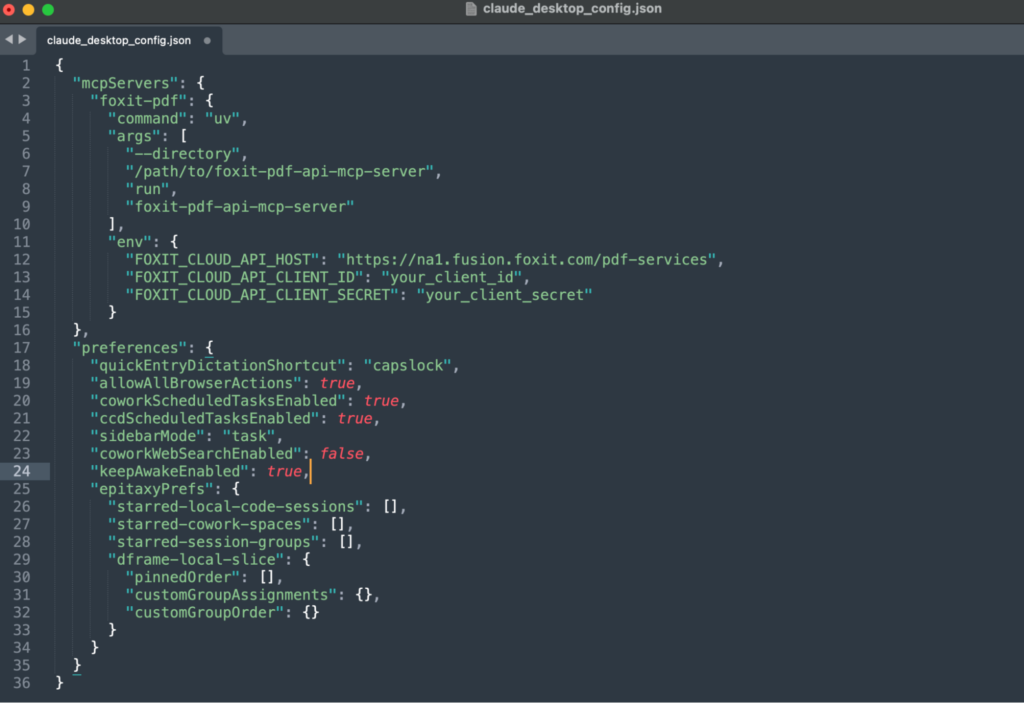
Add the Foxit server under the mcpServers key:
Set FOXIT_CLOUD_API_CLIENT_ID and FOXIT_CLOUD_API_CLIENT_SECRET as environment variables on your system before the host process launches. Passing credentials through prompt context is a security risk your production setup should address. The client_id and client_secret from your developer portal authenticate all MCP tool calls to the PDF Services API. Adding eSign to the same agent session requires its own OAuth2 token exchange (covered in the next section), keeping the two credential scopes isolated.
After saving, completely quit and reopen Claude Desktop so it loads the config and launches the server as a local subprocess over standard input and output, the transport the Foxit server uses.
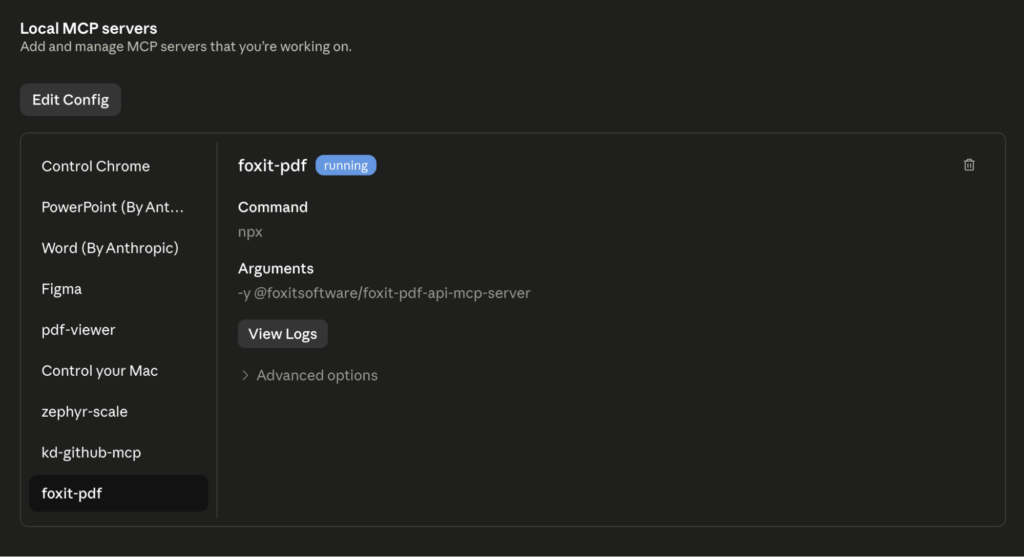
On restart, you should see the foxit MCP as Running in the local MCP servers in the developer tab. If you go the Customize tab then open the Connectors and click foxit-pdf to see the tools that the Foxit MCC has access to, you should see the 30+ tools registered.
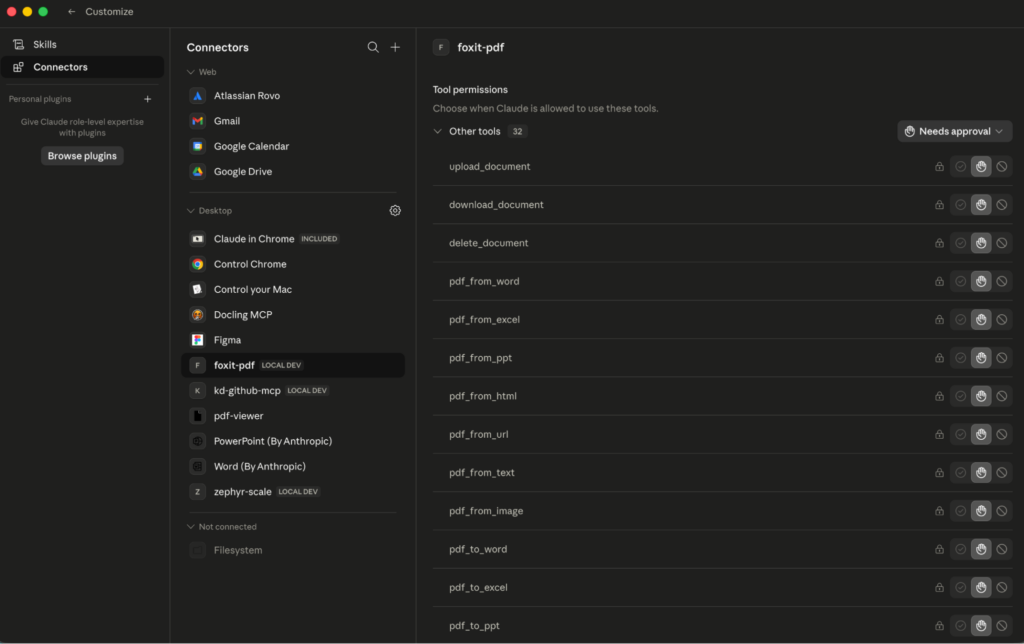
If the connector never appears, the server failed to launch, and Claude’s logs at
~/Library/Logs/Claude/mcp*.logusually point to the cause, commonly a missinguvbinary or a wrong--directorypath.
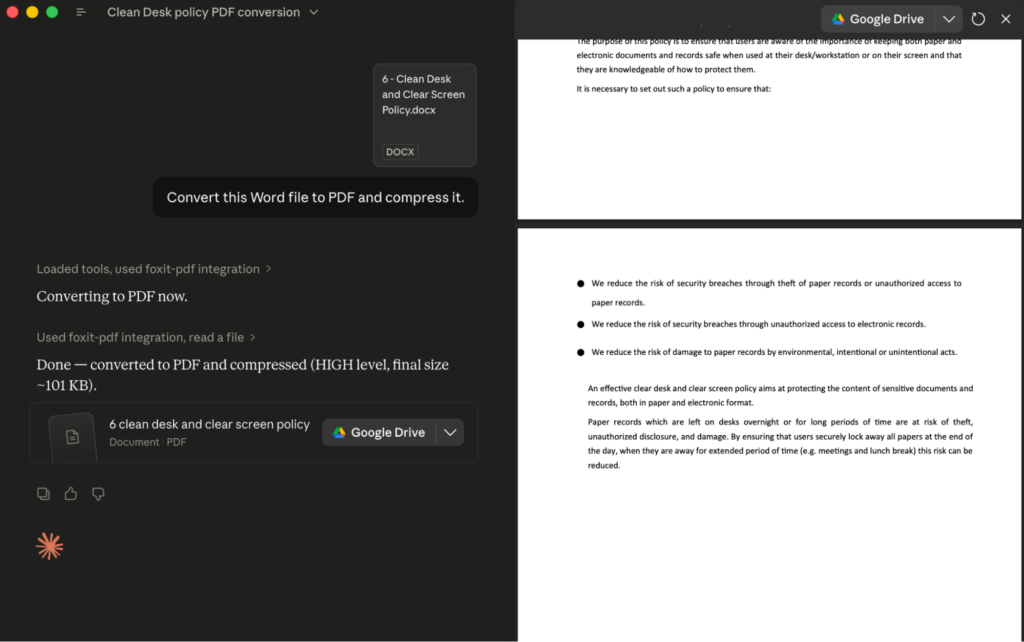
To call a tool, type a natural-language request such as “Convert this Word file to PDF and compress it.” The agent selects pdf_from_word and pdf_compress, and Claude Desktop shows an approval prompt with the exact tool name and arguments before each call runs; the tool’s JSON result then streams back into the conversation.
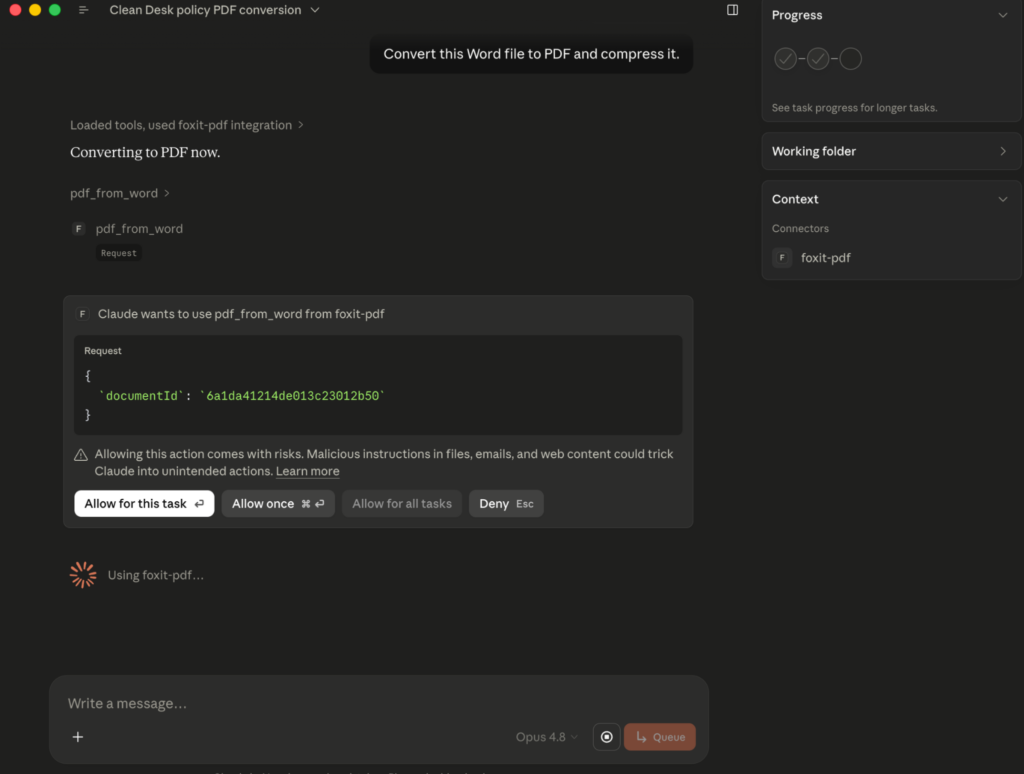
That per-call approval is your audit point, since it surfaces precisely which tool the agent chose and what it passed.
If you would rather run the server in VS Code, the equivalent entry goes in .vscode/mcp.json under a top-level servers key, with an added "type": "stdio" field so VS Code launches the server the same way:
Set sendNow to false to create a draft folder, then dispatch it with a separate call to /api/folders/sendDraftFolder. Alternatively, set sendNow to true to create and send in a single call. For files not accessible via URL, add "inputType": "base64" and pass the documents as a base64FileString array instead of fileUrls; omitting inputType makes the API reject the base64 payload as empty.
Foxit’s eSign API ships with HIPAA, eIDAS, ESIGN Act, UETA, 21 CFR Part 11, FERPA, and FINRA compliance built in. Audit trail records carry signer location, IP address, recipient identity, event timestamp, consent confirmation, security level, and complete folder history. For legal defensibility in regulated industries, capture and store these fields in your own data layer, because relying solely on Foxit’s folder history API for compliance record-keeping introduces a single point of failure in your audit chain.
End-to-End Workflow: AI Agent Automates a Sales Contract
Picture a sales ops agent that starts from a single natural language goal, “Generate a contract for Acme Corp, $48,000 ARR, and send it to [email protected] for signature.” Nothing about the tool sequence is hard-coded. The MCP Server advertises its PDF tools to the host on connection, so the agent can read the goal, recognize that it has a template to render and a document to route for signature, and decide which operations to call and in what order. The PDF steps run as MCP tool calls; the DocGen and eSign steps run from the agent’s code layer. The sequence below is one plausible run the agent might choose, not a fixed script you wire up in advance.
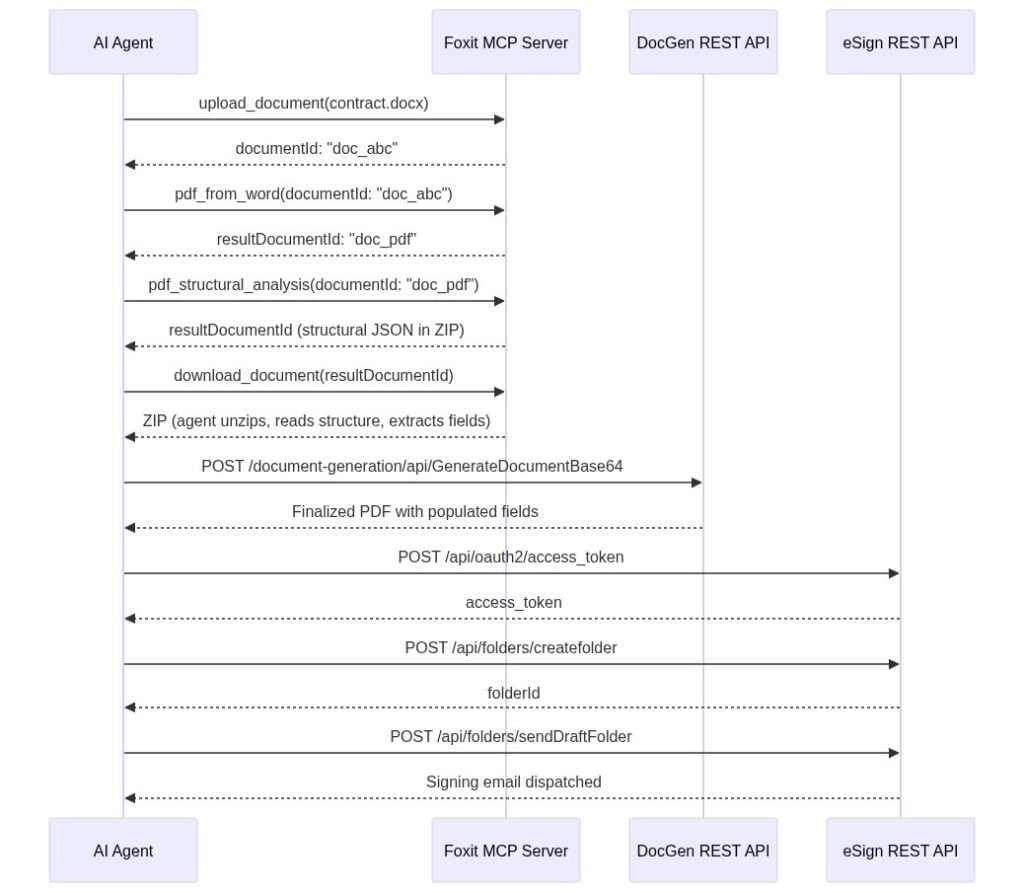
To get a PDF to work with, the agent first reaches for MCP tools. It calls upload_document with the DOCX contract template, receives documentId: "doc_abc", and calls pdf_from_word. The MCP Server handles the async conversion internally and returns resultDocumentId: "doc_pdf" once it completes.
Needing to know what is inside that PDF, the agent calls pdf_structural_analysis with documentId: "doc_pdf". The tool does not hand back named entities like “party” or “ARR.” It returns a resultDocumentId pointing to a ZIP archive, so the agent calls download_document to retrieve it, unzips it, and reads the structural JSON, which describes headings, paragraphs, and table cells with their positions. The agent’s LLM is what performs the semantic extraction: it reads the structural JSON and pulls “Acme Corp” out of a heading or a contract value out of a table cell, confirming the fields it needs are present. The tool hands back structure; the model turns that structure into meaning. If you want the API to return business entities directly rather than leaning on the model to interpret layout, that is the job of Foxit’s iDox.ai Document API, a separate service built for entity and PII extraction.
With the field values in hand, the agent generates the finished contract through the DocGen API, posting to /document-generation/api/GenerateDocumentBase64 with the values merged into the template via {{dynamic_tags}} syntax. DocGen is synchronous, so the call returns the finalized PDF in the response body, with Acme Corp’s name, the $48,000 ARR figure, and the correct dates populated. No polling step is involved.
Finally, the agent routes the document for signature. It authenticates against the eSign OAuth2 endpoint, uploads the DocGen output, creates a signing folder via /api/folders/createfolder with [email protected] as the signer, and dispatches it via /api/folders/sendDraftFolder.
What ties this together is that the model decides the order from the goal, not a script. The PDF steps resolve to MCP tool calls the host already knows about; the DocGen and eSign steps run through the agent’s code layer, since those APIs are not MCP tools. The agent chains the output of one step into the input of the next, and the only orchestration you maintain is whatever exposes that code layer to the model, ideally a set of custom tools rather than ad hoc scripting.
Production Considerations: Error Handling, Rate Limits, and Data Governance
When you call PDF Services through the MCP Server, async polling happens inside the server process. Your agent receives a final resultDocumentId only after the task completes. When you call the raw PDF Services REST API directly, every operation returns a taskId you poll manually. The pattern below applies exponential backoff with a ceiling of 10 seconds per interval and a 30-second total timeout: