Running Puppeteer for a few invoices is different from maintaining it under concurrent load. JavaScript timeouts, memory use, cold starts, and font differences between development and production can make self-hosted rendering harder to operate as demand grows.
Moving to a hosted API swaps those problems for two questions, which engine renders your HTML and what counts as one billable render.
Those two questions drive the decision more than the headline plan price, because the billing models across these APIs have almost nothing in common. PDFShift charges 1 credit per 5 MB of output, PDFCrowd 1 credit per 0.5 MB, PDF.co 9 credits per page, Browserless one unit per 30 seconds of browser time, and DocRaptor one document whatever its size or page count.
We compare our Foxit PDF Services API with 9 alternatives: DocRaptor, PDFShift, ConvertAPI, PDFCrowd, Api2Pdf, Browserless, PDF.co, Nutrient DWS Processor API, and Gotenberg.
The comparison covers rendering engines, JavaScript handling, layout controls, output options, pricing, free allowances, limits, SDKs, and hosting, using public documentation, API specifications, pricing pages, and GitHub repositories.
Top picks by use case
The best HTML to PDF API depends on where your layout logic lives and how your renders will be billed.
For products that render HTML and then process the resulting PDF, the Foxit PDF Services API covers both steps on one credit pool.
For print-styled documents with complex pagination, DocRaptor’s Prince engine applies CSS paged media directly. The table below maps each pick to the use case it fits best.
Use case | Pick | Why it fits |
HTML to PDF followed by other PDF steps or signing | Foxit PDF Services API | 1 credit per conversion regardless of page count, same credit pool as compress, merge, watermark, OCR, and eSign |
Print-grade layouts with CSS paged media | DocRaptor | Prince 15.1 engine; PDF/A, PDF/UA, and PDF/X profiles; Basic $15 a month for 125 documents |
High-volume Chromium rendering at a low price per credit | PDFShift | Chromium 142; 1 credit per 5 MB of output; Business $99 a month for 25,000 credits |
Page breaks controlled by CSS selector | ConvertAPI | AvoidBreakElements, BreakBeforeElements, and BreakAfterElements; UK, EU, and US endpoints; 250 free conversions at sign-up |
Archival output with multiple PDF/A variants | PDFCrowd | PDF/A-2, PDF/A-3, and PDF/A-4 variants, tagged PDF, SDKs in 7 languages; 1 credit per 0.5 MB of output |
Paying only for the compute a render uses | Api2Pdf | $1 a month plus $0.001 per MB and $0.00019551 per second of compute; Chrome, wkhtmltopdf, or LibreOffice per call |
Puppeteer-level control without running browsers | Browserless | /pdf REST API with waitForSelector and waitForFunction, with a free plan covering 1,000 units a month |
HTML to PDF inside a no-code-friendly PDF toolbox | PDF.co | HTML templates, parsing, forms, and barcodes on one credit balance, with Make and Zapier modules; 9 credits per page |
Static HTML that becomes fillable PDF forms | Nutrient DWS Processor API | HTML form fields turn into fillable PDF fields; HTML to PDF costs 0.5 credit |
Free, self-hosted conversion | Gotenberg | MIT-licensed Docker API with Chromium and LibreOffice, with v8.38.1 released 15 Oct 2026 |
These picks highlight different use cases, not exclusive capabilities. Check each API’s features and limits against your full workflow.
Create a free Foxit developer account and convert your first HTML file or URL to PDF with the PDF Services API.
How we compared these HTML to PDF APIs
Every fact in this article comes from public documentation, API specs, pricing pages, and GitHub, all checked on 16 Oct 2026. Recheck any price before making a purchasing decision, since billing details change.
Compare inputs and engines, JavaScript timing, layout controls, output options, pricing, free allowances, limits, SDKs, and hosting. Where a vendor does not publish a number or engine name, the table notes that gap as of 16 Oct 2026.
Three APIs in this list do not name their HTML rendering engine in their public documentation, namely Foxit PDF Services API, PDFCrowd, and PDF.co. ConvertAPI names Chrome headless. Nutrient’s overview names Chromium, but the generation guide does not and conflicts with the overview on JavaScript support.
We found no independent, reproducible fidelity or speed benchmark of hosted HTML-to-PDF APIs in the sources reviewed. The comparisons that rank for this query are vendor-written.
All prices are in USD unless otherwise noted. Billing period is named beside every price.
The 10 HTML to PDF APIs in detail
Start with the engine and the controls your template needs. Chromium-based APIs such as PDFShift, Browserless, Gotenberg, and Api2Pdf’s Chrome route use a browser print engine. DocRaptor uses Prince for CSS paged media. Check the engine comparison table for differences in JavaScript, headers, and footers.
Foxit PDF Services API
Our PDF Services API is a cloud REST API for automating PDF workflows.
After converting HTML to PDF, you can compress, merge, watermark, protect, or OCR the result, or send it for signature with our eSign API, using the same developer account and shared credit pool.
Feature | Details |
Inputs and engine | Upload an HTML file (embedded CSS, images, and web fonts supported, with external resources needing to be reachable) or pass a public URL. Word, Excel, PowerPoint, images, text, and Markdown convert on sibling endpoints. The API reference does not name the HTML rendering engine. |
JavaScript and waits | The URL route renders the page with JavaScript, with a 30-second JavaScript timeout and a 60-second maximum page load. No delay or wait-for-selector parameter is documented. For uploaded HTML, ship fully rendered markup. |
Layout controls | Page width and height in points (72 to 14,400, default 595 x 842, A4), rotation, single-page or multi-page mode, and scaling (none, scale, enlarge). No margin or header and footer parameters are documented. Set margins and page breaks with @page and print CSS inside the HTML. |
Output options | PDF. Separate endpoints compress, protect, linearize, watermark, flatten, merge, or auto-tag the file for accessibility, at 1 credit each. |
Pricing | 1 credit per successful conversion, regardless of page count or file size within supported limits. Startup $1,750 a year (5,000 credits); Business $4,500 a year (15,000 credits). Credits reset annually with no rollover. |
Free allowance | 500 credits a year on the Developer plan. |
Limits | 100 MB maximum input for uploaded HTML files; no size limit is published for the URL route. Asynchronous: submit, poll the task, then download. Polling and downloads consume no credits. |
SDKs and hosting | REST with OAuth client credentials, with code samples in Python, Node.js, and PHP in the developerapidemos repository. The pdf_from_html and pdf_from_url tools are available in the Foxit MCP server, and n8n and Power Automate walkthroughs are on the Foxit blog. Cloud only. |
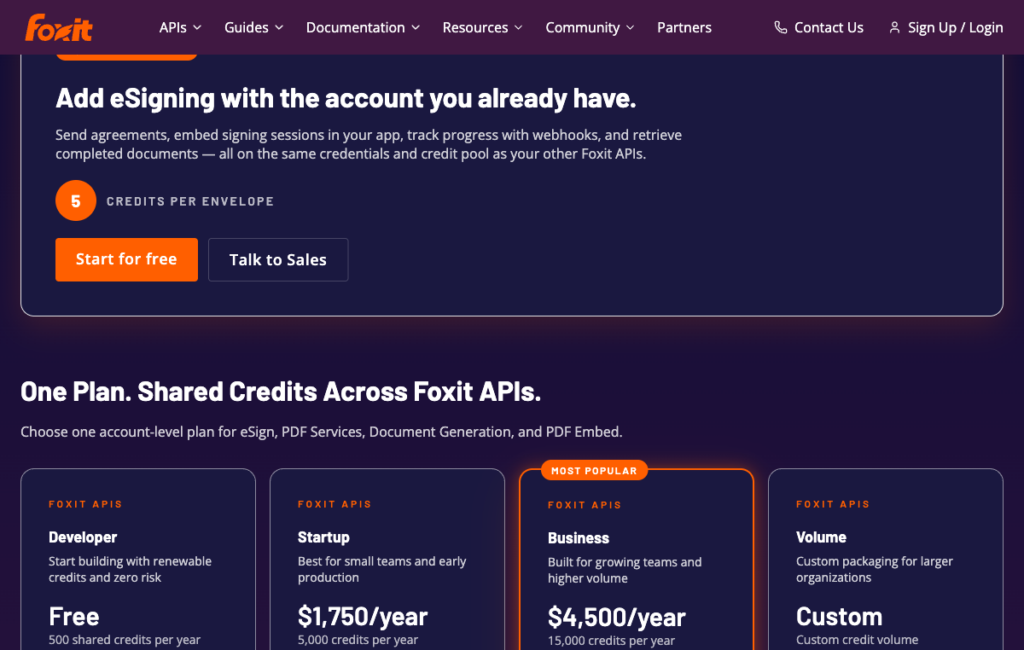
Our pricing calculator and credit reference list Business at $4,500/year for 15,000 credits, while the pricing page’s plan cards show a custom Volume tier. Confirm the available plan with our team before purchasing.
Where Foxit PDF Services API stands out
A two-page invoice and a 150-page annual report each use 1 conversion credit within the supported limits. That keeps page count out of the conversion cost calculation, though follow-on operations consume additional credits.
The same credit pool covers the steps that typically follow a render. Compress the file for email delivery, merge it with a cover page or terms document, watermark it, protect it with a password, auto-tag it for accessibility, or send it for signature with eSign, all without touching a second vendor or a second billing system.
For agentic workflows, the Foxit MCP Server exposes pdf_from_html and pdf_from_url as tools that LLM agents can call directly, without custom REST client code.
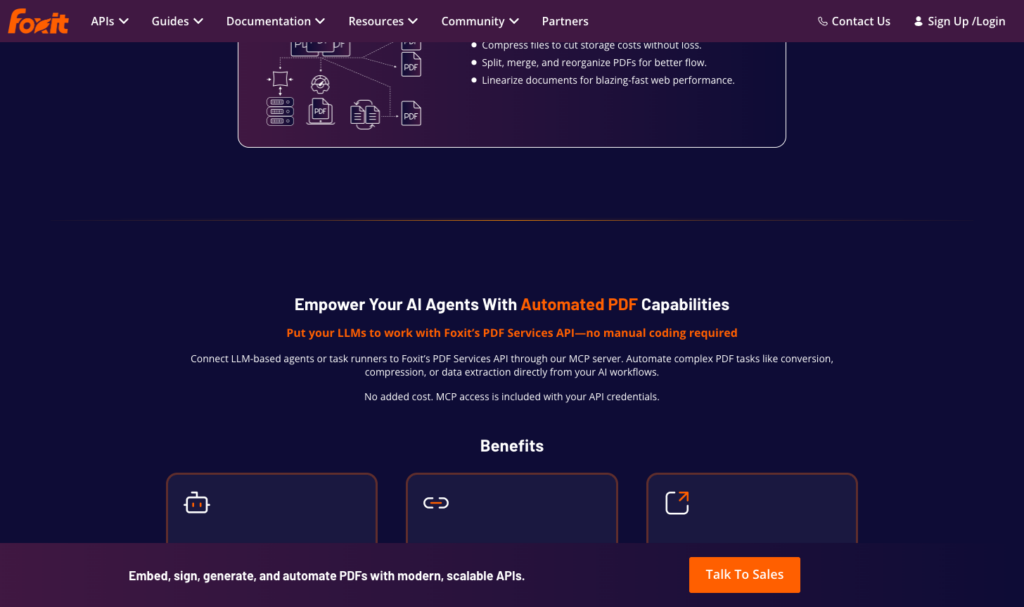
The Foxit PDF Services page confirming MCP server access comes at no added cost beyond existing API credentials.
What to consider
The API reference does not document margin, header and footer, or wait-for-selector parameters. Layout control happens inside the HTML itself, using @page rules and print CSS. If your template relies on request-level margin or footer injection, you’ll need to build those into the markup before upload.
For uploaded HTML, conversion follows four steps: upload the file, submit the job, poll for completion, and download the PDF. Polling and downloads consume no credits. Build your error handling around task status rather than a single conversion response. Our htmlToPDF.py sample shows this flow in Python, with a Node.js equivalent alongside it.
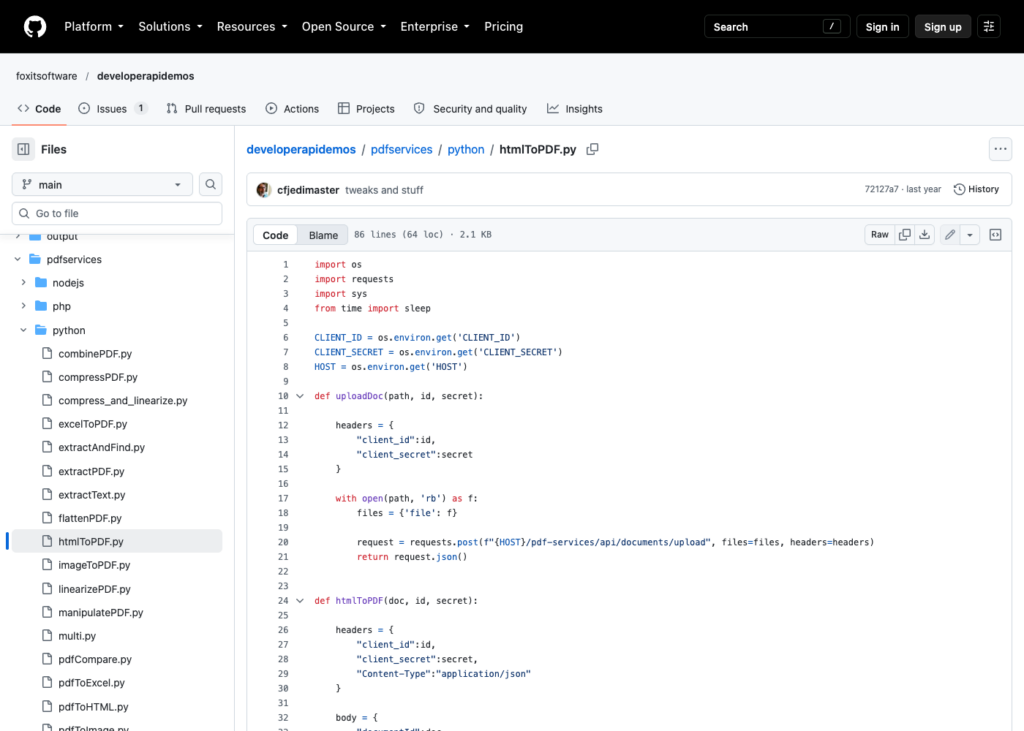
The htmlToPDF.py sample on GitHub, showing the working Python implementation of the async flow described above.

The four-step async flow. Only the submit step consumes a credit; polling and downloading are free.
Credits are sold as an annual pool with no rollover. If your rendering volume is spiky or hard to predict, estimate conservatively and track consumption through the developer console.
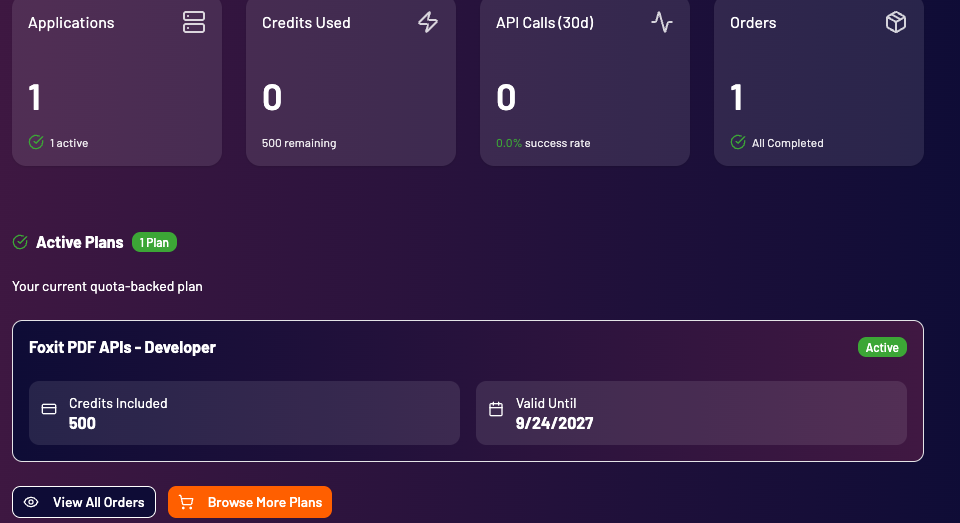
The Foxit developer console’s dashboard, showing the Credits Used tile alongside the active plan’s included credit balance.
Best for
Products where the HTML render is the first step of a longer document workflow, such as generating an invoice and then compressing, watermarking, and sending it for signature on the same account.
Getting started
Create a free Foxit developer account and convert your first HTML file or URL to PDF with the PDF Services API.
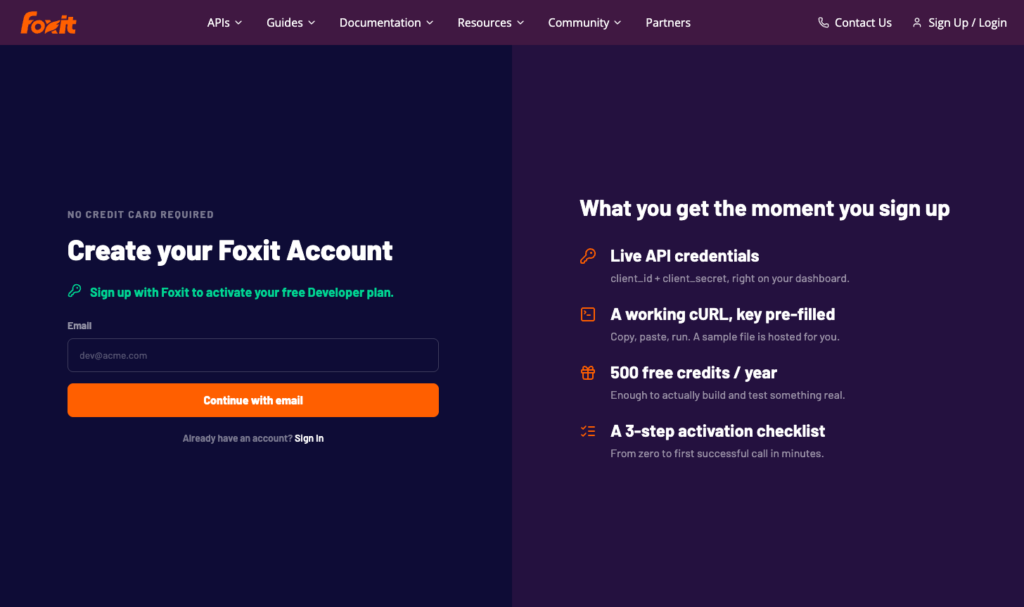
The Foxit developer sign-up page, confirming no credit card is required to get started.
DocRaptor
DocRaptor is built on Prince, a CSS typesetting engine that treats HTML as print layout input rather than a browser page.
It’s the go-to for documents whose pagination must match a designed layout, including long reports, financial statements, and books.
Feature | Details |
Inputs and engine | An HTML string or a URL. Prince 15.1 is the default engine (pipeline 10.1), and older Prince versions can be pinned. Also outputs XLS and XLSX. |
JavaScript and waits | Off by default. javascript=true runs DocRaptor’s own JavaScript engine, not Chromium. Signal readiness with docraptorJavaScriptFinished(). JavaScript errors fail the document. |
Layout controls | Page size, margins, headers, footers, and page numbers set in CSS (Prince paged media). Print media is the default, and using screen media when you meant print is described in DocRaptor’s docs as the most common issue. |
Output options | PDF/A-1, 2, and 3 (a and b); PDF/UA-1; PDF/X-1a, 3, and 4; 40 or 128-bit encryption with print, copy, and edit permissions and font embedding controls. |
Pricing | Per document, any size or complexity. Basic $15 a month (125 documents); Professional $29 (325); Premium $75 (1,250); Max $149 (5,000); Bronze $399 (15,000); Silver $1,000 (40,000). Overage from 12 cents a document on Basic down to 2.5 cents on Silver. |
Free allowance | 5 documents a month, plus unlimited watermarked test documents on every plan. |
Limits | 60 seconds synchronous, 600 seconds asynchronous, 30 simultaneous requests. Callbacks fire only on success, so poll to catch failures. |
SDKs and hosting | PHP, Python, Node, Ruby, Java, and .NET; Zapier. Rendering runs in AWS us-east-1 only. Claims SOC 2 Type II and GDPR compliance; HIPAA on paid plans with a BAA. DocRaptor is part of Artifex Software. |
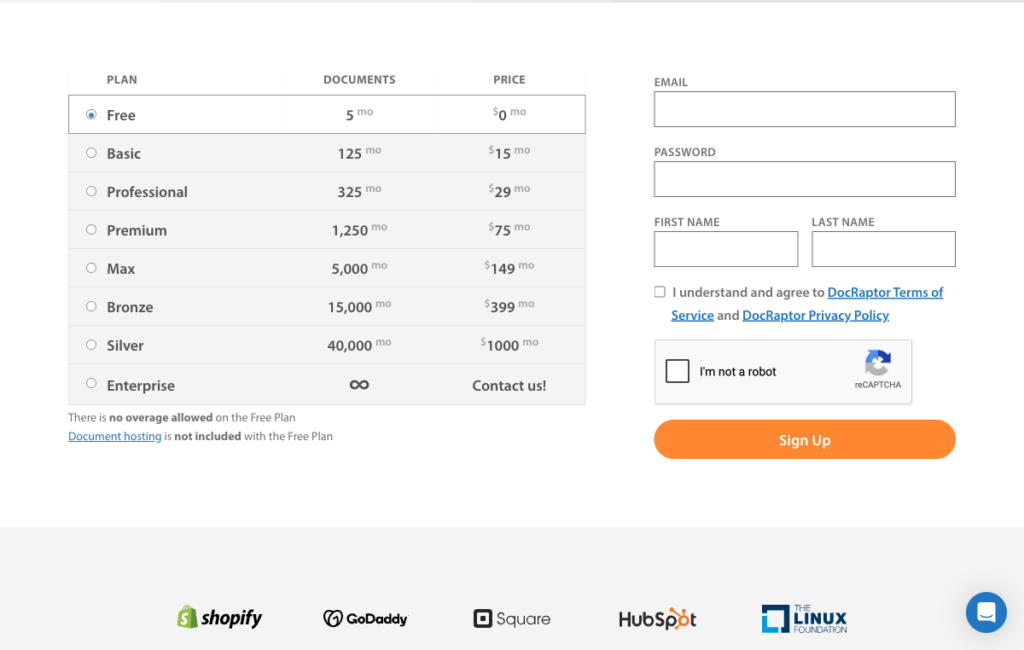
DocRaptor’s full tier ladder, from the free plan through Silver’s 40,000 documents a month.
Where DocRaptor stands out
Prince applies CSS paged media to page size, running headers and footers, margins, and page numbering. Pagination is designed in CSS rather than patched with browser workarounds, which makes complex multi-page layouts consistent and predictable.
DocRaptor’s per-document billing is indifferent to file size or page count. A 200-page regulatory report costs the same credit as a two-page invoice, so teams with large, complex documents get more predictable costs than they would with size-based billing.
PDF/A, PDF/UA, and PDF/X profiles are available at render time with no extra API call. If your compliance requirements include archival or accessibility profiles, they’re applied in the same request that generates the document.
What to consider
JavaScript is off by default. DocRaptor offers its own JavaScript engine and Prince’s separate engine, enabled through different parameters. Test client-rendered charts, dynamic tables, and single-page-app templates with the engine you choose; Chrome previews alone do not establish compatibility.
Rendering runs only in AWS us-east-1. If data sovereignty requires keeping rendering in the EU or Asia-Pacific region, DocRaptor has no regional routing option.
Async jobs send callbacks only on success. A failed async job produces no callback, so your polling logic must handle both successful and failed states.
Best for
Long, print-styled reports and documents whose pagination must match a designed print layout.
Getting started
Start with DocRaptor’s unlimited watermarked test documents on any plan to validate your template before buying a paid tier.
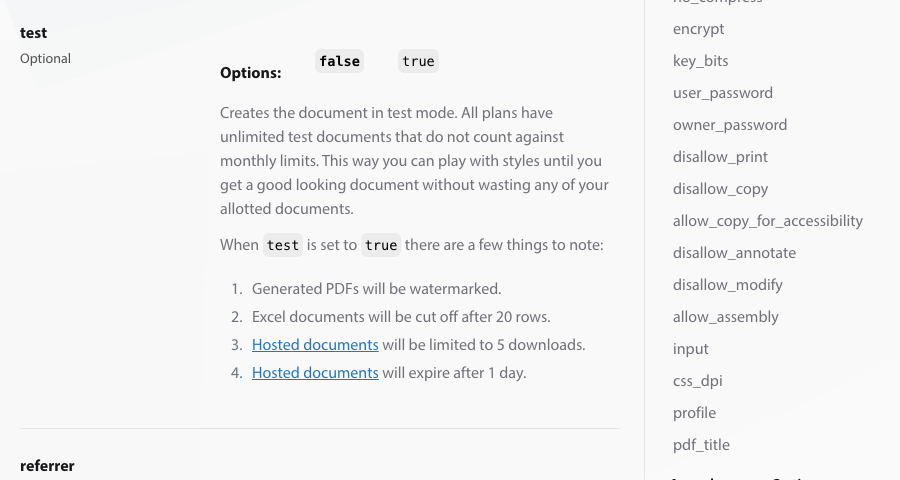
DocRaptor’s documentation on the test parameter, which produces unlimited watermarked documents that do not count against the plan limit.
PDFShift
PDFShift is a Chromium-based rendering API with plans for a range of volumes and version pinning that lets you choose when to change the Chromium version used for your templates.
Feature | Details |
Inputs and engine | A URL or raw HTML, an array of sources for parallel conversion, or stored HTML templates. Headless Chromium is the engine, and the X-Processor-Version header picks Chromium 116 or 142, with new accounts defaulting to the latest. |
JavaScript and waits | A delay of up to 10 seconds, a wait_for JavaScript function (fails after 30 seconds), network idle by default, plus options to disable JavaScript, inject JavaScript or CSS, and lazy-load images. |
Layout controls | Format presets or custom sizes, margins, orientation (portrait or horizontal), zoom, page ranges, and the print stylesheet. Header and footer HTML supports page, total, date, title, and URL variables, but does not inherit the body CSS. |
Output options | PDF, PNG, JPEG, and WEBP, with metadata, password protection and permissions, and text or image watermarks. PDF/A is not in the API schema. |
Pricing | 1 credit per 5 MB of output (a 14 MB PDF uses 3 credits). Starter $9 a month (500 credits); Boost $24 (2,500); Growth $39 (5,000); Business $99 (25,000), up to $999 (1,000,000). Annual billing costs 10 times the monthly price. Overage from $0.04 down to $0.001 a credit. |
Free allowance | 50 credits a month, billed at 1 credit per 5 MB of output, with a 15 MB maximum file size and a 30-second timeout. A watermarked sandbox allows 10 requests a minute. |
Limits | 250 documents a minute. Timeouts run up to 15 minutes on paid plans. Result URLs are kept for 2 days, and webhooks are available for asynchronous jobs. |
SDKs and hosting | Language guides for Node.js, Go, PHP, Python, and Ruby. Exports directly to S3, Google Cloud Storage, or R2. French company; GDPR and HIPAA BAA links in the footer. |
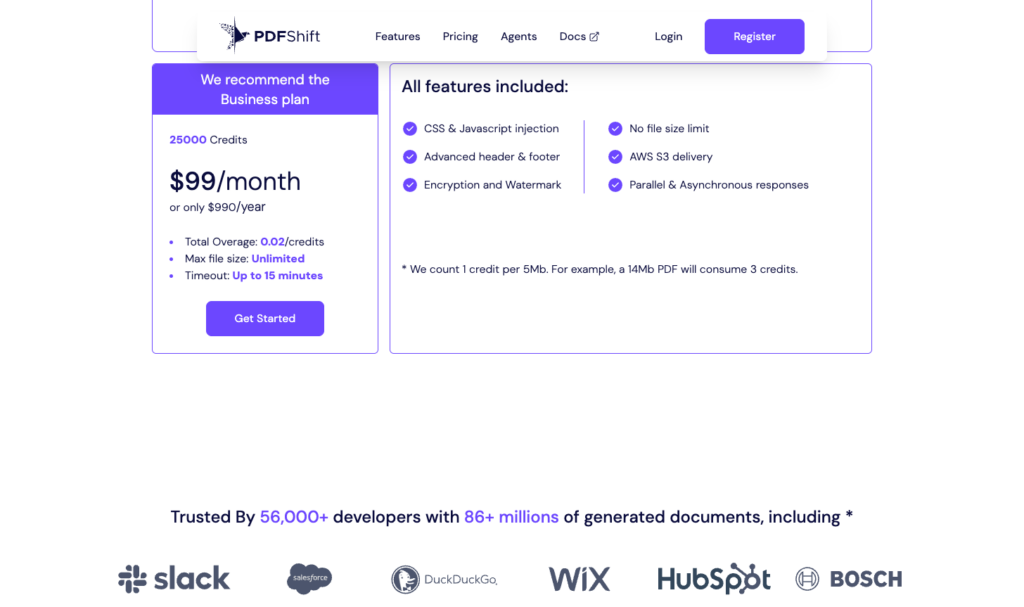
PDFShift’s pricing calculator, confirming the Business tier at 25,000 credits for $99 a month. The page picks a single recommended tier from a credit-count slider rather than listing all tiers at once.
Where PDFShift stands out
Version pinning lets you choose Chromium 116 or 142 with the X-Processor-Version header rather than follow PDFShift’s default engine. It reduces one source of rendering changes, but you still need to test templates when their fonts, assets, or application code change.
The tier ladder runs from $9 a month to $999, covering a wide volume range without requiring a sales conversation. Direct export to your own S3, Google Cloud Storage, or R2 bucket means rendered PDFs land in your storage without an extra download step.
Size-based billing rewards lean templates. PDFs that are mostly text and vector graphics use fewer credits than image-heavy designs, giving you an incentive to optimize output size.
What to consider
Header and footer templates do not inherit your page CSS. Styles applied in the body are invisible inside the header or footer, which is a standard Chromium limitation. You need to duplicate any relevant styles inside those templates.
Image-heavy PDFs consume credits faster than plain ones, because 1 credit covers 5 MB of output. A rendering pipeline for photo-rich marketing materials will cost more than one for text-heavy invoices.
PDF/A output is not in the API schema as of 16 Oct 2026. If you need archival profiles, this API won’t meet that requirement.
Best for
High-volume rendering of modern HTML and CSS where cost per render and predictable engine behavior are the priorities.
Getting started
Use PDFShift’s 50 free monthly credits to test your templates and measure per-file credit consumption before choosing a paid tier.
ConvertAPI
ConvertAPI is a Chromium-based conversion API with CSS-selector page break controls and regional endpoints in the UK, EU, and US.
Feature | Details |
Inputs and engine | An HTML file or a link to one, or a live URL. The OpenAPI description names Chrome headless. With RespectViewport set to false it behaves like Chrome’s print to PDF. |
JavaScript and waits | JavaScript on by default. ConversionDelay runs up to 30 seconds. WaitElement accepts a CSS selector. User JavaScript and CSS injection are supported, as are hiding or showing elements, lazy-loaded content, ad and cookie-banner blocking, and a timeout up to 1,200 seconds. |
Layout controls | Page size presets or custom millimeters, orientation, margins (10 mm default), and scale. Header and footer HTML with page number and total pages. Page breaks by selector with AvoidBreakElements, BreakBeforeElements, and BreakAfterElements. CssMediaType defaults to screen. |
Output options | PDF. PDF/A and PDF/UA are separate PDF tools, not HTML-to-PDF parameters. |
Pricing | Per conversion. Monthly billing: Developer $35 (1,000 conversions); Startup $95 (5,000); Growth $175 (15,000); Business $350 (50,000). Annual billing: $30, $85, $160, and $300 a month with annual pools of 12,000, 60,000, 180,000, and 600,000 conversions. Overage $0.05 a conversion on every plan, minimum 20 overage conversions per billing period. |
Free allowance | 250 conversions at sign-up. |
Limits | Maximum file 200 MB on Developer, up to 2 GB on Enterprise. Developer through Business plans allow 1 to 4 concurrent conversions. Enterprise offers unlimited concurrency. Stored results are kept up to 3 hours. |
SDKs and hosting | Official open-source SDKs; Zapier, Make, and n8n. Regional endpoints in London, Amsterdam, Frankfurt, US East, and US West. ISO 27001 and GDPR compliance cited consistently across its documentation. |
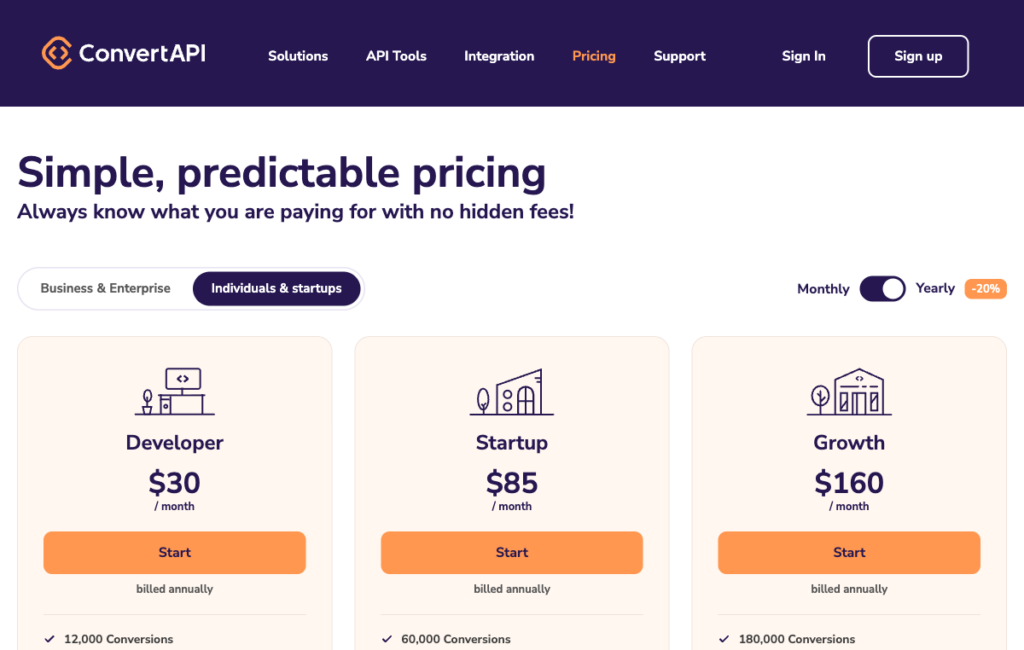
ConvertAPI’s annual-billing tier prices, which match the $30/$85/$160 figures cited in the feature table.
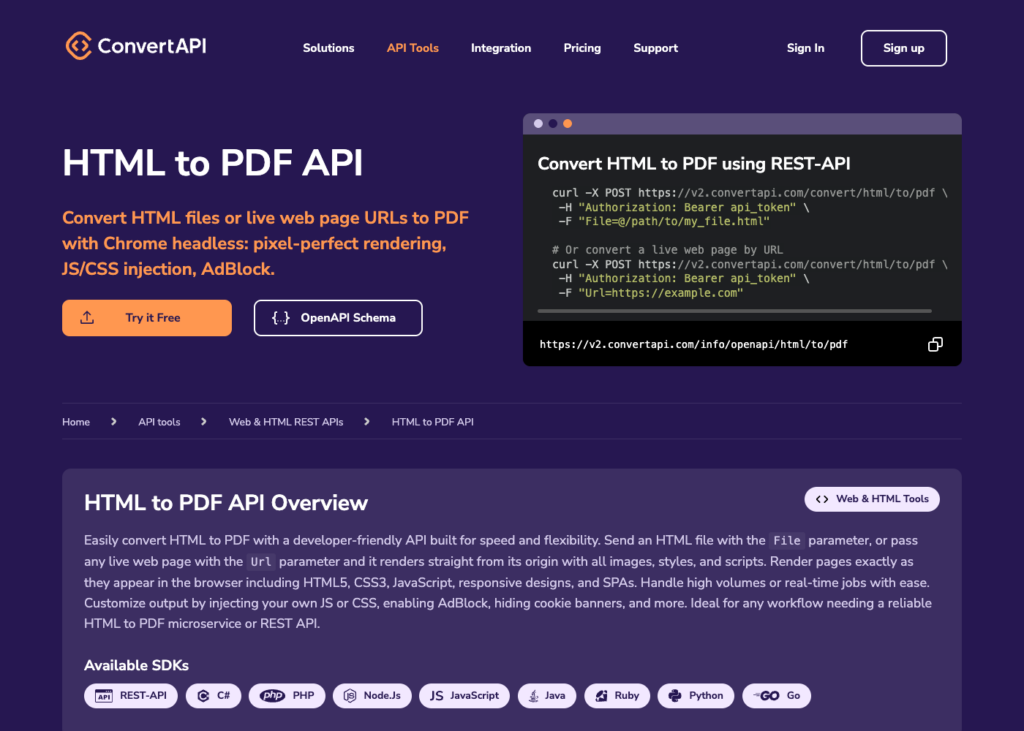
ConvertAPI’s HTML to PDF API reference page, naming Chrome headless as the engine, with a link to the OpenAPI schema beside it.
Where ConvertAPI stands out
The AvoidBreakElements, BreakBeforeElements, and BreakAfterElements parameters let you control page breaks by CSS selector in the API request. That’s a level of pagination control you’d normally need to patch into the HTML itself, and it’s available across all plans.
Regional endpoints in London, Amsterdam, Frankfurt, and two US regions let you choose where rendering runs. If you have EU data residency requirements, confirm the applicable storage, transfer, and contractual terms as well as the endpoint location.
A configurable timeout of up to 1,200 seconds gives slow pages more time to finish rendering. Check it against your application’s own request timeout and response-time requirements.
What to consider
The default media type is screen. If your stylesheet uses @media print rules, you need to set CssMediaType explicitly in each request. Missing this is easy and produces output that ignores your print styles entirely.
Each request can count as one or more conversions, and successful responses report ConversionCost. Failed requests are also billed. Review the ConversionCost field in your response to avoid surprises.
ConvertAPI’s compliance wording varies across its own pages. ISO 27001 and GDPR appear consistently; treat other compliance claims as requiring verification.
Best for
Invoices and reports that need explicit control over where pages break, processed in the UK, EU, or US.
Getting started
The 250 free conversions at sign-up are enough to validate page break behavior and media type handling on your template before purchasing a plan.
PDFCrowd
PDFCrowd offers the widest PDF/A coverage in this comparison, with variants from PDF/A-2a through PDF/A-4f, tagged PDF, and credit-based billing that scales with output size.
Feature | Details |
Inputs and engine | A URL, an HTML file, zipped HTML with assets (up to 300 MB), raw HTML, or Jinja-style data templates. The rendering engine is not named in public documentation. The API pins converter versions (24.04, 20.10, 18.10). |
JavaScript and waits | javascript_delay and wait_for_element, both capped by the plan’s maximum delay (1 to 15 seconds). Custom JavaScript is supported, and JavaScript can be disabled. |
Layout controls | Page size, orientation, and margins. Header and footer HTML with page number and page count classes. A mode that prefers CSS @page rules and viewport options are also available. |
Output options | PDF/A-2a, 2b, 2u, 3a, 3b, 3u, 4, 4e, and 4f. Tagged PDF and encryption with user and owner passwords are supported. PDF/A cannot be combined with encryption, forms, or watermarks. |
Pricing | 1 credit per 0.5 MB of output. Nano $1 a month billed annually (10 credits); Micro $11 (200); Small $23 (1,000); Medium $35 (5,000); Large $61 (10,000); Ultimate $106 (20,000); Enterprise tiers up to $2,630 (3,000,000). Unused credits do not roll over. |
Free allowance | 100 test API credits valid for one month. |
Limits | 60-second limit per conversion. Rates run from 15 to 480 conversions a minute and 1 to 16 concurrent by plan, with 429 and 430 responses when exceeded. No async or webhook option found as of 16 Oct 2026. |
SDKs and hosting | PHP, Java, .NET, Python, Node.js, Ruby, and Go, plus a command-line tool; Zapier, Make, Pipedream, and others. Operated by an EU company with GDPR processor terms. |
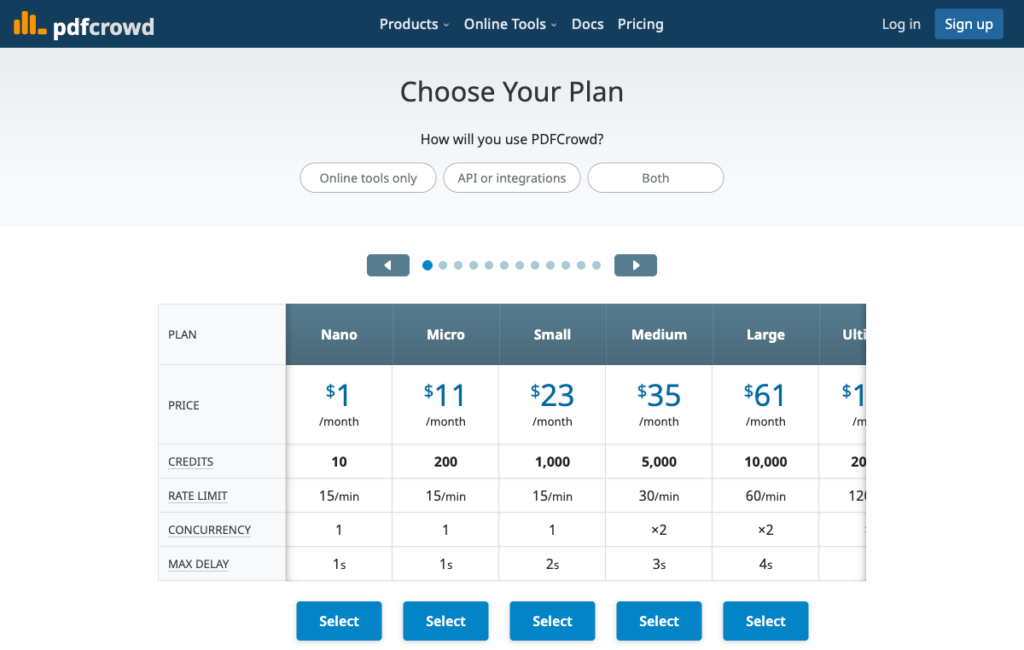
PDFCrowd’s credit-based tiers, priced at 1 credit per 0.5 MB of output.
Where PDFCrowd stands out
PDFCrowd supports PDF/A variants from PDF/A-2a through PDF/A-4f, including PDF/A-4e for engineering documents. Tagged PDF output is also available, but tagging alone does not establish accessibility compliance.
Occasional overage is not billed on PDFCrowd’s documented policy, and entry-tier pricing starts at $1 a month billed annually, which makes low-volume archival use affordable.
Zipped HTML upload with assets up to 300 MB handles complex templates with many local resources without requiring a public URL or a content delivery network.
What to consider
Entry plans cap JavaScript waits at 1 to 2 seconds and run one conversion at a time. Concurrency and wait limits scale with plan tier, so a low-cost entry plan may not handle templates that depend on slow client-side rendering.
At 0.5 MB per credit, image-heavy or font-rich PDFs consume more credits than smaller exports. Compare the cost for your actual output sizes, not credit counts alone, because vendors price credits differently.
Sustained overage beyond occasional instances can lead to account suspension according to PDFCrowd’s overage documentation. Monitor consumption carefully on smaller plans.
Best for
Archival or accessible PDFs from HTML at steady monthly volume, especially when choosing among PDF/A variants is a requirement.
Getting started
The 100-credit trial covers a month of testing, enough to measure real output sizes and credit consumption before choosing a tier.
Api2Pdf
Api2Pdf is a metered API that bills for actual compute time and bandwidth consumed, with per-call choice of engine, covering Headless Chrome, wkhtmltopdf, or LibreOffice.
Feature | Details |
Inputs and engine | Raw HTML or a URL rendered with Headless Chrome (PuppeteerSharp-based) or wkhtmltopdf; Markdown through Chrome; Office and 100+ other formats through LibreOffice. The same API merges, watermarks, password-protects, and generates barcodes. |
JavaScript and waits | Delay plus Puppeteer wait-for method and value on the Chrome route. |
Layout controls | Width, height, margins, orientation (portrait or horizontal), scale, page ranges, preferCSSPageSize, print CSS, print background, and Chrome header and footer templates. |
Output options | Tagged PDF and outlines on Chrome PDFs; passwords and watermarks through separate endpoints; screenshots. PDF/A is not in the v2 spec. |
Pricing | $1 a month plus $0.001 per MB of bandwidth and $0.00019551 per second of compute. The $1 monthly fee starts 30 days after sign-up. Api2Pdf’s own example: 10,000 PDFs of 0.1 MB at 2 seconds each cost about $5.91 a month. |
Free allowance | One month of free credit for new accounts. |
Limits | 2 GB of memory and 90 seconds per standard request (V2 XL gives 8 GB and 5 minutes at 10 times the price); no rate, page, or file-size limits stated; files deleted after 24 hours; no webhook field in the v2 spec. |
SDKs and hosting | Python, Node, .NET, PHP, Java, Ruby, and Go; Power Automate and Zapier; an MCP server. Runs on Google Cloud Run in us-central1; managed and self-hosted enterprise options. |
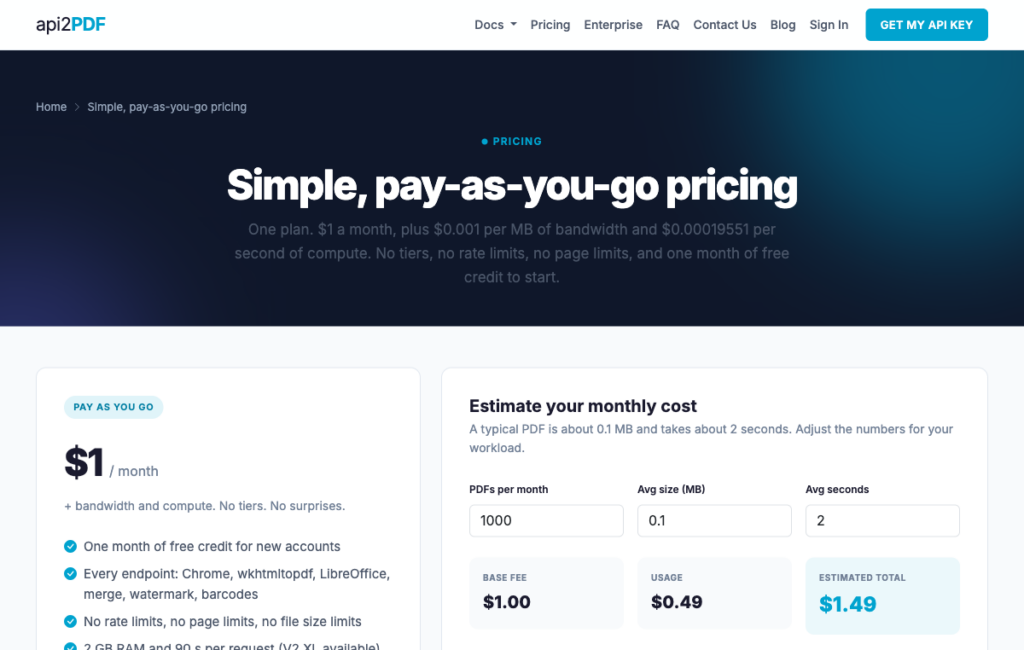
Api2Pdf’s pay-as-you-go pricing page, including its own cost estimator for bandwidth and compute time.
Where Api2Pdf stands out
Api2Pdf estimates about $5.91 for its example of 10,000 small PDFs a month. For an unpredictable workload, compare that metered model with a subscription using your own render times and output sizes.
Each call chooses its engine independently. A batch that mixes HTML invoices (Chrome), legacy HTML files (wkhtmltopdf), and Office documents (LibreOffice) runs through the same API key without switching services.
The $1 monthly base fee after the first month is low enough that Api2Pdf is viable even for low-volume production use, such as a small internal tool that generates a handful of PDFs a week.
What to consider
Cost follows render time and output size, so a slow page with heavy JavaScript costs more than a fast static template. Profile your templates during the free month to understand what they’ll actually cost.
The wkhtmltopdf route runs on an archived, unmaintained engine (see “What happened to wkhtmltopdf” below). For new projects, the Chrome route is the maintained option.
The 90-second per-request cap is a hard ceiling. Templates that require long JavaScript execution or large resource loads need to fit within that window. V2 XL lifts it to 5 minutes at 10 times the compute cost.
Best for
Spiky or cost-sensitive workloads where paying for actual compute beats a fixed monthly tier.
Getting started
The one-month free period is the right time to run your real templates and compute your expected monthly cost before committing.
Browserless
Browserless runs Chrome as a managed service, exposing the same Puppeteer and Playwright controls your existing render code already uses, without you operating the browsers.
Feature | Details |
Inputs and engine | A URL or HTML. The /pdf REST API uses Chrome’s print engine through Puppeteer; full sessions also support Playwright with Chrome, WebKit, and Firefox. |
JavaScript and waits | waitForSelector, waitForFunction, waitForEvent, and waitForTimeout; navigation options; script and style injection; resource blocking; a bestAttempt mode. |
Layout controls | Puppeteer PDF options: format, size, margins, header and footer templates (page number, total pages, date, title, URL), print background, and page ranges. The /pdf endpoint cannot produce a single long-page PDF. |
Output options | A tagged-PDF flag (Browserless notes Chrome’s tagged output is not certified PDF/UA); screenshots. |
Pricing | Billed in units of up to 30 seconds of browser time. Prototyping $25 a month billed annually (20,000 units, then $0.0020 a unit); Starter $140 (180,000; $0.0017); Scale $350 (500,000; $0.0015). Monthly pricing available; annual billing saves approximately 30% per Browserless’s FAQ. |
Free allowance | 1,000 units a month, 2 concurrent browsers, and 2-minute sessions. |
Limits | 2 concurrent browsers on Free, up to 100 on Scale; session length 2 to 60 minutes by plan; PDFs that fail in one request can be split with page ranges and merged. |
SDKs and hosting | REST plus Puppeteer and Playwright connections; endpoints in San Francisco, London, and Amsterdam, with stored data in US infrastructure on the shared fleet. Claims SOC 2 Type II and GDPR compliance; HIPAA BAA and licensed self-hosting on Enterprise. |
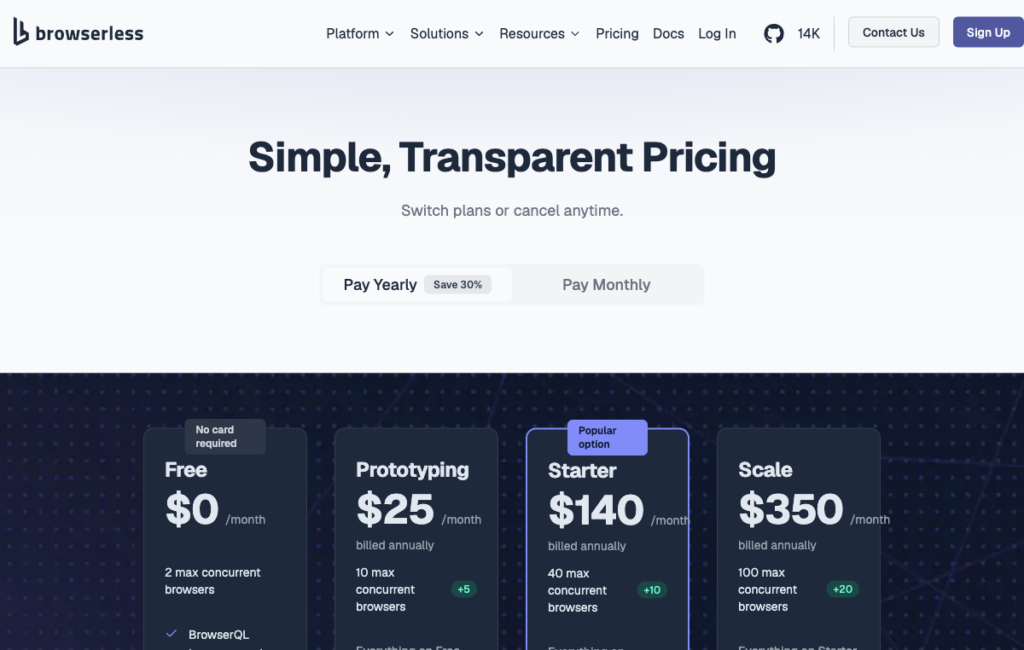
Browserless’s unit-based tiers, where one unit covers up to 30 seconds of browser time.
Where Browserless stands out
Existing Puppeteer render code moves over with minimal changes. The /pdf REST API accepts the same options as Puppeteer’s page.pdf(), so teams moving off self-hosted Chrome don’t need to rewrite their rendering logic.
The full session API supports Playwright with Chrome, WebKit, and Firefox for browser automation. Check PDF-export support separately rather than assuming that every supported browser can generate PDFs.
Three geographic regions (San Francisco, London, Amsterdam) give you control over where browser sessions run, reducing latency for geographically distributed workloads.
What to consider
Browserless charges browser time in blocks of up to 30 seconds per connection. Longer waits can increase usage when they cross a block boundary, so measure the full connection duration rather than assuming cost rises in direct proportion to render time.
PDFs that fail to render in a single request may need chunking by page range and merging, which adds request complexity. The /pdf endpoint cannot produce a single continuous long-page PDF.
Chrome’s tagged PDF output is available but Browserless explicitly notes it is not certified PDF/UA. If formal accessibility compliance is a requirement, verify this limitation before building on it.
Best for
Teams with existing Puppeteer or Playwright render code who want to stop operating the browsers themselves.
Getting started
The 1,000 free units a month (2 concurrent browsers) cover lightweight testing. Run your actual templates against the free tier to measure unit consumption before selecting a paid plan.
PDF.co
PDF.co is owned by Artifex Software (the same parent as DocRaptor) and places HTML to PDF alongside parsing, forms, barcode, and extraction endpoints on one shared credit balance, with Make and Zapier modules for no-code integration.
Feature | Details |
Inputs and engine | Raw HTML, a URL, or stored HTML templates. The rendering engine is not named as of 16 Oct 2026. |
JavaScript and waits | Runs the page’s JavaScript on load with no option to disable it; DoNotWaitFullLoad changes how long it waits. |
Layout controls | Margins, paper size (A4 default), orientation, print background, media type (print default), and header and footer HTML with page number and total pages. |
Output options | Encryption profiles; passwords, merge, split, compress, forms, and parsing on other endpoints. |
Pricing | 9 credits per rendered page; job status checks cost 2 credits per call. Billed annually as displayed: Basic $8.99 a month (16,500 credits); Personal $22.49 (37,000); Business 1 $44.99 (80,500); Business 2 $89.99 (159,850); Business 3 $270 (483,000). Basic’s 16,500 credits works out to about 1,833 rendered pages a month, a computed ceiling rather than a vendor-stated page limit. |
Free allowance | 10,000 credits or 30 days, whichever comes first. |
Limits | 30 seconds synchronous; up to 3 minutes asynchronous with a webhook callback; 4 MB request payload; 100 MB per URL input file; output links expire after 60 minutes by default. |
SDKs and hosting | Make and Zapier modules and Postman collections. PDF.co is owned by Artifex Software. |
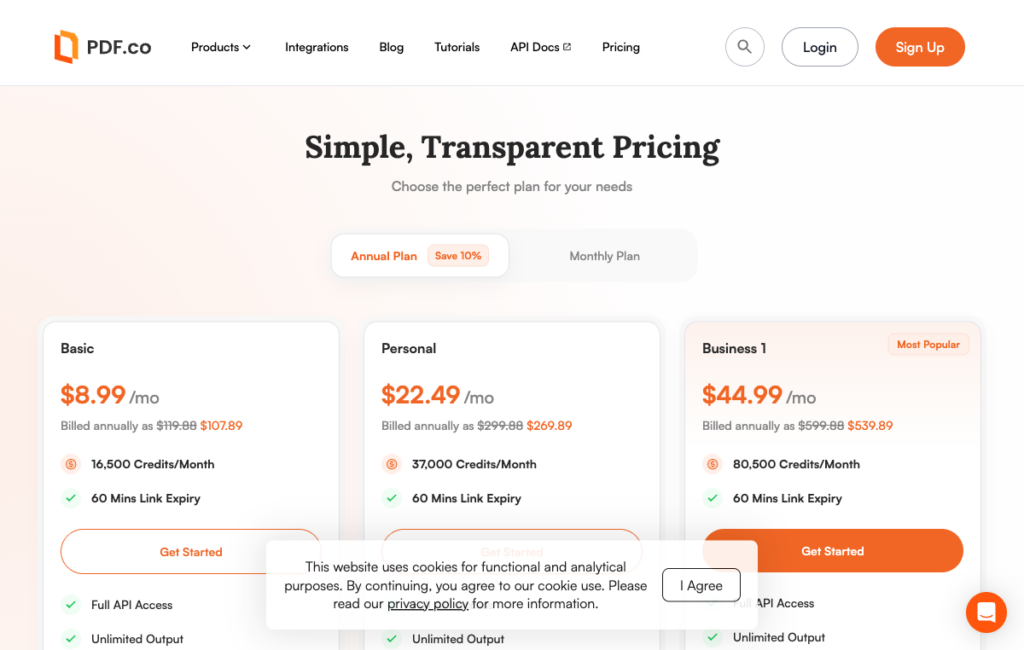
PDF.co’s annual-billing tiers, matching the 16,500/37,000/80,500 credit figures cited above.
Where PDF.co stands out
HTML to PDF shares a credit balance with parsing, form filling, barcode generation, compression, and splitting. An automation builder in Make or Zapier can chain all of these in one workflow without switching services or managing multiple API keys.
Per-page credits (9 per page) make PDF.co’s cost predictable for fixed-length documents. An invoice that’s always two pages always costs 18 credits, regardless of file size.
The 10,000-credit free trial gives you room to run a realistic volume of test documents and understand exactly what your credit consumption looks like before choosing a plan.
What to consider
At 9 credits per page, a 50-page report uses 450 credits and a two-page invoice uses 18. Personal’s 37,000 monthly credits would cover at most 82 reports or 2,055 two-page invoices if used only for rendering. Polling and other operations reduce those totals.
JavaScript always runs on load and cannot be disabled. If you’re rendering static HTML, there’s no way to skip the JavaScript execution time.
Synchronous calls stop at 30 seconds. Templates with heavy JavaScript or many external resources need the async route with webhook handling.
Best for
Automation builders on Make or Zapier who need HTML to PDF alongside other PDF jobs on one credit balance.
Getting started
The free 10,000-credit trial covers about 1,111 rendered pages, enough for realistic testing of your document types.
Nutrient DWS Processor API
Nutrient DWS Processor API converts HTML to PDF at 0.5 credits per conversion and turns HTML form fields into interactive, fillable PDF form fields, with the option to chain multiple operations in a single /build call.
Feature | Details |
Inputs and engine | An HTML file uploaded with its CSS, fonts, and images, or a URL. The overview names Chromium; the generation guide does not name the engine. |
JavaScript and waits | The generation guide states JavaScript assets are not supported, while the overview claims JavaScript support. Use pre-rendered HTML until this conflict is resolved. |
Layout controls | A layout object with orientation, size, and margins in millimeters; repeating headers and footers through #pspdfkit-header and #pspdfkit-footer elements with page number and page count tokens. HTML form fields become fillable PDF fields. |
Output options | PDF. PDF/A and PDF/UA are separate operations, chainable in one /build request. |
Pricing | HTML to PDF costs 0.5 credit. Starter $75 a month (1,000 credits); Growth $275 (5,000); Pro $445 (10,000). About 10% less billed annually. |
Free allowance | 50 credits a month (watermarked unless pay-as-you-go is enabled with a $25 wallet load). |
Limits | 100 requests per minute per API key on every plan. |
SDKs and hosting | Code examples in JavaScript, Python, Java, C#, and PHP; Zapier; an MCP server. Cloud API; self-hosting is a separate product (Document Engine). Claims SOC 2 Type 2 audited controls and GDPR compliance. |
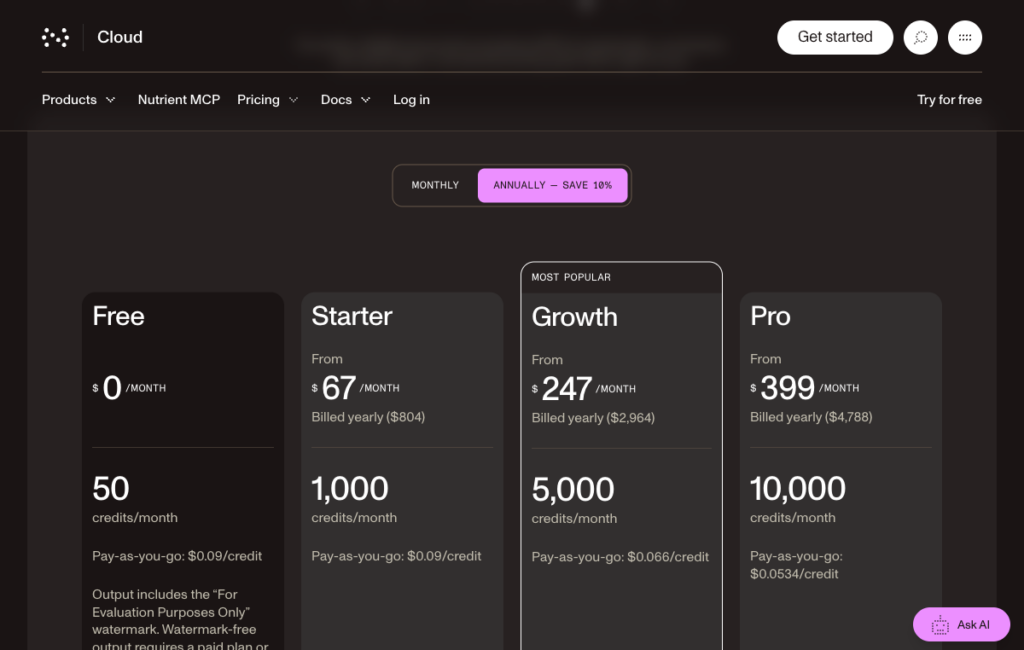
Nutrient’s Processor API pricing, shown at the annual-billing rate (about 10% below the monthly prices cited in the feature table).
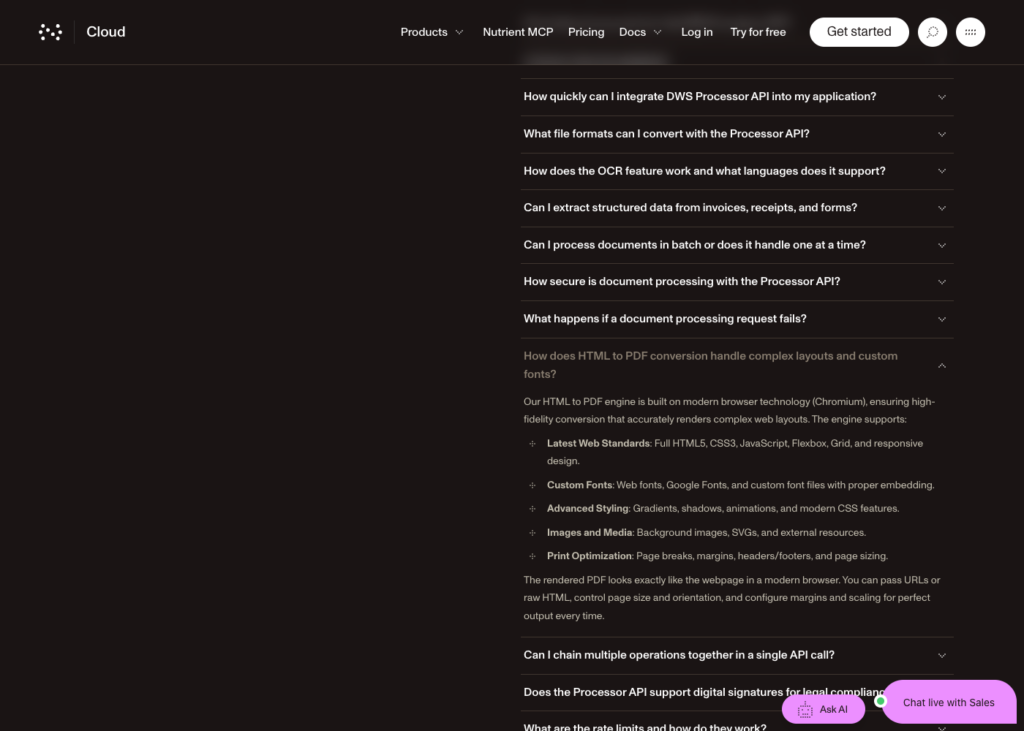
The Processor API overview page’s FAQ, naming Chromium as the engine and listing JavaScript among the web standards it supports, the first half of the conflict described below.
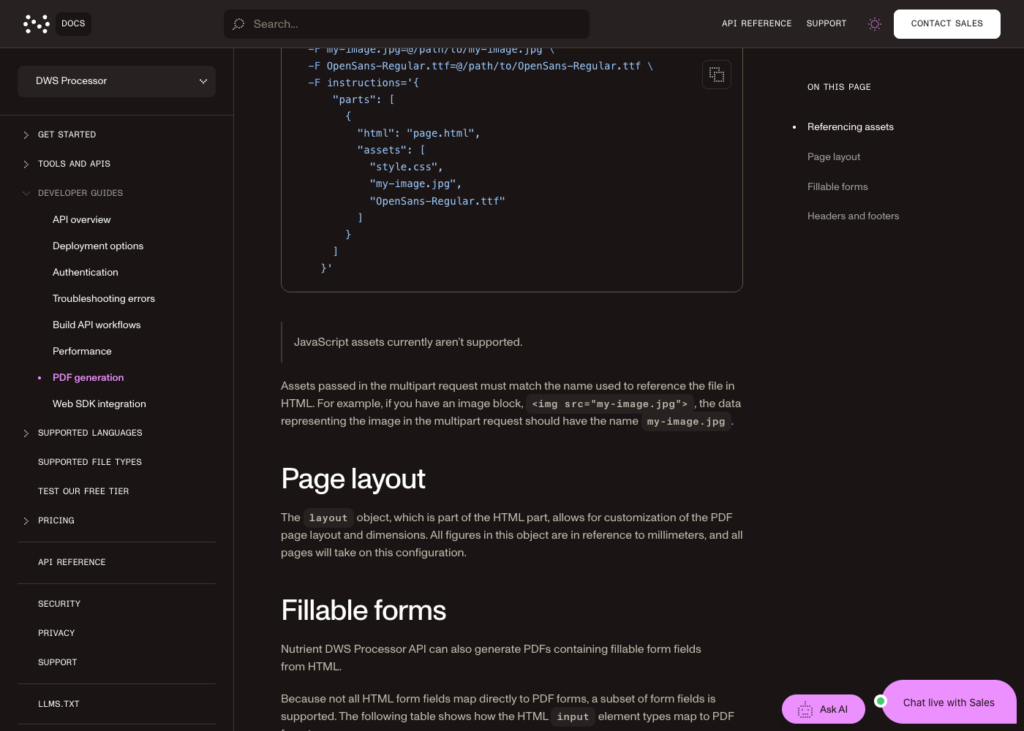
The PDF generation guide’s own callout, stating plainly that JavaScript assets are not supported, the second half of the conflict.
Where Nutrient DWS Processor API stands out
HTML form fields in your source markup turn into fillable PDF form fields in the output, with no post-processing required. If you’re generating application forms, order forms, or any document the recipient needs to complete, this capability is available directly in the conversion step.
Chaining operations in a single /build request reduces round trips. Convert HTML to PDF and apply PDF/A or PDF/UA in one call, rather than two separate API requests.
At 0.5 credit per HTML conversion, 1,000 credits cover 2,000 conversions if used only for that operation. Include any additional operations when estimating the cost of the full workflow.
What to consider
The overview and the generation guide conflict on JavaScript support. The generation guide states JavaScript assets are not supported; the overview says they are. Ship pre-rendered HTML until Nutrient clarifies this at the route level.
Free-plan output is watermarked unless you enable pay-as-you-go with a $25 minimum wallet load. Budget for that activation cost if you’re testing without a paid plan.
Best for
Static HTML templates such as applications or order forms that must become fillable PDFs.
Getting started
Review Nutrient’s HTML-to-PDF guide, then test your form-field conversion on the free tier (50 credits a month, watermarked) before selecting a plan.
Gotenberg
Gotenberg is an MIT-licensed Docker API wrapping Chromium and LibreOffice, with PDF/A, PDF/UA, and e-invoice output built in.
Version 8.38.1 was released on 15 Oct 2026. There are no per-render license fees or vendor quotas, but you pay for hosting and take responsibility for operation and maintenance.
Feature | Details |
Inputs and engine | HTML files (with header.html and footer.html), URLs via Chromium, and Office documents via LibreOffice. Chromium is the named engine. |
JavaScript and waits | Delay, expression, and selector waits. header.html and footer.html cannot load external resources or JavaScript. |
Layout controls | Page size, margins, orientation, print background, and page ranges. Headers and footers via separate HTML files. |
Output options | PDF/A-1b, 2b, 3b; PDF/UA-1; e-invoice (ZUGFeRD/Factur-X); merge, split, encrypt, flatten. |
Pricing | None (self-hosted). MIT license. |
Free allowance | No vendor quota; your hosting costs apply. |
Limits | 30-second default timeout (configurable). Concurrency controlled by container scaling. |
SDKs and hosting | REST API; community client libraries. Docker image; self-hosted on any infrastructure. |
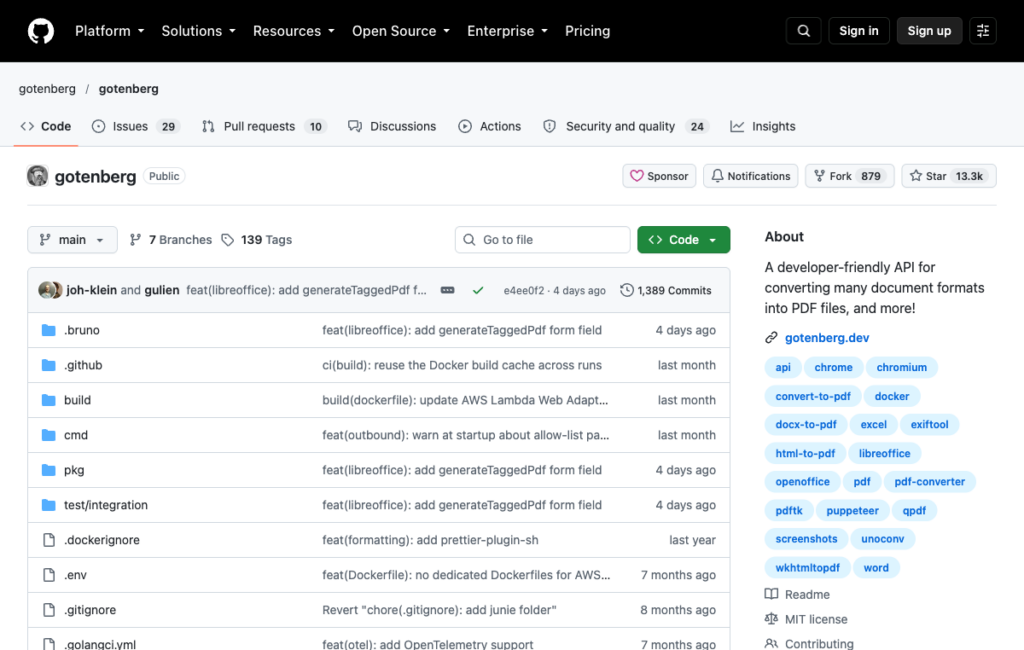
Gotenberg’s GitHub repository, confirming the MIT license and its Chromium/LibreOffice/wkhtmltopdf topic tags.
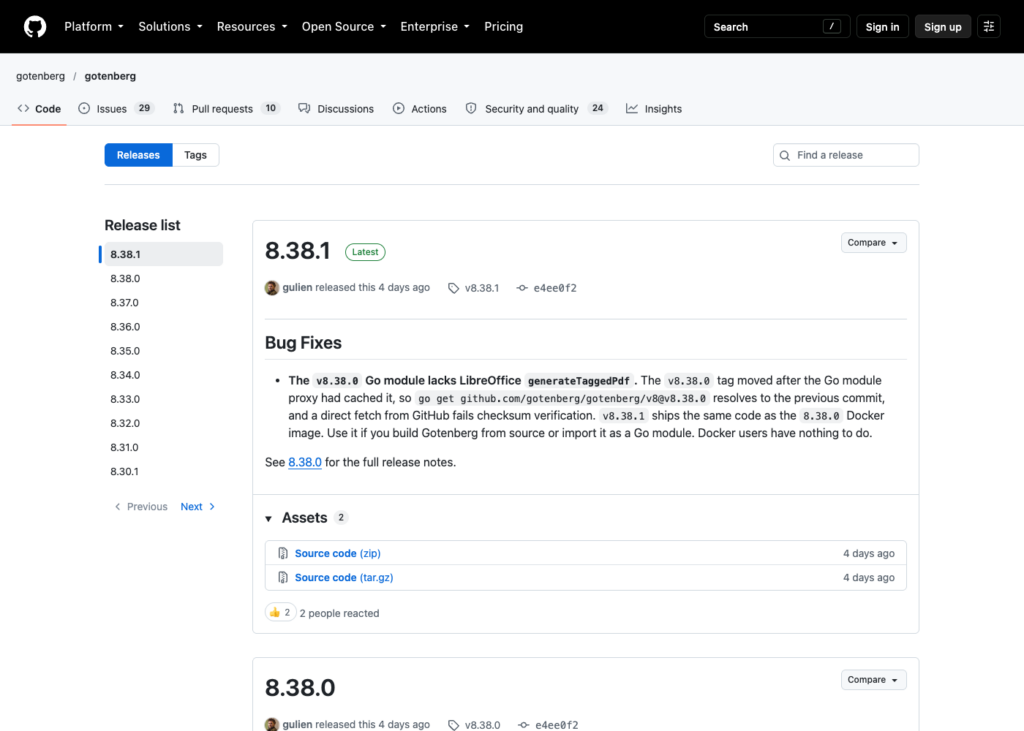
Gotenberg’s Releases page, confirming v8.38.1 as the current release.
Where Gotenberg stands out
Self-hosting Gotenberg lets you process HTML and PDFs on your own infrastructure. For data residency or air-gapped deployments, also control outbound requests, external assets, and webhook destinations; self-hosting alone does not prevent data from leaving the environment.
PDF/A, PDF/UA, merge, split, encrypt, and e-invoice formatting are all available in the same container, with no per-operation billing. Volume is limited only by the compute you allocate.
What to consider
You own the operational burden, including container updates, Chromium upgrades, concurrency tuning, and uptime. The 30-second default timeout is configurable, but scaling to high concurrency requires running multiple container instances and a load balancer in front of them.
header.html and footer.html cannot load external resources or run JavaScript, which is the same architectural constraint as other Chromium-based APIs.
Best for
Teams with data residency requirements, air-gapped environments, or high enough volume that self-hosting costs less than per-render fees.
Getting started
Pull the official Docker image, run it, and POST your HTML to the Chromium route. The MIT license means no activation step. Grab a ready-to-use sample index.html here and save it in the same directory you run the curl command from, so the –form ‘[email protected]’ line below has something real to upload.
Run this command from your terminal: