10 best PDF MCP servers for AI agents in 2026
When an AI agent struggles with a scanned invoice or loses a table’s structure, it may need a tool built for that task.
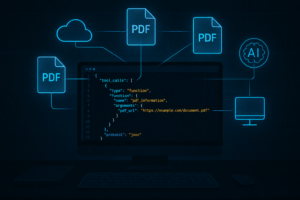
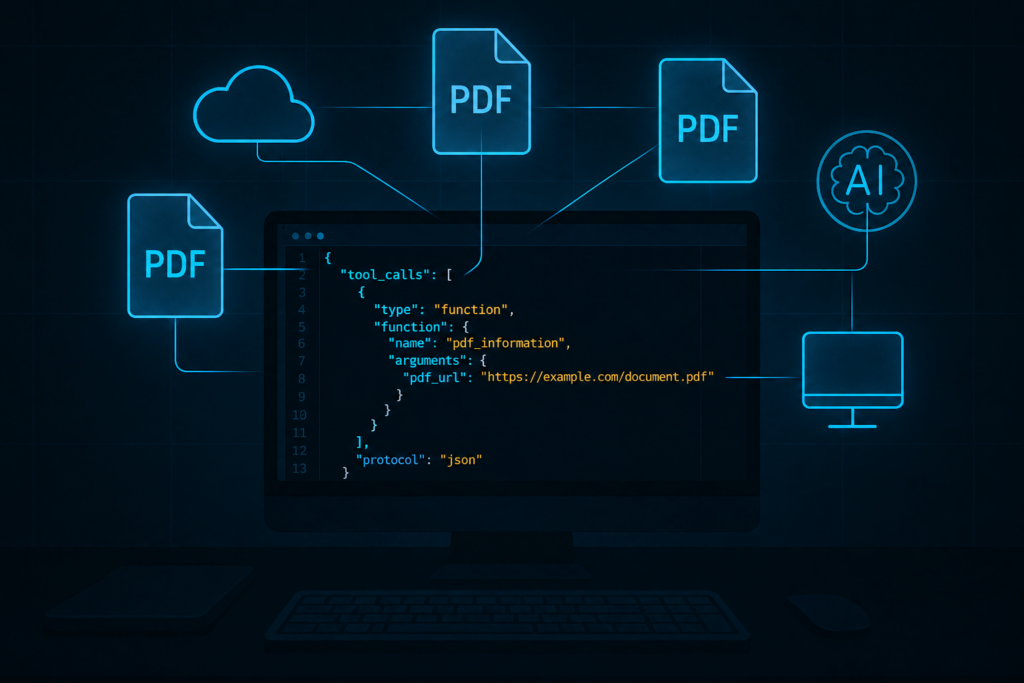
A PDF MCP server gives it access to document tools, from text extraction and OCR to merging files or requesting a signature, depending on the server.
The choice comes down to what your agent needs to do and where the document can be processed.
Some servers process files on your machine; others send them to a cloud API. This guide compares 10 PDF MCP servers by their capabilities, setup, cost, and data-handling requirements.
Before connecting a server, consider what your agent can access and where document content goes, and treat incoming PDFs as untrusted input, especially when the agent can modify files.
Top picks by job
Start with the output your agent needs. For reading and extraction, compare the open-source options.
For editing, conversion, or other jobs that produce a new file, compare cloud API servers, Stirling PDF, and local toolkits.
Check current versions and documentation before integrating, since tool counts and pricing tiers shift as vendors ship updates.
| Job | Pick | Why it fits |
|---|---|---|
| Converting and editing PDFs through one cloud API | Foxit PDF API MCP Server | 40 tools in v1.1.2 for conversion both ways, merge, split, compress, OCR, redaction, watermark, and forms |
| Certificate-based signing inside agent flows | Nutrient DWS MCP Server | A PAdES digital signing tool, plus OCR and AI redaction, on Nutrient’s cloud |
| Zero-install PDF editing in claude.ai or ChatGPT | CloudConvert MCP Server | Hosted Streamable HTTP endpoint with OAuth; 24 tools |
| Invoice parsing and table extraction in the cloud | PDF.co MCP Server | 38 tools including fillable forms, table finding, and an AI invoice parser |
| Open-source, layout-aware conversion for RAG | Docling MCP | MIT, OCR and table-structure options, v3.3.0 released 6 Oct 2026 |
| Managed parsing and schema extraction | LlamaParse MCP | 26 tools on the unified OAuth endpoint, including indexing and project-key creation; 10K free credits/month |
| Searching long PDFs and whole folders locally | pdf-mcp (jztan) | 13 tools with hybrid keyword and semantic search that flags hidden text as untrusted |
| Lightweight local reading across many formats | anymd | Rust binary, 4 tools, no API key, 6,144 weekly npm downloads for @sylphx/anymd as of mid-October 2026 |
| A self-hosted PDF toolbox behind your firewall | Stirling PDF MCP Server | Built into Stirling PDF with OAuth2 or API key, off by default |
| Offline editing with no account | PDF Toolkit MCP | 22 local tools for merge, split, encrypt, forms, and creation |
These picks highlight different uses, not exclusive capabilities. Check each entry’s feature table against your full workflow.
How we compared these servers
For each server, we compare 6 fields: capabilities, data routing, setup, pricing, maintenance, and supported clients.
Tool lists and versions come from project READMEs and release notes, package metadata from npm or PyPI, and hosted-service details and costs from vendor documentation and pricing pages.
GitHub stars and directory visitor counts, including PulseMCP’s estimates, indicate popularity. Vendor-provided speed or accuracy figures, including anymd’s comparison with Docling and MarkItDown, are not independent test results.
For a deeper look at how MCP agents use PDF APIs together, see Building Agentic Document Workflows and the Foxit MCP Server setup guide.
The 10 PDF MCP servers in detail
Some servers run locally but send documents to a cloud API when a tool runs.
Before connecting confidential files, check the “Where files go” row in each table, along with the operations, setup requirements, and cost.
MarkItDown MCP deserves a brief mention as a conversion reference.
It exposes a single tool, has no built-in auth, and carries an alpha-suffixed release with conflicting Beta metadata, so its design assumes local-trusted use.
It’s excluded from the main list on scope grounds, but it’s a useful data point for single-format conversion comparisons.

Foxit PDF API MCP Server
Foxit maintains the Foxit PDF API MCP Server under the MIT license, packaging the Foxit PDF Services API operations as MCP tools and giving any MCP-compatible host direct access to Foxit’s cloud PDF engine.
The npm package @foxitsoftware/foxit-pdf-api-mcp-server registers 40 tools in v1.1.2 (13 Jul 2026), though the README for that version lists 36; the 4 additional registered tools in the package code are pdf_extract, pdf_ocr, pdf_redact, and pdf_structural_analysis.

Foxit’s npm package at v1.1.2, under the MIT license. The README preview groups operations by category; the 40-tool count comes from the shipped code.
| Feature | Details |
|---|---|
| Covers | Convert to/from PDF (Office, HTML, URL, text, images), merge, split, extract, compress, flatten, rotate, reorder, watermark, linearize, compare, OCR, redact, structural analysis, password protect/remove, form data import/export, properties. 40 tools in v1.1.2 (README lists 36). |
| Where files go | The server runs locally and calls Foxit’s cloud. Upload local files once and reuse document IDs for subsequent operations. URL and text creation can send inputs directly without a separate upload step. |
| Setup | stdio or –transport httpStream. Credentials (FOXIT_CLIENT_ID/SECRET) go in environment variables; v1.1.2 sends them as headers, unlike the current REST OAuth docs. HTTP mode defaults to 0.0.0.0 with no inbound auth, so keep it local or add access controls. |
| Pricing | 1 credit per successful (2xx) billable PDF processing request. Uploads, polling, downloads, and error responses (4xx/5xx) do not consume credits. Free Developer plan: 500 credits/year. See Credits Explained and the pricing page. |
| Maintenance | MIT. npm v1.1.2 (13 Jul 2026). The official MCP Registry still links to npm v0.2.3. Install from npm directly to get the current version. |
| Works with | Claude Desktop, VS Code, and Cursor, plus any MCP host via stdio or HTTP stream. |

Foxit charges 1 credit for each successful billable PDF processing request. Uploads, polling, downloads, and failed requests do not use credits.

The free Foxit Developer plan includes 500 credits per year.

The MCP Registry entry shown here points to npm v0.2.3, not the v1.1.2 package on npm. Install from npm directly for the version covered in this guide.
Where Foxit PDF API MCP Server stands out
Document IDs let agents chain uploaded files and processing results across steps without re-uploading, and MCP access ships with your API credentials at no extra cost, with the free Developer plan giving 500 credits per year and no credit card required.

Foxit makes its PDF Services operations available to agents through the MCP server.
What to consider
eSign and Document Generation are separate Foxit APIs with their own tools but the same shared credit pool, wrapped as custom tools when your agent needs them, per the Foxit MCP Server post.
Most operations follow an async pattern (call the operation, then get_task_result), except pdf_protect, which polls internally, so factor that into your tool-call count.
The HTTP transport also defaults to binding 0.0.0.0 with no inbound authentication, so add access controls before exposing it externally; get_task_result may also share results via a public link, so treat it as a data-sharing event, not a status check.
Best for
Agents that convert, assemble, and secure documents as part of a product workflow.
Getting started
Create a free Foxit developer account and follow the pinned @foxitsoftware/foxit-pdf-api-mcp-server package setup. Confirm the authentication path against the current API reference before deploying.
Nutrient DWS MCP Server
The Nutrient DWS MCP Server, maintained by Nutrient (formerly PSPDFKit), wraps the Nutrient Document Web Services API as MCP tools, covering a broad range of document operations with PAdES certificate-based digital signing as a standout capability not commonly found elsewhere on this list.
| Feature | Details |
|---|---|
| Covers | Merge, convert between PDF, Office, images, HTML, Markdown, and PDF/A, OCR, watermark, rotate, flatten, compress and linearize, redact, passwords and permissions, data and field extraction, and digital signing (PAdES). |
| Where files go | The server runs locally and sends processing files to Nutrient’s cloud. Sandbox restrictions apply only when configured. |
| Setup | stdio via npx or the Claude extension. OAuth covers both APIs; headless/API-key use needs separate Processor and Data Extraction credentials. |
| Pricing | Separate billing for Processor (50 free credits/month; paid Starter beyond that) and Data Extraction (per-page parsing, field extraction extra). Free plan applies a watermark, removed on paid PAYG. See pricing. |
| Maintenance | MIT. v0.1.3 (28 Aug 2026). |
| Works with | Claude Desktop, Cursor, Windsurf, VS Code, and Codex. |

Nutrient’s MIT-licensed MCP server, shown here at v0.1.3.

Nutrient includes 50 free Processor credits per month, but removing the output watermark requires paid or pay-as-you-go access.
Where Nutrient DWS MCP Server stands out
PAdES certificate-based digital signing, required for legally binding signatures in many European and enterprise contexts, is the key differentiator.
Paired with OCR and AI-assisted redaction, an agent can scan a document, redact sensitive fields, and apply a certificate-based signature in one workflow.
The server also supports PDF/A conversion for archival or regulatory use.
What to consider
The free-plan watermark is removed only on a paid PAYG tier, so confirm that tier is active before deploying anywhere watermarked output is a problem.
The server is still pre-1.0 at v0.1.3, so the tool surface and auth model may change, and headless use needs separate Processor and Data Extraction credentials.
Best for
Agents that must apply a certificate-based digital signature before a document leaves the workflow.
Getting started
See the Nutrient DWS MCP Server on GitHub and the Nutrient PDF MCP server page for setup and current credential requirements.
CloudConvert MCP Server
The CloudConvert MCP Server is a fully hosted server maintained by CloudConvert, the file conversion service, running as a Streamable HTTP endpoint authenticated with OAuth 2.0, nothing to install.
| Feature | Details |
|---|---|
| Covers | Convert, compress, watermark, capture URLs to PDF, merge, OCR, PDF/A, encrypt and decrypt, split and extract pages, rotate. 24 tools. |
| Where files go | CloudConvert’s cloud. Input files can be supplied as downloadable URLs. Output links expire after 24 hours. ChatGPT automatically bridges attachments into temporary input URLs. |
| Setup | Hosted Streamable HTTP endpoint with OAuth 2.0. Nothing to install. |
| Pricing | 10 free conversion credits per day, with additional credits via packages or subscriptions. See CloudConvert pricing. |
| Maintenance | Hosted service with no package version to track. |
| Works with | ChatGPT and Claude connectors, per CloudConvert’s docs. |

CloudConvert includes 10 free conversion credits per day.
Where CloudConvert MCP Server stands out
The hosted endpoint works directly in ChatGPT and claude.ai with no local setup, and ChatGPT attachments become temporary downloadable URLs automatically, so an agent can process uploaded PDFs without the user managing file transfers.
What to consider
The 24-hour link expiry on outputs means downstream steps need to download or store results promptly, and clients other than ChatGPT or claude.ai must supply files as downloadable URLs, so confirm your client can do that and supports the required transport before committing.
Best for
Hosted chat workflows where files arrive as attachments or downloadable URLs (ChatGPT or Claude connectors).
Getting started
See the CloudConvert MCP Server docs for connector setup and OAuth configuration.
PDF.co MCP Server
The PDF.co MCP Server, maintained by the PDF.co team, wraps the PDF.co cloud API as MCP tools.
Its 38 tools cover typical extraction and conversion jobs, including an AI invoice parser and table-finding tools for document data extraction workflows.
| Feature | Details |
|---|---|
| Covers | PDF to JSON, CSV, text, Excel, XML, HTML, and images; Office, HTML, and images to PDF; merge, split; read, fill, and create forms; OCR; passwords; table finding; AI invoice parsing. No compression tool. |
| Where files go | PDF.co’s cloud. |
| Setup | stdio via uvx. API key required. |
| Pricing | Credit-based, starting from a monthly plan billed annually. HTML to PDF costs 9 credits per page as a reference point. See PDF.co pricing for current rates. |
| Maintenance | MIT. v0.0.9 (28 Jul 2026). |
| Works with | Cursor and Claude Desktop. |

PDF.co sells monthly plans with a set credit allowance.

PDF.co’s MIT-licensed MCP server, shown here at v0.0.9.
Where PDF.co MCP Server stands out
The AI invoice parser and table-finding tools cut the work an agent would otherwise do in its own context window when pulling line items, totals, and vendor fields from financial documents.
The fill_forms tool (named fill_pdf_forms in the README but registered as fill_forms in the package) and the form-creation tools round out coverage for fillable documents.
What to consider
PDF.co has no compression tool. If your workflow also needs smaller files, you’ll need a separate compression step.
Best for
Agents that pull table data and invoice fields out of PDFs at scale.
Getting started
See the PDF.co MCP Server on GitHub for installation and API key setup.
Docling MCP
Docling MCP, maintained by the LF AI and Data project that started at IBM Research, wraps the Docling document processing library as MCP tools, converting documents to structured formats for RAG ingestion pipelines that need clean structure from complex layouts.
| Feature | Details |
|---|---|
| Covers | Convert PDFs and other documents to Docling JSON or Markdown, with OCR and table-structure options, build new documents, and optional RAG tool groups. No PDF binary editing. |
| Where files go | Local conversion or your own Docling Serve instance. Remote is the default; local processing requires the local extras install. Optional RAG and model service routing may send data to configured external endpoints. |
| Setup | stdio, SSE, or streamable HTTP. The remote Docling Serve API key is separate from MCP endpoint authentication; configure both independently. |
| Pricing | Free and open source; you pay for compute. |
| Maintenance | MIT. v3.3.0 (6 Oct 2026). Version 3.x requires MCP SDK v2; verify your integration’s SDK version before upgrading. |
| Works with | Claude Desktop, LM Studio, and Llama Stack. |

Docling MCP’s v3.3.0 release on GitHub.
Where Docling MCP stands out
Layout-aware conversion preserves table structure, column ordering, and document hierarchy, cutting the cleanup work an agent would otherwise do when indexing research papers, technical specs, or multi-column reports.
Optional RAG tool groups let agents build and query vector indexes from the same server, simplifying pipelines for teams that want ingestion and retrieval in one place.
What to consider
Docling MCP converts documents and does not write PDF binaries, so it cannot merge, compress, or encrypt a file; pair it with an editing server for pipelines that need both.
The v3.x requirement for MCP SDK v2 is a real constraint to check before upgrading from v2.x.
Best for
RAG and ingestion pipelines that need clean, layout-aware structure from complex document layouts.
Getting started
See Docling MCP on GitHub for installation options and Docling Serve configuration.
LlamaParse MCP
LlamaParse MCP is the hosted MCP server for LlamaIndex’s LlamaParse document parsing service, running entirely on LlamaIndex’s infrastructure with nothing to install, covering structured extraction, schema-based parsing, and index management through 26 tools on a unified OAuth endpoint.
| Feature | Details |
|---|---|
| Covers | Parse to Markdown or text with OCR, classify, split into sections, schema-based extraction and indexing. No PDF binary editing. LiteParse is available for jobs that do not require Parse credits. |
| Where files go | LlamaIndex’s cloud, with North America and EU endpoints available. |
| Setup | Hosted Streamable HTTP. Interactive clients use OAuth; API-key callers pass files by URL (not direct upload). |
| Pricing | 10K free credits/month; Starter tier includes 40K credits/month. Additional usage billed per 1,000 credits. See LlamaIndex pricing for current rates. |
| Maintenance | Hosted service. The older run-llama/mcp-server-llamacloud repo is archived; use the current hosted endpoint. |
| Works with | Cursor, VS Code, Claude Code, Claude connectors, and Codex. |

LlamaParse includes 10K credits per month on Free and 40K on Starter.
Where LlamaParse MCP stands out
The unified endpoint means no server to run, model to download, or Docling Serve to maintain, cutting operational overhead for teams that want managed parsing and schema extraction with North America/EU data routing.
Schema-based extraction suits varied document types, since you define the schema and let LlamaParse handle extraction, which tends to produce more consistent results than prompting an LLM to locate fields.
What to consider
LlamaParse MCP reads and parses documents without modifying PDFs; account and index writes consume credits separately from parsing.
LiteParse skips Parse credits for jobs that don’t need high-fidelity parsing, but API-key callers can’t upload files directly and must supply a URL to an accessible file, adding a step for locally stored documents.
Best for
Teams extracting structured fields from varied documents without running their own parser.
Getting started
See the LlamaParse MCP docs for endpoint details and OAuth setup.
pdf-mcp (jztan)
The pdf-mcp server by jztan is an open-source, locally-running MCP server focused on reading and searching PDFs.
Its 13 tools include hybrid keyword and semantic search, page-level reading, table extraction, and vector-chart data reading, and it flags hidden or injected text as untrusted rather than passing it silently along.
| Feature | Details |
|---|---|
| Covers | Hybrid and folder search, page reads, tables, vector-chart data, Tesseract OCR, and page rendering. Note that local embedding, model, and OCR dependencies must be installed separately. No PDF editing. |
| Where files go | Local by default. HTTP deployments use the configured server. Optional remote embeddings send text to the configured endpoint. |
| Setup | stdio or bearer-token-protected HTTP. Claude Desktop extension available. VS Code, Cursor, Codex CLI, and Kiro setups are documented. |
| Pricing | Free. |
| Maintenance | MIT. v3.5.0 (3 Oct 2026). |
| Works with | Claude Desktop and Claude Code; documented setups for VS Code, Cursor, Codex CLI, and Kiro. |

The v3.5.0 release of jztan’s pdf-mcp server.

pdf-mcp combines keyword and semantic search. Its README says hidden or injected text is flagged as untrusted rather than silently passed to the agent.
Where pdf-mcp (jztan) stands out
The server reads only the pages an agent requests rather than dumping an entire PDF into context, cutting token use for long contracts, filings, and manuals at scale.
It also explicitly flags hidden or injected text as untrusted, a warning most reading tools never surface.
What to consider
This server reads and searches PDFs only; it cannot merge, split, rotate, compress, or otherwise modify a document.
PulseMCP’s directory lists editing capabilities the README doesn’t document, so rely on the README, and budget setup time for external dependencies (Tesseract for OCR, a local embedding model for semantic search).
Best for
Research and review agents working through long contracts, filings, or technical manuals where selective reading reduces cost.
Getting started
See pdf-mcp on GitHub for dependency setup and client configuration.
anymd
anymd (formerly pdf-reader-mcp) is a Rust binary distributed via npm. It converts PDFs and other document formats to Markdown, with 4 tools, no API key, and no network upload for local files.
| Feature | Details |
|---|---|
| Covers | Four tools for mixed-format reading and Markdown output. OCR requires opt-in local models or an installed Tesseract binary. No PDF editing. |
| Where files go | Your machine. No files are uploaded. |
| Setup | stdio Rust binary installed via npm (npx -y @sylphx/anymd). No API key required. |
| Pricing | Free MIT core. An optional $29 one-time Pro add-on enables video timelines and citation checks. |
| Maintenance | MIT core. Release 8.5.3 (11 Oct 2026). |
| Works with | Claude Code, Codex, Cursor, VS Code, Claude Desktop, Windsurf, and Gemini CLI. |

Use SylphxAI’s anymd project and the @sylphx/anymd npm package. The unscoped anymd package belongs to an unrelated macOS-only tool, 1qh/anymd.

The @sylphx/anymd package at v8.5.3, showing 6,144 weekly downloads in mid-October 2026. Those downloads belong to this scoped package, not the unrelated anymd package.
Where anymd stands out
Its zero-dependency, zero-upload design supports mixed-format reading in a local agent, since pointing it at a folder of PDFs, Word docs, and Markdown files lets it read all of them through one server with no account setup and a small runtime footprint.
The @sylphx/anymd package shows 6,144 weekly downloads as of mid-October 2026, suggesting active use, though download counts don’t map directly to unique users and the figure moves week to week.
What to consider
anymd is read-only, converting documents to Markdown without producing modified PDFs, and OCR needs either a local Tesseract install or opting into local model support.
The author’s benchmark against Docling MCP and MarkItDown MCP is self-run and not independently validated, so treat it as a directional vendor claim.
Best for
Coding agents that need to read mixed-format document folders quickly, without network calls or API keys.
Getting started
See anymd on GitHub for installation and format support details.
Stirling PDF MCP Server
The Stirling PDF MCP Server is the MCP interface built into Stirling PDF, a self-hosted PDF toolbox, exposing PDF editing and conversion operations over a Streamable HTTP endpoint behind OAuth2 or per-user API keys, off by default.
| Feature | Details |
|---|---|
| Covers | Page operations (merge, split, rotate, reorder), conversion to and from PDF, compression, flattening and repair, encryption and permissions, upload and download, and AI features. |
| Where files go | Your server for standard PDF operations. AI features use configured model and embedding providers, which may be hosted externally depending on your configuration. |
| Setup | Streamable HTTP at POST /mcp, disabled by default. OAuth2 or per-user API key. Read and write scopes apply only in OAuth mode. Enable the server in Stirling PDF’s config and configure auth before exposing it. |
| Pricing | Stirling PDF has Free, Team, and Enterprise tiers; see the Stirling pricing page. MCP usage and credit consumption are not described on the MCP documentation page; do not treat platform pricing as per-tool call charges without confirming separately. |
| Maintenance | Open-core; MCP implementation is proprietary. Stirling PDF v3.1.0. Verify the applicable User License for your deployment context before production use. |
| Works with | MCP Inspector; Claude Desktop via mcp-remote. |

Stirling PDF offers Free, Team, and Enterprise plans. These are platform tiers, not a confirmed per-tool MCP rate card.

Stirling PDF’s MCP endpoint is disabled by default. Enable /mcp and configure API key or OAuth 2.1 authentication before connecting a client.

Stirling PDF v3.1.0 on GitHub.
Where Stirling PDF MCP Server stands out
The full editing toolbox runs behind your own firewall and stays accessible to agents with scoped permissions, letting teams in regulated industries or with data-residency requirements process PDFs on their own infrastructure.
The read/write scope separation in OAuth mode lets you start an agent with read-only access and expand permissions once you trust its behavior.
What to consider
You’re responsible for running, securing, and maintaining Stirling PDF. Default inline response payloads cap at 10 MB (less after base64 encoding), with large outputs using a fileId reference instead.
For AI features, confirm your model and embedding providers match your data-handling requirements, since the default example config uses hosted providers, and check the User License before production use.
Best for
Teams seeking self-hosted PDF editing exposed to agents, with control over data routing and scoped permissions.
Getting started
See the Stirling PDF MCP Server docs and the Stirling PDF GitHub repo for configuration and licensing details.
PDF Toolkit MCP
PDF Toolkit MCP, maintained by AryanBV, is an open-source, fully offline MCP server with 22 tools for reading, editing, and creating PDFs, requiring no account, no API key, and making no network calls.
| Feature | Details |
|---|---|
| Covers | Extract text and metadata, search, compare, and convert to Markdown; merge, split, rotate, reorder, flatten, AES-256 encryption; page numbers and QR codes; create PDFs from text, Markdown, or templates; fill forms; watermark; render pages to images. No compression or built-in OCR. |
| Where files go | Your machine. Fully offline. |
| Setup | stdio via npx. No auth required. |
| Pricing | Free. |
| Maintenance | MIT. v0.3.1 (30 May 2026). |
| Works with | Claude Desktop, Claude Code, Cursor, VS Code, and Windsurf. |

PDF Toolkit MCP v0.3.1 includes 22 tools for local PDF work.
Where PDF Toolkit MCP stands out
The server combines reading, editing, and creating PDFs with no external dependencies. AES-256 encryption, page creation from Markdown, and form-filling without uploading to any service support workflows where the data cannot leave your machine.
The rendering tool sends page images to the client’s vision model for analysis, extending OCR-like capability without bundling an OCR engine.
What to consider
There is no compression tool and no built-in OCR, so extracting text from rendered page images needs a vision-capable client, with accuracy depending on that model.
Built-in fonts cover Latin characters only, so non-Latin create or fill operations need a supplied fontPath pointing to an appropriate font file.
Best for
Local agents that edit documents containing data you cannot upload to a cloud service.
Getting started
See PDF Toolkit MCP on GitHub for the full tool list and font configuration notes.
What PDF MCP servers can and cannot do for an agent
A tool list is only part of the decision. Compare what each server can produce, where it processes files, and how a complete workflow is billed.
Capability coverage across all 10 servers
The table below marks a cell only where the README or vendor docs explicitly list the capability as of 7 October 2026.
| Server | Read and extract | OCR | Convert to or from PDF | Merge or split | Compress | Protect or redact | Runs on |
|---|---|---|---|---|---|---|---|
| Foxit PDF API MCP Server | Yes | Yes | Yes (both ways) | Yes | Yes | Password and redaction | Foxit cloud |
| Nutrient DWS MCP Server | Yes | Yes | Yes (both ways) | Merge | Yes | Password and redaction | Nutrient cloud |
| CloudConvert MCP Server | Via conversion | Yes | Yes (both ways) | Yes | Yes | Encrypt | CloudConvert cloud |
| PDF.co MCP Server | Yes | Yes | Yes (both ways) | Yes | No | Password | PDF.co cloud |
| Docling MCP | Yes | Yes | To Markdown or JSON | No | No | No | Local or Docling Serve |
| LlamaParse MCP | Yes | Yes | Markdown/text parsing; JSON extraction | Logical section splitting | No | No | LlamaIndex cloud |
| pdf-mcp (jztan) | Yes | Yes (Tesseract) | No | No | No | No | Local |
| anymd | Yes | Opt-in (Tesseract or local model) | To Markdown | No | No | No | Local |
| Stirling PDF MCP Server | Yes (OCR via enabled ocr-pdf using OCRmyPDF/Tesseract); AI Q&A needs AI engine | Yes | Yes (both ways) | Yes | Yes | Encrypt and permissions | Your server |
| PDF Toolkit MCP | Yes | Via rendered page images to client vision | To Markdown; from text, Markdown, or templates | Yes | No | AES-256 encrypt | Local |
Reading is well covered by open source, with five servers offering local-only processing at no cost.
Editing (merge, convert, compress, protect) needs a cloud API server, Stirling PDF, or PDF Toolkit MCP, and no single server covers every capability, so the right choice depends on which operations your workflow needs.
Where your document goes when the agent calls a tool
A locally running server doesn’t necessarily keep document content on your machine. pdf-mcp, anymd, and PDF Toolkit MCP process PDFs locally, but content returned to the agent may still reach its model provider, and pdf-mcp can also use remote embeddings.
Docling MCP defaults to a remote Docling Serve instance unless you install the
local extras, and Stirling PDF processes PDFs on your own server but routes AI features through hosted model and embedding providers.
Foxit, Nutrient, CloudConvert, PDF.co, and LlamaParse all process files in the cloud, so check each vendor’s retention policy and the entries above for file-handoff and regional options.
What a tool call costs
Pricing captured from vendor pricing pages, 7 October 2026. Verify current rates before budgeting a workflow.
| Server | Pricing model | Free allowance |
|---|---|---|
| Foxit PDF API MCP Server | 1 credit per successful (2xx) billable PDF processing request; shared credit pool. See pricing. | 500 credits/year |
| Nutrient DWS MCP Server | Credits per operation (e.g., HTML to PDF: 0.5 credits; OCR: 2 credits); separate Processor and Data Extraction billing. See pricing. | 50 Processor credits/month; default watermark removed with paid PAYG |
| CloudConvert MCP Server | Conversion credits per operation; packages or subscriptions. See pricing. | 10 credits/day |
| PDF.co MCP Server | Credits per page and per call. See pricing. | Trial credits on signup |
| LlamaParse MCP | Per-credit usage above free tier; Starter tier includes 40K credits/month. See pricing. | 10K credits/month |
| Stirling PDF MCP Server | Platform-level tiers (Free, Team, Enterprise); 1 cent per credit on paid tiers. See pricing. | 1,000 credits/month on free tier |
| Docling MCP | Free open-source core; you pay for compute and any remote services you configure. | No per-call meter |
| pdf-mcp (jztan) | Free. | No per-call meter |
| anymd | Free MIT core; optional $29 one-time Pro. | No per-call meter |
| PDF Toolkit MCP | Free. | No per-call meter |
Estimate costs for the whole workflow, not a single tool call. An editing workflow can take several calls (upload, operation, a get_task_result poll, download, sometimes a retry), but distinguish tool calls from billable requests, since with Foxit, uploads, polling, downloads, and failed requests don’t consume credits.
A read-only server that retrieves only the relevant pages can also cut model input cost versus loading an entire PDF into context, given Anthropic estimates 1,500 to 3,000 text tokens per page for Claude’s native PDF processing.
Security considerations for agents running PDF tools
Treat external PDFs as untrusted input, since their text can contain instructions designed to manipulate an agent (prompt injection, OWASP LLM01). pdf-mcp flags hidden or injected text, but application-level safeguards are still needed.
MCP servers pose a separate risk too, since Invariant Labs demonstrated tool poisoning in April 2025, where malicious tool descriptions manipulate client behavior, and the MCP specification on tools calls for human oversight with the ability to deny tool invocations.
Require host-side approval for write operations until you trust the agent’s behavior, restrict accessible directories, document IDs, and tool permissions (Stirling PDF separates read and write scopes in OAuth mode), and test with unusual text, embedded objects, and long unstructured content before production.
The unauthenticated HTTP default and the public-link behavior of get_task_result noted in the Foxit entry above are exactly this kind of gap, the sort worth checking for on any server before connecting it to a pipeline that handles confidential documents.
Choosing a PDF MCP server
Match the server to the job, not the other way around. Reading and extraction are covered well by free, local, open-source options, so an agent that only answers questions about a PDF rarely needs a cloud account.
Editing, converting, and assembling documents narrows the field to a cloud API server, Stirling PDF, or a local toolkit like PDF Toolkit MCP; the choice then comes down to where content is allowed to go and whether certificate-based signing or a specific format matters.
Weigh data routing against convenience, since a hosted cloud endpoint needs nothing to install but sends file content off your infrastructure on every call, while a local or self-hosted server keeps data in place but puts you on the hook for running and securing it.
Check pricing against expected call volume too, since several calls per document (upload, operation, poll, download) can burn through a free allowance faster than a single-call estimate suggests.
For an agent that converts, assembles, and secures documents as part of a product workflow, cloud API coverage in one install is the deciding factor, and that’s where the Foxit PDF API MCP Server fits, with eSign and Document Generation available as separate integrations wrapped as custom tools when needed.
Plan for request limits as well as credits, since the sandbox allows 15 requests/minute and production allows 100/minute, including status checks and file requests.
Create a free Foxit developer account and follow the pinned @foxitsoftware/foxit-pdf-api-mcp-server package setup, confirming its authentication path against the current API reference.