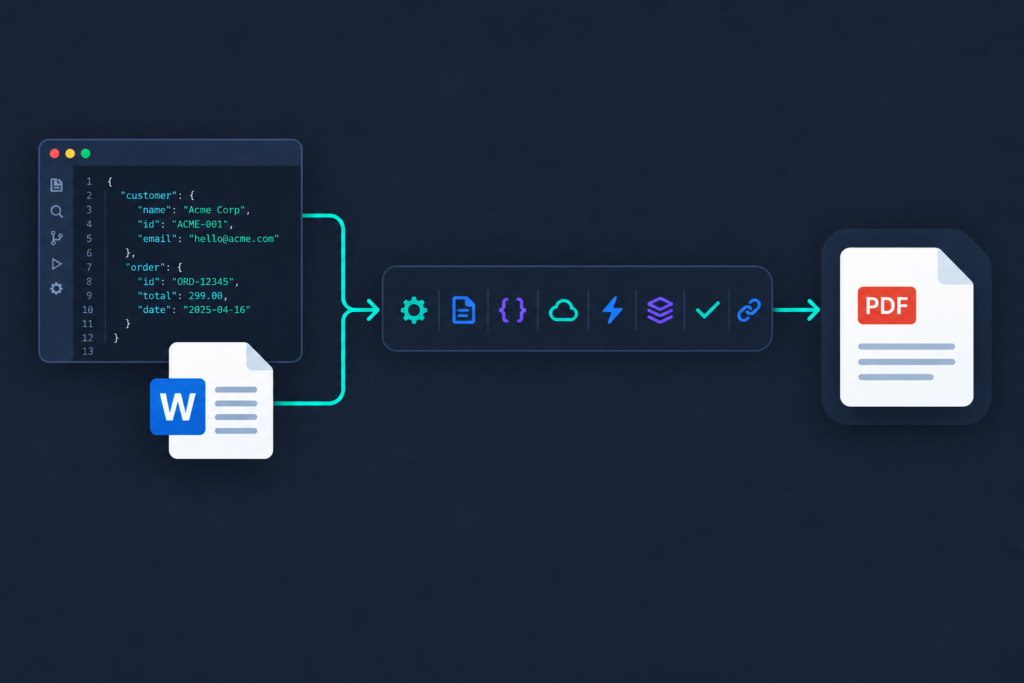
If your application POSTs JSON to a WebMerge merge URL and Formstack Documents fills a template and delivers the file by email, to cloud storage, or into a signing workflow, you already have a working integration. The question is whether it still fits.
Formstack now sells Documents inside the Formstack Suite, starting at $250 a month billed annually with 250 document deliveries a month. Formstack counts a merge for every location a document is delivered to, so a document emailed and also saved to Google Drive uses 2 of those 250. The reasons teams give for moving are consistent. Documents is no longer available as a standalone product at a per-document rate, and teams want templates versioned alongside their application code, generation inside their own backend, or a tighter fit for fillable PDFs or HTML templates.
Some teams should stay. If you use Forms, Documents, and Sign together and your volume fits the Suite’s delivery count, switching costs more than it saves.
In this article, we compare 8 document generation tools and APIs based on their template formats, deliveries, pricing, and usage limits.
Top picks by reason for switching
Alternatives to Formstack Documents (formerly WebMerge) fall into 2 groups. Some are APIs that replace the generation step inside your own application, and others are hosted platforms that also replace the delivery routing around it.
Our Document Generation API replaces the generation step as one synchronous call, while tools like Docupilot and Plumsail Documents replace both the generation and the delivery configuration.
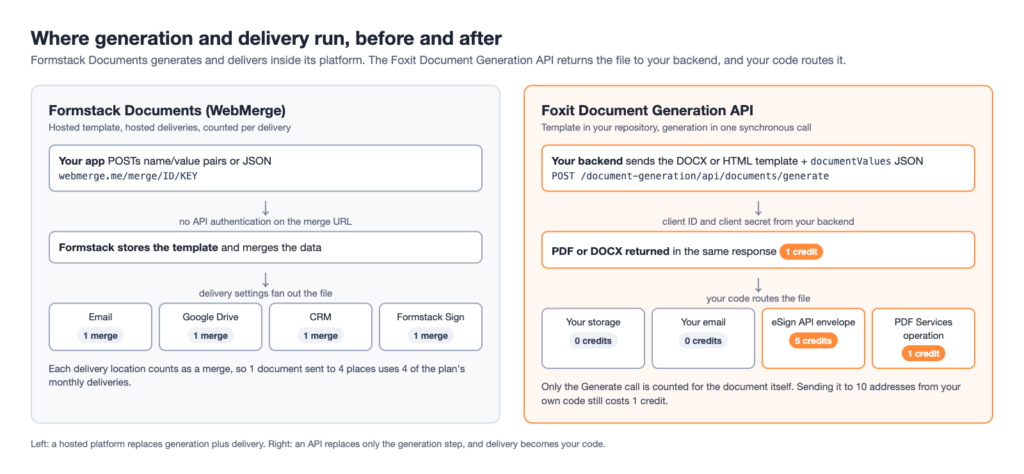
How the generation path changes. Formstack counts a merge per delivery location, while our API counts only the Generate call and your code routes the file.
| If you are leaving Formstack Documents because… | Pick | Why it fits |
| You only need the generation step inside your own app | Foxit Document Generation API | Word or HTML template plus JSON in, PDF or DOCX back in the same response, 1 credit per document, with signing and PDF processing on the same credit pool |
| You want to keep a merge-URL setup with built-in deliveries | Docupilot | A per-template API endpoint that needs no authentication, Word, Excel, PowerPoint and fillable PDF templates, and deliveries to email, cloud storage and eSignature |
| Your workflows run on Microsoft 365 and Power Automate | Plumsail Documents | Word, Excel, PowerPoint, fillable PDF and HTML templates, Power Automate actions, a REST API in 5 data center regions |
| You want document creation and e-signature in one API | PandaDoc API | Create a document from a template with tokens and fields, then send it for signing through the same API |
| Your templates are fillable PDF forms | Anvil | Fill PDF templates with JSON at $0.10 per fill or generation, with Etch e-sign packets and webform Workflows |
| Your data lives in Airtable or HubSpot | Documint | A drag-and-drop template designer with Airtable, HubSpot, Zapier, Make and Coda connections, a REST API and e-sign envelopes in every plan |
| Your templates are Google Docs | DocsAutomator | Google Docs, Word and PDF templates, e-signing included in the document price, and a createDocument REST call |
| Your WebMerge templates are HTML | PDFMonkey | HTML, CSS and Liquid templates rendered in a Chrome-based browser, from €5 a month for 300 documents |
Each tool appears once, under the reason it fits best. Several handle more than one job, and the feature table in each entry shows their full coverage.
What Formstack Documents gives you today
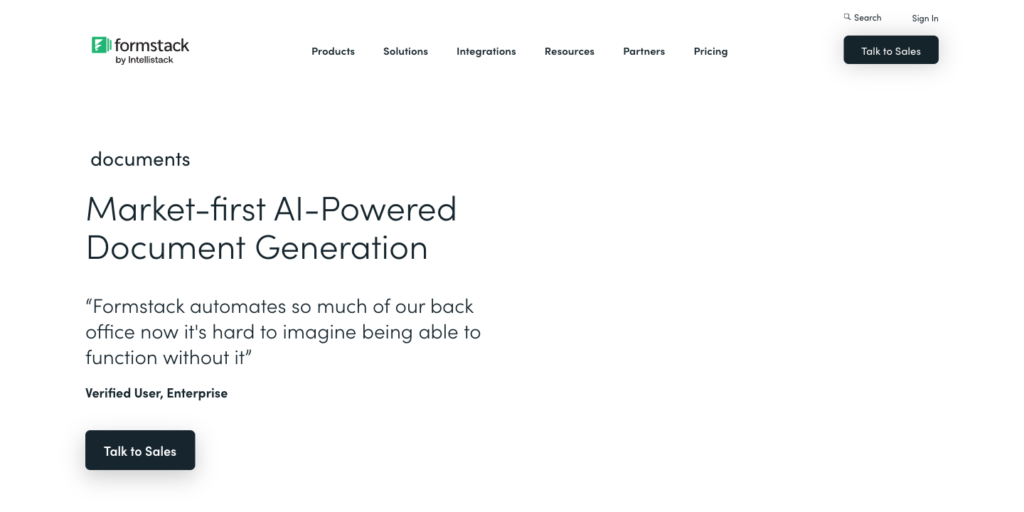
Formstack Documents product page, which now leads with AI-powered document generation.
Formstack Documents (formerly WebMerge) is the baseline every alternative is measured against here.
| Feature | What Formstack Documents does | What to note |
| Templates | Builder (HTML), fillable PDF, Word, Excel and PowerPoint templates, plus an AI-powered builder | CSV templates are also supported |
| Output | PDF, DOCX, XLSX, PPTX or an email | Chosen per template with the output setting |
| Merge URL | POST name/value pairs or nested JSON to webmerge.me/merge/ID/KEY | Needs no API authentication; test=1 merges in test mode and download=1 returns the file |
| Data routes | One POST to webmerge.me/route/ID/KEY merges several documents based on conditions | With download=1 and 2 or more documents, the response carries base64 files |
| Management API | Create, update, list and delete templates and read their fields at webmerge.me/api | Basic HTTP authentication with an API key and secret |
| Template syntax | Merge fields such as {$FirstName}, pipe modifiers such as lower, foreach and tablerow loops, if blocks, insert_image | Every alternative writes these tags differently |
| Deliveries | Email, cloud storage, CRMs, Formstack Sign and DocuSign, plus webhooks and Zapier | Each delivery location counts as a merge |
Checked in November 2026.
How much does Formstack cost?
Formstack Forms starts at $83 a month billed annually, or $99 monthly. Documents is sold in the Formstack Suite (Forms, Documents and Sign) from $250 a month billed annually or $299 monthly, with 3 builder users, 250 document deliveries a month and unlimited eSignatures.
Salesforce Solutions and Enterprise are custom quotes, and the Enterprise plan includes “API Access and custom integrations” and “high-volume document generation.” Existing customers may still be on older Documents plans, so check your own contract.
Is there a free version of Formstack?
Formstack offers a 14-day Suite trial including Forms, Documents, Sign and Workflows, and has no free Documents plan.
How merges are counted
Formstack counts each generation, conversion, or delivery as a merge, which is why the emailed-and-saved document in the introduction uses 2. Formstack keeps no merged output to re-send, and optional debugging stores input data for up to 24 hours.
Security and compliance
HIPAA support is a Suite add-on, and Formstack runs on AWS. Intellistack, Formstack’s company name since 2025, holds SOC 2 Type II, PCI and TX-RAMP compliance.
Before choosing an alternative, list what your integration actually uses, including merge URLs or data routes, template types, modifiers and loops, delivery locations, and monthly merge count. Use that list to decide which replacement fits.
How we compared these alternatives
We compare every tool across the same 8 areas: scope, templates and output, template logic, deliveries and e-sign, pricing, free allowance, limits and data, and migration from Formstack Documents.
The billing unit appears next to every price (per document, per delivery, per credit, per fill, per envelope) because the cost of generating 1,000 documents depends on how each tool counts usage.
There is no composite score or overall ranking, because the right pick depends on why you are leaving Formstack Documents.
The 8 Formstack Documents alternatives in detail
Each feature table includes a “Moving from Formstack Documents” row that identifies the biggest integration change. After the tool entries, we compare template syntax, deliveries, and costs side by side.
Foxit Document Generation API
Our Document Generation API for creating PDF and DOCX files from structured data.
Our Document Generation API takes a Word or HTML template and a JSON payload and returns a PDF or DOCX in the same synchronous response, with no hosted template storage, deliveries, data routes, or form builder.
| Feature | Details |
| Covers | Generate a Document fills a Word or HTML template with JSON and returns PDF or DOCX; Analyze a Document lists the text tags in a template. Fillable PDFs are filled with Import PDF Form Data in the PDF Services API. No template library, deliveries, data routes, or form builder. |
| Templates and output | A Word (DOCX) or HTML template sent with each request, JSON in the documentValues field, and outputFormat set to pdf or docx. The file comes back directly in the response. |
| Template logic | Text tags such as {{AccountName}}, table rows between {{TableStart:items}} and {{TableEnd:items}}, date and number formats such as {{today \@ MM/dd/yyyy}} and {{Amount \# "$#,##0.00"}}, a {{=SUM(ABOVE)}} total, Word IF fields for conditional text, and eSign text tags that place signature fields for our eSign API. |
| Deliveries and e-sign | None built in; your code stores or sends the file. Our eSign API costs 5 credits per envelope, and PDF Services operations (merge, compress, watermark, protect) cost 1 credit each from the same pool. |
| Pricing | 1 credit per generated document. Startup $1,750 a year (5,000 credits), Business $4,500 a year (15,000 credits), Volume by quote. Credits reset yearly with no rollover (credits explained). |
| Free allowance | 500 credits a year on the Developer plan. eSign on that plan is trial access with watermarked documents. |
| Limits and data | 5 MB template and 10 MB total request. Rate limits are 100 requests a minute per application in production, with a lower limit in sandbox. Your backend authenticates every call with the client ID and client secret from the developer console, as described in the authentication guide. Cloud only. |
| Moving from Formstack Documents | Rewrite {$Field} as {{Field}} and tablerow loops as TableStart and TableEnd rows, keep templates in your own repository, and replace delivery settings with your own code or our eSign API. |
Checked in November 2026.
Where Foxit Document Generation API stands out
Generation becomes one synchronous call inside your backend, so templates are versioned alongside your application code and nothing is counted per delivery location. You can send the same generated file to 10 email addresses without consuming 10 credits, because only the generation call consumes credits.
The generated file can go straight to our eSign API or into PDF Services on the same account and credit pool. Merge, compress, watermark, protect, convert HTML to PDF, and fill a form field each cost 1 credit from the same pool. Analyze a Document lists the text tags in a template, so you can catch mismatches between the template and payload in CI before they reach production.
Our cloud-hosted PDF APIs and eSign are covered by SOC 2 Type II audits, and we support HIPAA BAAs.
What to consider
Word and HTML are the supported template formats, and dynamic image insertion is not documented. There are no hosted templates, deliveries, data routes, or a form builder, so teams that need those, or Excel and PowerPoint templates, should look at Docupilot or Plumsail Documents.
Credits are sold as a yearly pool with no rollover. At 1,000 documents a month (12,000 a year), Business is the smallest plan that fits, and its $4,500 annual cost works out to $0.375 per document, or $0.30 only if you use all 15,000 credits. The cost comparison after the entries puts that figure next to the other 7 tools.
Best for
It’s best for developers who want the generation step inside their own application, particularly when the document will then be signed, merged, or processed.
Getting started
To get started, create a free Foxit developer account, download the sample invoice template, and follow the Document Generation API quickstart to send it to the Generate endpoint. The PDF comes back as the response body, so your code saves those bytes as the finished file.
Docupilot
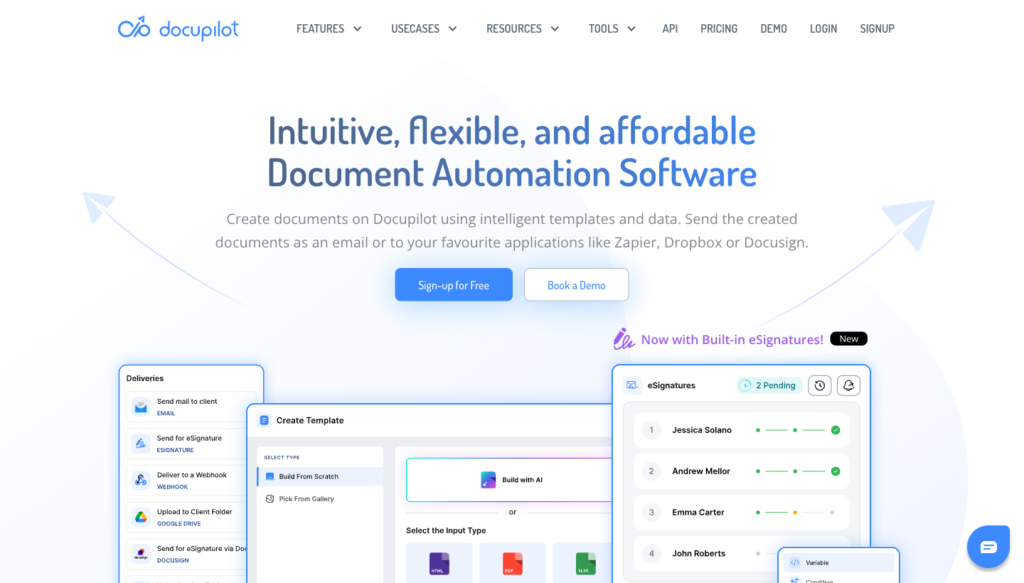
Docupilot’s home page, with its template builder flanked by the deliveries and e-signature panels.
Docupilot is a hosted document automation platform with a template engine, built-in deliveries, workflows, and e-signature. Its API is a per-template URL that takes JSON and returns a document, optionally routing it to a delivery.
| Feature | Details |
| Covers | Template-based generation with deliveries, workflows, built-in eSignature, bulk generation, hosted forms, and a content library for reusable clauses. |
| Templates and output | Document Builder, Word, Excel, PowerPoint, and fillable PDF templates, plus an AI-powered template builder. |
| Template logic | Tokens such as {{client.name}}, helpers such as {{upper [First Name]}}, {{#each}} loops, {{#if}} conditions with comparisons, {{insert_image image1 width=300}} and an auto-number token. |
| Deliveries and e-sign | Email, Google Drive, Dropbox, OneDrive, Box, Azure Blob, DocuSign and its own eSignature, plus webhooks and SFTP. The eSignature add-on starts at $1.50 per envelope, down to $0.75 with volume. |
| Pricing | Billed per document delivery: Starter $29 a month (100), Plus $99 (500), Pro $149 (1,000), Premium $199 (2,000), Business $399 (5,000), Enterprise $699 (10,000). Extra seats $4 a month. |
| Free allowance | 14-day free trial with no credit card, plus unlimited testing on every plan. |
| Limits and data | Generation stops at 100% of the monthly limit until you upgrade. Without deliveries, the API returns a secure file URL that stays valid for 24 hours by default. |
| Moving from Formstack Documents | The API endpoint is a per-template URL (api.docupilot.app/documents/create/ORG/TEMPLATE/) that takes JSON without authentication, much like a WebMerge merge URL. Rewrite {$Field} tokens and recreate each delivery. |
Checked in November 2026.
Where Docupilot stands out
The API call shape matches a WebMerge merge URL more closely than any other tool in this list. Your application sends JSON to a template-specific endpoint and gets a document back, with delivery routing handled by the platform configuration rather than your code. This familiar request format reduces integration work for teams that want to minimize code changes.
Docupilot supports the same mix of template types as Formstack Documents, covering Word, Excel, PowerPoint, fillable PDF, and an online document builder, so every template type in your library has somewhere to go, even though the merge tags still need rewriting. Deliveries and signing stay outside your code on the same platform, so the parts of Formstack Documents that your operations team configured remain configurable.
Docupilot holds SOC 2 Type II, ISO 27001, GDPR, CCPA, and HIPAA certifications. Generated file URLs are valid for 24 hours by default, adjustable in Data Retention Preferences.
What to consider
Docupilot counts each delivery as 1 document, just as Formstack counts merges. Emailing a document and saving it to Google Drive uses 2; downloading it also uses 1. Size your plan by deliveries, not generated documents. The unauthenticated endpoint that makes the API easy to use also means anyone holding the URL can generate documents, so keep it as secret as a WebMerge merge URL and key.
eSignature is an add-on priced per envelope starting at $1.50, so factor that into the total cost if your Formstack workflow delivers to a signature step.
Best for
It’s best for teams that want a like-for-like Formstack Documents replacement with built-in deliveries and minimal application code changes.
Getting started
To get started, sign up at Docupilot’s site and review the API and Webhook Integration docs to map your merge URL call to a Docupilot endpoint.
Plumsail Documents
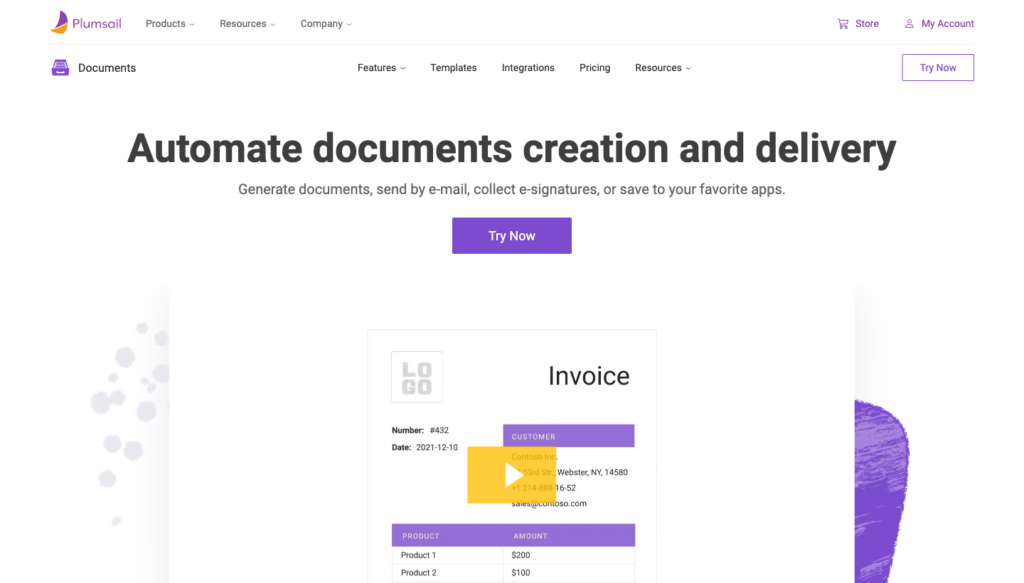
Plumsail Documents’ product page, which pairs generation with email, e-signature and app deliveries.
Plumsail Documents is a document generation and PDF processing platform built around Processes, which are repeatable flows that start from a trigger, fill a template, and deliver the result. It has native Power Automate and SharePoint actions, 5 data center regions, and a REST API for direct application calls.
| Feature | Details |
| Covers | Generation from templates inside Processes, plus PDF utilities (convert, merge, split, protect, watermark), fillable PDF work, e-signing, and auto-generated web forms. |
| Templates and output | Word, Excel, PowerPoint, fillable PDF, and HTML templates, with a Modern and a Classic template engine for Word and Excel. |
| Template logic | Tokens with value properties and operations, lists, tables, charts, QR codes, and barcodes. |
| Deliveries and e-sign | Deliveries include OneDrive, Dropbox, and email, and you can add as many as you need per process. Processes start from web forms, CSV or Excel uploads, JSON, the REST API, Power Automate, Make, Zapier, or Airtable. |
| Pricing | Folder $25 a month billed annually or $29 monthly (200 documents a month), Drawer $84 or $99 (1,000), Cabinet $249 or $299 (3,500, with an SLA). Extra documents cost $15 per 100 and roll over to the next month. |
| Free allowance | 30-day free trial with no credit card. |
| Limits and data | A process run, an integration action, or a REST call counts as 1 document. Generated documents stay in the runs history for 24 hours. |
| Moving from Formstack Documents | Call a region-specific endpoint (us-api, eu-api, au-api, ch-api, or ca-api.plumsail.com) or start a Process, then rewrite merge fields as Plumsail tokens and rebuild deliveries in the Process. |
Checked in November 2026.
Where Plumsail Documents stands out
Plumsail covers the same template formats as Formstack Documents in one product, including HTML. Teams that need Word, Excel, PowerPoint, fillable PDF, and HTML generation without splitting across multiple tools get everything under one billing relationship.
Microsoft 365 teams get native Power Automate actions and SharePoint connectors, so document generation sits alongside the rest of their Office workflows. Teams with regional data requirements can choose from 5 data center regions (USA, Australia, EU, Switzerland, and Canada) with region-specific API hosts at us-api, eu-api, au-api, ch-api, and ca-api.plumsail.com.
Extra documents roll over to the next month on paid plans, which absorbs irregular monthly spikes without requiring a plan upgrade.
What to consider
Word and Excel templates have 2 engines, Modern and Classic, with different syntax. Check which engine your templates need before migrating, because the token format differs between them.
Generated files are removed from the runs history after 24 hours. Configure a delivery to save them to your own storage before that window closes if you need to access them later. A process that creates several documents counts as 1 run, but each direct REST call counts on its own, so the billing unit changes depending on how you trigger generation.
Best for
It’s best for Microsoft 365 teams moving document generation from Formstack into Power Automate, SharePoint, or OneDrive workflows.
Getting started
To get started, sign up for the 30-day trial at Plumsail’s store and read the Use as REST API guide for the region-specific endpoint and authentication.
PandaDoc API
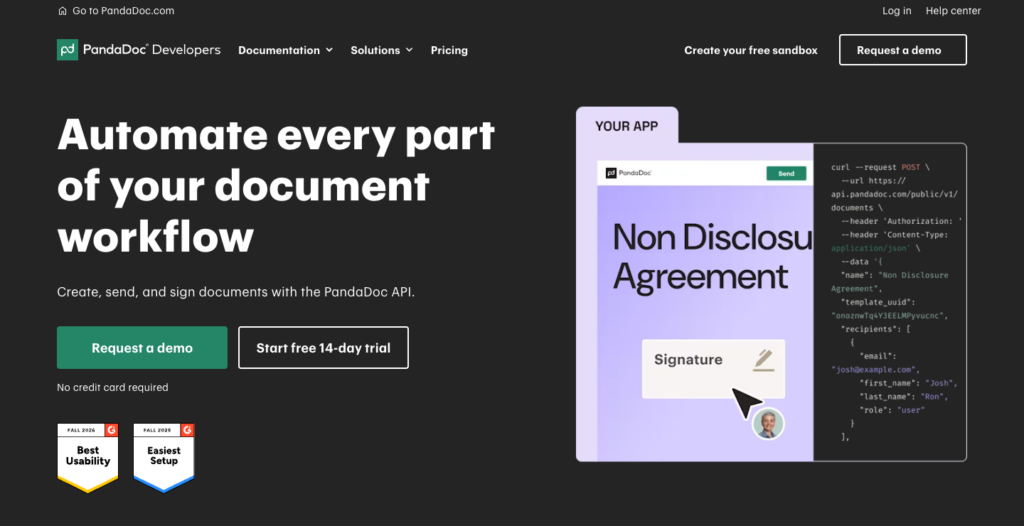
PandaDoc’s developer page, showing a document-creation API call and a signing preview.
PandaDoc’s API creates documents from templates, then sends them to recipients for signature and tracking through the same API. Document creation is asynchronous, and a send call follows after the document reaches document.draft status.
| Feature | Details |
| Covers | Create documents from PandaDoc templates, a public PDF URL, or an uploaded PDF, DocX or RTF file, send them for viewing and signing, and track status through the same API. |
| Templates and output | Templates are built in the PandaDoc web app, and the API passes template_uuid, recipients, tokens, fields, pricing data, and images. |
| Template logic | Tokens such as Document.GrandTotal, fields assigned to recipients, pricing tables, and content library items. |
| Deliveries and e-sign | Sends documents to recipients and collects legally binding eSignatures; CRM integrations (Salesforce, HubSpot) and Notary are on Enterprise. |
| Pricing | API Developer plan $40 a month after a 14-day trial, with 40 documents a month that “scales with your volume”; Enterprise by quote. |
| Free allowance | Free plan with 60 documents a year, 2 recipients per document, 5 templates, and an unlimited sandbox. |
| Limits and data | Creation is asynchronous, so a document moves from document.uploaded to document.draft, typically in 3 to 5 seconds, and sending earlier returns 409 Conflict. |
| Moving from Formstack Documents | One merge POST becomes create, then wait for draft status (poll or webhook), then send, and Word templates are rebuilt as PandaDoc templates. |
Checked in November 2026.
Where PandaDoc API stands out
Generation and signing come from one vendor through one API, so a sales or agreements workflow that generates a document and immediately sends it for signature involves no second service. The free sandbox is unlimited, which lets you build and test the create-then-send flow without a time limit or credit consumption.
Pricing tables and content library items in templates suit proposals and quotes where the template content itself changes by deal, not just the data filling it.
What to consider
One merge POST in Formstack becomes 3 steps with PandaDoc, requiring you to create, wait for draft status (via polling or a document.draft webhook), then send. Your application must handle the 3-to-5-second delay before sending the document. Uploaded Word files can carry field tags for signature and form fields, but token-based merges run on PandaDoc templates, so WebMerge templates are rebuilt as PandaDoc templates.
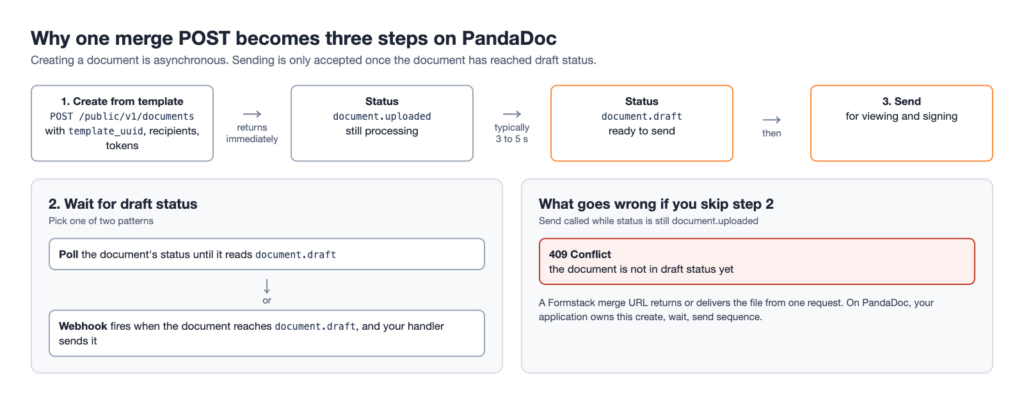
Why 1 merge POST becomes 3 steps on PandaDoc. Send only succeeds after the document reaches document.draft.
The volume price above 40 documents a month on the API Developer plan is not published; contact PandaDoc for a quote before sizing your integration. Documents live as PandaDoc records sent to recipients, so check that model against your workflow if you generate reports or batch files. For teams comparing signing APIs more broadly, our 6 best PandaDoc API alternatives article covers that angle.
Best for
It’s best for sales and agreement workflows where every generated document goes out for signature.
Getting started
To get started, activate the free PandaDoc sandbox and create your first document from a template with the Create Document endpoint.
Anvil
Anvil’s home page for generating, filling, and e-signing documents through its API.
Anvil is built around fillable PDF forms. It takes a PDF template (either one you built in its template editor or one processed by its Document AI) and fills it from a JSON payload at $0.10 per fill. It also generates PDFs from HTML and CSS, runs Etch e-sign packets, and powers webform Workflows.
| Feature | Details |
| Covers | Fill PDF templates with JSON, generate PDFs from HTML and CSS or Markdown, Etch e-sign packets, webform Workflows, and Document AI that turns flat PDFs into fillable templates. |
| Templates and output | PDF templates built in its template builder, or HTML, CSS, and Markdown for generated documents; PDF output. |
| Template logic | Field mapping in the PDF template, repeating PDFs and pages, overflow items, and field styling through the API. |
| Deliveries and e-sign | Etch e-sign packets with embedded signing, plus white labeling and advanced signing modes on Product Pack. |
| Pricing | Metered: $0.10 per PDF fill or generation over the API, $1.50 per e-sign packet, $1.00 per Workflow submission. Plans: Free, AI Pack $99 a month, Product Pack $425 a month, Enterprise custom. |
| Free allowance | A free development key with unlimited test requests, which are watermarked; production API usage is metered. |
| Limits and data | Request size and rate limits are documented on the fill page, and data payloads can be encrypted. HIPAA terms and a DPA are on Enterprise. |
| Moving from Formstack Documents | POST JSON to app.useanvil.com/api/v1/fill/TEMPLATE_ID.pdf for fillable PDFs; Word templates become PDF templates or HTML. |
Checked in November 2026.
Where Anvil stands out
Fillable government, insurance, and HR forms map directly into Anvil’s template model, which is the WebMerge template type most other alternatives treat as secondary. If your Formstack integration is mostly form-filling, submitting data into PDFs with named fields, the $0.10-per-fill metered rate and free development key let you prototype without a plan commitment.
Document AI processes flat PDFs that have no named fields and turns them into fillable templates, which removes the step of recreating each form from scratch in a designer.
What to consider
Word, Excel, and PowerPoint templates do not carry over to Anvil. If your Formstack integration uses those template types, Anvil handles only the PDF portion of your workflow.
At high volume, metered fills at $0.10 each cost more than flat per-document plans unless you buy prepaid usage (available from 25,000 fills). HIPAA terms and a DPA sit on Enterprise, so regulated workflows need the Enterprise plan before sending protected data.
Best for
It’s best for teams whose WebMerge templates are mostly fillable PDF forms.
Getting started
To get started, create an Anvil account with the free plan, get a development API key, and read the Filling PDFs API docs to map your JSON payload to template fields.
Documint
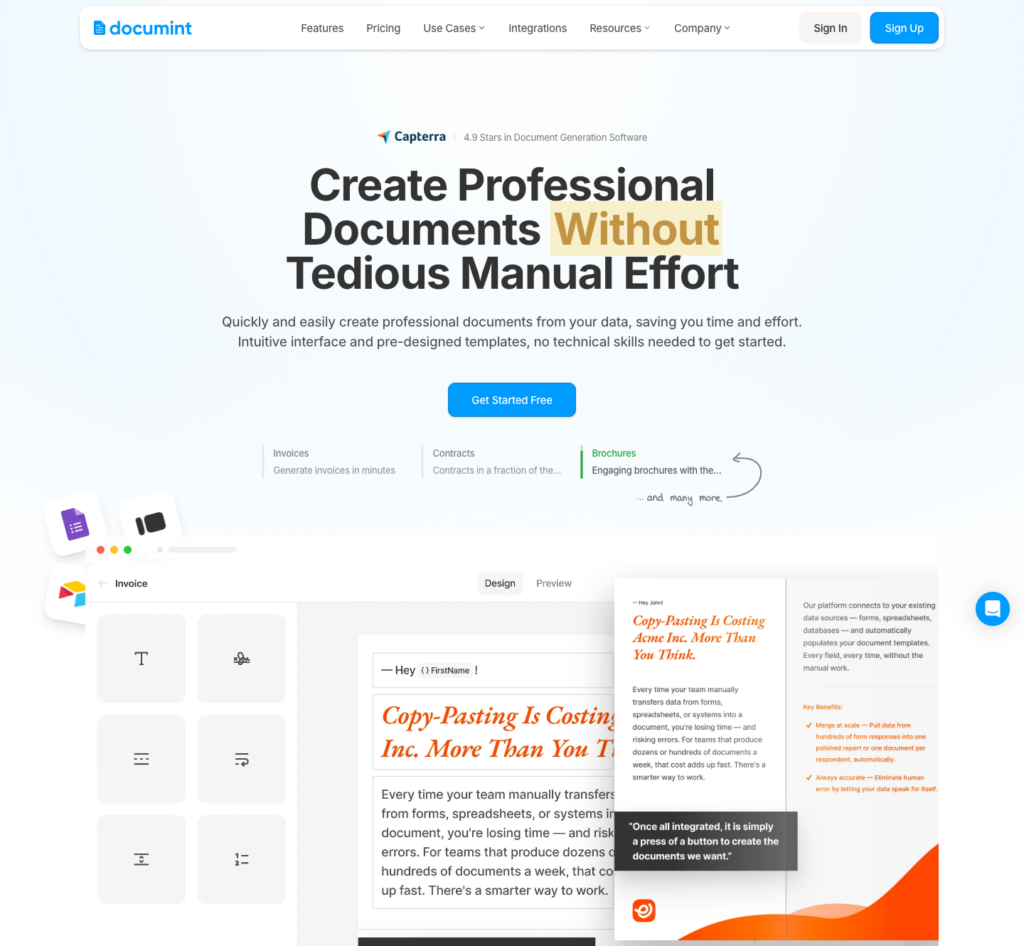
Documint’s home page. The designer preview below the headline shows the block palette and a FirstName token in an invoice template.
Documint is a document generation tool built around a block-style drag-and-drop designer, with native connections to Airtable, HubSpot, Zapier, Make, and Coda, plus a REST API and e-sign envelopes included in every plan.
| Feature | Details |
| Covers | Template design, merges from Airtable, HubSpot, Zapier, Make, Coda, and the REST API, and e-sign envelopes. |
| Templates and output | Templates are designed in a block-style drag-and-drop editor; PDF output that grows to as many pages as the content needs. |
| Template logic | Tokens place data, conditionally show or hide content, and repeat content. |
| Deliveries and e-sign | E-sign envelopes included per plan (5, 25, or 50 a month). |
| Pricing | Billed annually: Silver $39 a month (2,400 documents a year), Gold $124 (12,000), Platinum $249 (60,000), and document and envelope add-ons; Enterprise through sales. Monthly billing is also available. |
| Free allowance | 14-day trial on Silver, plus a 14-day money-back guarantee. |
| Limits and data | Generated documents are deleted automatically after 24 hours; Airtable and HubSpot integrations also save them in those apps. Not SOC 2 compliant (Documint’s pricing FAQ). |
| Moving from Formstack Documents | Rebuild each template in the designer, then map Airtable or HubSpot fields directly, or send JSON from your app. |
Checked in November 2026.
Where Documint stands out
No-code teams running Airtable or HubSpot records get native connections and a REST API in the same plan, with no separate integration layer needed. Document quotas are yearly, so a busy month draws on the annual allowance instead of running into a monthly cap and forcing an upgrade.
E-sign envelopes are included in every plan, not sold as an add-on, which keeps the per-document cost predictable when every generated document requires a signature.
What to consider
Documint does not yet support DOCX import (import options are still in development) and outputs PDF only, so you must rebuild each template in the designer. For teams with large existing template libraries in DOCX format, that’s a significant one-time migration cost.
Best for
It’s best for operations teams running document generation from Airtable or HubSpot records.
Getting started
To get started, sign up for the 14-day trial at Documint’s site and read the Documint help center to understand how tokens, conditionals, and merges work before rebuilding templates.
DocsAutomator
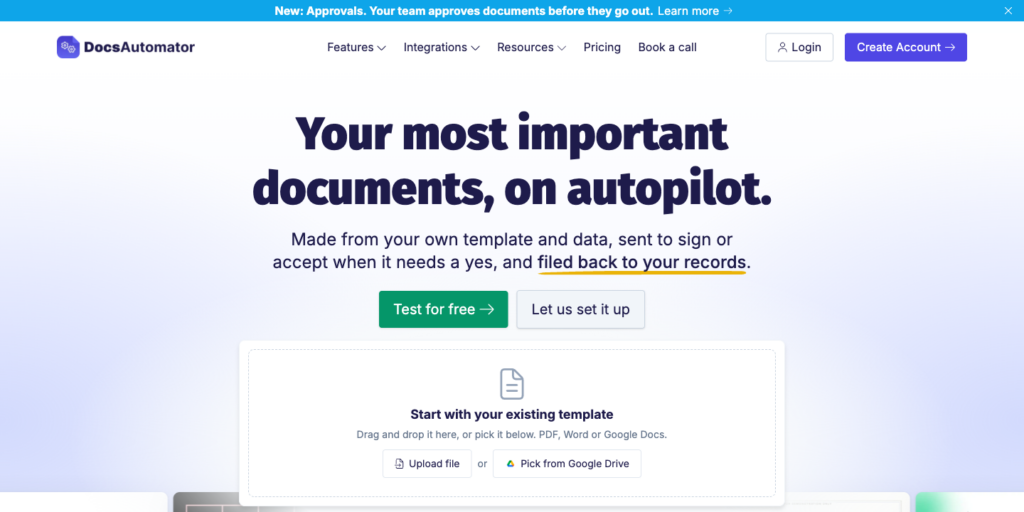
DocsAutomator’s home page, which starts from an existing PDF, Word or Google Docs template.
DocsAutomator generates PDFs from Google Docs, Word, and PDF templates through automations connected to Airtable, Notion, Google Sheets, ClickUp, Glide, Zapier, Make, n8n, or its REST API. E-signing and acceptance are included in the document price.
| Feature | Details |
| Covers | Generation from automations connected to Airtable, Notion, Google Sheets, ClickUp, Glide, Zapier, Make, n8n, or the API, plus e-signing and acceptance, approvals, and webhooks. |
| Templates and output | Google Docs and Word templates with placeholders, and PDF templates with fields positioned in a visual editor; PDF output. |
| Template logic | Placeholders such as {{company_name}}, image placeholders such as {{image_logo}}, line-item rows marked with {{line_items_1}}, conditional sections, and per-placeholder formats. |
| Deliveries and e-sign | E-signing and acceptance are included, and a signed document counts as 1 document. Webhooks send the document link to your URL, and sending from your own Gmail or Outlook starts on Business. |
| Pricing | Professional $19 a month billed yearly or $29 monthly (100 documents, $0.20 each above that); Business $59 or $79 (1,000 documents, $0.10 overage); Scale $149 or $199 (5,000 documents, $0.06 overage). |
| Free allowance | Free testing; new automations start in test mode. |
| Limits and data | Each plan caps documents a month, overage included (250 on Professional, 2,000 on Business), and caps automations (5 on Professional, 20 on Business). |
| Moving from Formstack Documents | POST to api.docsautomator.co/createDocument with a bearer key, the automation ID, and your data, then rewrite {$Field} as {{Field}} and tablerow loops as line-item rows. |
Checked in November 2026.
Where DocsAutomator stands out
Teams that already write templates in Google Docs keep that workflow, with placeholders going directly into a Docs file and no separate template builder to learn. An endpoint lists each automation’s placeholders before you build a payload, which catches field-name mismatches before they reach production, similar to how our Analyze a Document endpoint works.
E-signing is included in the document price, with a signed document counting as 1 document, so the cost stays predictable for agreement-heavy workflows.
What to consider
Each plan has a hard monthly cap that includes overage (250 documents on Professional, 2,000 on Business). Once you reach it, document creation pauses until the next billing period, so account for that limit if your workflow cannot tolerate a mid-month interruption. One automation is tied to one template and one data source, so multi-template workflows need multiple automations. Excel and PowerPoint templates are not supported.
Best for
It’s best for small teams generating documents from Google Docs templates with signing included.
Getting started
To get started, create a DocsAutomator account, start in test mode, and use the DocsAutomator API reference to map your first payload to a Google Docs template.
PDFMonkey
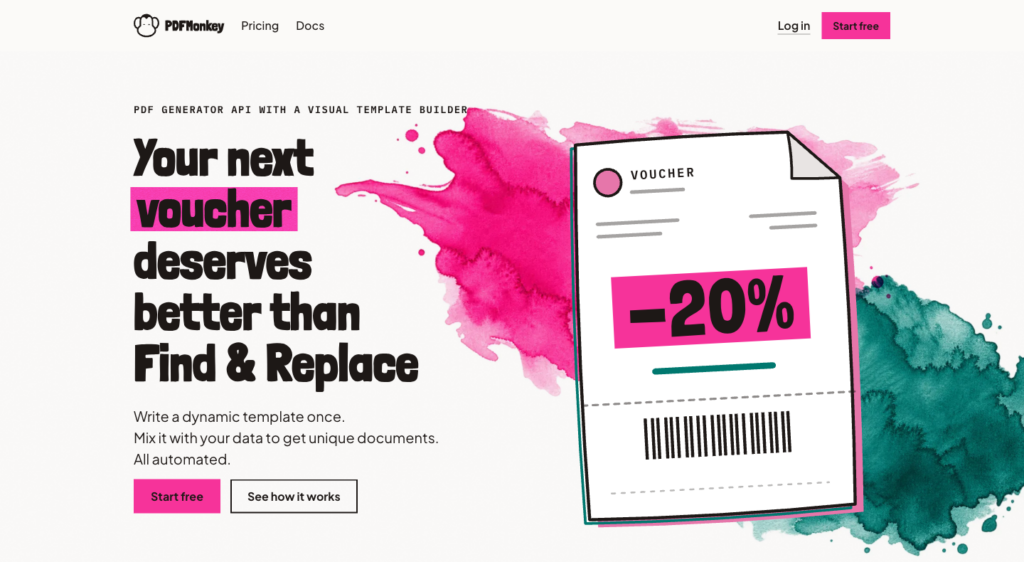
PDFMonkey’s home page, which presents it as a PDF generator API with a visual template builder.
PDFMonkey generates PDFs from HTML, CSS, and Liquid templates rendered in a Chrome-based browser. It suits teams that built their WebMerge documents in the HTML builder, and it prices by document volume starting from €5 a month.
| Feature | Details |
| Covers | PDF generation from code templates (HTML, CSS, and Liquid) or a drag-and-drop builder, through the REST API and no-code integrations such as Zapier. |
| Templates and output | Templates render in a Chrome-based browser, so web fonts, CSS, JavaScript, and charts work; PDF output with fillable PDF forms and password protection on every plan. |
| Template logic | Liquid tags and filters for variables, loops, and conditions. |
| Deliveries and e-sign | No deliveries or e-sign; the API returns a signed download URL, and PDF share links start on Pro+. |
| Pricing | Monthly, excluding VAT: Starter €5 (300 documents), Pro €15 (3,000), Pro+ €60 (5,000), Premium €300 (60,000); 10% off yearly; extra documents €0.008 to €0.005 with pay-as-you-go, or €5 per 1,000. |
| Free allowance | 20 documents a month on the Free plan (no external images, fonts, CSS, or JS), or a 30-day trial with 300 documents. |
| Limits and data | Generation time limits from 30 seconds to 5 minutes by plan, with document retention of 1 day (Free, Starter), 7 days (Pro), or unlimited (Pro+, Premium). |
| Moving from Formstack Documents | Port HTML-type WebMerge templates to Liquid, then POST document_template_id and payload to /api/v1/documents and poll or use a webhook (a synchronous endpoint also exists). |
Checked in November 2026.
Where PDFMonkey stands out
HTML templates migrate with little rewriting. If your WebMerge documents were built with HTML, CSS, and JavaScript, they move to PDFMonkey’s template engine with token substitution changed from {$Field} syntax to Liquid’s {{ field }}. Web fonts, charts, and CSS layouts render as designed because generation runs in a Chrome-based browser.
Per-document prices fall to €0.005 when a Pro plan’s 3,000-document quota is fully used. Generation runs on European servers.
What to consider
Word, Excel, and PowerPoint templates do not carry over. Deliveries and signing must be built into your application or handled by a separate service, since PDFMonkey returns a download URL and nothing else. PDFMonkey holds no compliance certifications, so check it against your compliance requirements before sending regulated data.
Document retention varies by plan, with 1 day on Free and Starter, 7 days on Pro, and unlimited from Pro+ upward. At 1,000 documents a month, Pro’s 7-day retention is usually enough if your application downloads and stores the file promptly.
Best for
It’s best for developers whose WebMerge documents were built in the HTML builder.
Getting started
To get started, activate PDFMonkey’s free plan or 30-day trial and review the Documents API reference to map your first template and payload.
What changes when you move off Formstack Documents
Whichever tool you pick, 3 parts of the integration change: template syntax, deliveries and routes, and the billing unit.
Merge fields and template logic
Every template needs a find-and-replace pass at minimum when switching tools. Loops and conditions require a manual review, because each tool scopes loop variables differently and the syntax varies enough to break silently if you rely on automated substitution.
| Template element | Formstack Documents | Foxit Document Generation API | Docupilot | DocsAutomator | PDFMonkey |
| Field | {$FirstName} | {{FirstName}} | {{FirstName}} | {{FirstName}} | {{ FirstName }} in Liquid |
| Table row loop | {tablerow from=$items item=_row} ... {/tablerow} | {{TableStart:items}} ... {{TableEnd:items}} | {{#each items}} ... {{/each}} | {{line_items_1}} at the start of the row | {% for row in items %} ... {% endfor %} |
| Condition | {if $Status == "paid"} ... {/if} | A Word IF field around a MergeField | {{#if (status == "paid")}} ... {{/if}} | Conditional sections | {% if status == "paid" %} ... {% endif %} |
| Image | {$image|insert_image:300:100} | Not documented | {{insert_image image1 width=300}} | {{image_logo}} | An img tag with the URL as its source |
| Formatting | Modifiers such as {$Name|lower} | Date formats such as {{Date \@ MM/dd/yyyy}} and number formats such as {{Amount \# "$#,##0.00"}} | Helpers such as {{upper [First Name]}} | Formats set per placeholder | Liquid filters |
Field naming
Formstack field names cannot start with a number or contain spaces or hyphens. If your existing payloads already follow that convention, keep the same field names in the new payload so your application code changes as little as possible. Renaming a field in the template but not the payload (or the reverse) leaves a blank field without an error on most tools.
Port your hardest templates first
Pick the 3 most complex templates in your Formstack account, the ones with loops, conditions, and images, and port them first. Those templates expose edge cases faster than simple field substitutions and help you judge whether the tool fits before you commit to a full migration.
Deliveries and routes you rebuild
The table below shows what replaces each Formstack Documents feature when generation moves to our API, and what changes around it.
| Formstack Documents feature | Foxit Document Generation API | What changes |
| Email delivery | Your application sends the returned file, or our eSign API emails signers | You own templates for the email body |
| Cloud storage and CRM deliveries | Your code uploads the returned file | One integration per destination instead of a delivery setting |
| Formstack Sign or DocuSign delivery | eSign API, 5 credits per envelope; eSign text tags in the Word template place signature fields | Signing is a second API call on the same account |
| Data routes (several documents from one POST) | One Generate call per document, then Combine in PDF Services if you need one file | Each call costs 1 credit |
| Fillable PDF templates | Import PDF Form Data in PDF Services, an asynchronous task | Upload, start, poll, download |
| HTML templates | Render your HTML template directly with our Document Generation API | Templating stays in your code or template file |
| Excel and PowerPoint templates | No equivalent | Keep them on a tool that supports them, such as Docupilot or Plumsail |
| Webhooks when a document is generated | Not needed for Generate, which answers synchronously | PDF Services tasks are polled |
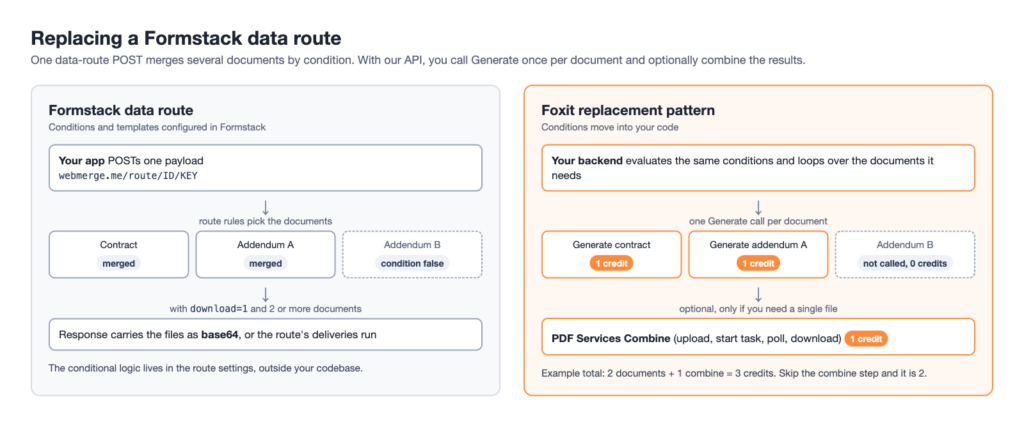
Replacing a data route. The conditions move into your code, and each document is its own Generate call.
Merge counting goes away
Each successful Generate call is 1 credit wherever you send the file. Failed calls, uploads, and downloads cost nothing.
Before you choose
List every delivery location and data route in your Formstack account. Each one becomes either a configuration setting inside a delivery platform (Docupilot, Plumsail) or code in your application.
That list drives the choice between our API, where your code calls the generation endpoint, and a platform like Docupilot, where delivery configuration stays in a UI. Forms, approvals, and delivery-settings screens have no equivalent in our API, so they either stay in Formstack or move to a hosted platform.
What 1,000 documents a month costs
The table uses published list prices. Each tool counts documents, runs, or deliveries rather than pages. Prices are in US dollars except PDFMonkey’s, which are in euros; volumes that require a quote are marked accordingly.
| Tool and plan | List price | What 1,000 documents a month uses | Price per document | Also included |
| Formstack Documents, Suite | $250 a month billed annually, or $299 monthly | 250 deliveries included; extra merges can be added, price not listed | Not published | Forms, Sign with unlimited eSignatures, 3 builder users |
| Foxit Document Generation API, Business | $4,500 a year, about $375 a month | 12,000 of 15,000 yearly credits | $0.375 at 12,000 credits used, or $0.30 if all 15,000 are used | eSign at 5 credits per envelope, PDF Services at 1 credit |
| Docupilot, Pro | $149 a month | 1,000 deliveries | $0.149 | eSignature add-on from $1.50 per envelope |
| Plumsail Documents, Drawer | $84 a month billed annually, or $99 monthly | 1,000 documents | $0.084 annual, $0.099 monthly | PDF utilities, web forms |
| PandaDoc API, API Developer | $40 a month for 40 documents | Volume pricing on request | Not published | eSignatures |
| Anvil, metered API | $0.10 per fill or generation | 1,000 fills | $0.10, so $100 a month | E-sign packets at $1.50 each |
| Documint, Gold | $124 a month billed annually | 12,000 documents a year | About $0.124 | 25 e-sign envelopes a month |
| DocsAutomator, Business | $59 a month billed yearly, or $79 monthly | 1,000 documents | $0.059 yearly, $0.079 monthly | E-signing and acceptance |
| PDFMonkey, Pro | €15 a month excluding VAT, or €13.50 billed yearly | 1,000 of 3,000 documents | €0.015 at 1,000, €0.005 if all 3,000 are used | Fillable PDF forms, 7-day retention |
Checked in November 2026.
How we priced it
These are our calculations from published list prices. Where volume pricing is available on request only, the cell says so rather than estimating.
Delivery counting
The Formstack and Docupilot rows assume 1 delivery per document. Both count each delivery, so multiply those rows by the number of places each document goes.
Where we land
At 1,000 documents a month, our per-document cost on the Business plan is $0.375, higher than Plumsail, Docupilot, DocsAutomator, PDFMonkey, Anvil ($0.10) and Documint ($0.124) at comparable volumes. The case for our API is generation inside your own application, with signing and PDF processing on the same credits. Price your real mix by counting documents a month, deliveries per document, envelopes, and whether you also need forms.
Mapping a WebMerge merge call to the Foxit Document Generation API
The table below maps concepts rather than code, using our API as the worked example.
| WebMerge (Formstack Documents) | Foxit Document Generation API | What changes |
POST to webmerge.me/merge/ID/KEY | POST to https://na1.fusion.foxit.com/document-generation/api/documents/generate | One endpoint for every template |
| Template stored in Formstack and referenced by ID and key | DOCX or HTML template sent in the multipart file field on every call | Keep templates in your repository or object storage and version them like code |
| Merge URL with no API authentication; key and secret for the management API | Your backend authenticates every call with the client ID and client secret from the developer console | Keep the client secret on your backend |
| Name/value pairs or nested JSON in the body | JSON serialized into documentValues, with outputFormat set to pdf or docx | Arrays feed TableStart and TableEnd rows |
download=1 returns the file, otherwise deliveries run | The response body is the PDF or DOCX | Your code routes the file |
| Output as PDF, DOCX, XLSX, PPTX or email | PDF or DOCX | No XLSX, PPTX, or email output |
| GET the fields of a document | Analyze a Document lists the text tags | Run it in CI to catch template and payload drift |
test=1 | A sandbox application at 15 requests a minute | Sandbox calls draw from the same credit pool, so budget test runs |
WebMerge templates do not transfer unchanged, so the syntax differences in the template logic table apply in full. The Generate response can feed our eSign API directly when the document needs signatures, with signing handled as a second call on the same account.
Where your data goes after a merge
Retention and hosting often drive the switch for teams with regulated documents. The table below records what each vendor states about retention and compliance.
| Tool | What it keeps after generating | Compliance claims, vendor-stated |
| Formstack Documents (baseline) | No merged outputs stored; optional debug data kept up to 24 hours | HIPAA support listed as a Suite add-on; SOC 2 Type II, PCI and TX-RAMP on the Intellistack Trust Center |
| Foxit Document Generation API | Returns the file in the response, with no endpoint to fetch it again; no retention period is published | Our cloud-hosted PDF APIs and eSign are covered by SOC 2 Type II audits, and we support HIPAA BAAs |
| Docupilot | Secure file URL valid 24 hours by default, adjustable in Data Retention Preferences | SOC 2 Type II, ISO 27001, GDPR, CCPA and HIPAA (Docupilot’s security page) |
| Plumsail Documents | Generated documents stay in the runs history for 24 hours | TLS 1.3 in transit and AES-256 at rest (Plumsail) |
| PandaDoc API | Documents are created, sent and tracked in your PandaDoc account; retention is covered in PandaDoc’s privacy notice | SOC 2, GDPR and eIDAS (PandaDoc) |
| Anvil | Fill endpoint does not save submitted data; payload encryption supported | SOC 2, eIDAS, GDPR and HIPAA (Anvil); HIPAA terms and DPA on Enterprise |
| Documint | Generated documents are deleted automatically after 24 hours; Airtable and HubSpot integrations also save them in those apps | Not SOC 2 compliant (Documint’s pricing FAQ) |
| DocsAutomator | No expiry by default | E-signatures are simple electronic signatures under ESIGN and eIDAS (DocsAutomator) |
| PDFMonkey | 1 day, 7 days or unlimited by plan; data deleted when the document is deleted | No compliance certification (PDFMonkey’s FAQ); European servers |
Checked in November 2026.
Formstack’s no-output-storage model
Formstack keeps no merged output after delivery, which lowers exposure but means the platform cannot re-send a document later. Plan how to store files after replacing Formstack: either save them to object storage in your application or choose a tool with a retention window long enough for your workflow.
Badges and contracts
A compliance logo on a pricing page is a vendor claim, so for health data ask for a signed BAA. Anvil puts HIPAA terms on Enterprise; we support BAAs. Confirm scope and contract terms directly with any vendor before sending regulated data.
If documents must stay in a specific region: Plumsail Documents lets you pick 1 of its 5 data center regions through a region-specific API host. PDFMonkey runs generation on European servers. Formstack Documents runs on AWS. Our Document Generation API is cloud-only without a published region choice. Ask each vendor where generation runs and where copies are stored before you send regulated data.
Which vendor claims to check before you switch
Check these claims and name clashes before you commit to a replacement.
The other WebMerge
Fourth World’s 4W WebMerge is a FileMaker and Microsoft Access web publishing tool that shares the name but has no connection to Formstack.
“No merge tags” tools
AI tools that detect and fill fields in an untagged document suit one-off form completion. An API integration requires stable field names that your application sends on every call. Tools designed for ad-hoc filling belong to a different category from a programmatic document generation API.
Unlimited signatures vs. per-envelope pricing
Formstack Suite includes unlimited eSignatures. Docupilot charges per envelope starting at $1.50; our eSign API uses 5 credits per envelope; DocsAutomator counts a signed document as 1 document. These models count usage differently, so calculate the cost of your envelope volume under each one before deciding.
Free trials vs. free plans
Formstack’s 14-day Suite trial includes Documents. PDFMonkey, PandaDoc, Anvil and our Developer plan have free tiers with ongoing access. Docupilot, Plumsail and Documint offer trials. Confirm what is available on each before starting an evaluation.
Before you cut over
Send 20 to 50 real payloads from your current integration, including empty fields, long arrays and images, through each shortlisted tool. Edge cases in your actual data surface problems that straightforward test payloads miss.
Where Foxit fits
Our Document Generation API replaces the generation step of a WebMerge integration with 1 synchronous call from your backend. Send a Word or HTML template and a JSON payload; get a PDF or DOCX in the response.
What sits on the same credit pool
The same account covers the eSign API (5 credits per envelope) for collecting signatures on generated documents, PDF Services (1 credit per operation) for merging, compressing, watermarking, protecting, converting HTML to PDF, and filling PDF form fields, and PDF Embed for in-browser viewing. For teams already handling delivery in their own code, that credit pool replaces several service relationships.
Where the fit ends
We do not host templates, run deliveries, or build forms, and document generation takes Word and HTML templates only, with no documented dynamic image insertion. Teams that need hosted templates, delivery configuration, or Excel and PowerPoint templates should look at Docupilot or Plumsail Documents.
Resources for building deliveries in your own code
The Document Generation API quickstart, invoice template tutorial, CRM-triggered pipeline, and n8n and Power Automate walkthroughs show working routing patterns you can adapt instead of starting from scratch.
The free Developer plan
The free Developer plan covers 500 credits a year, enough to run a low-volume integration or validate a migration before committing to a paid plan. eSign access on that plan is trial access with watermarked documents.
If your code already routes the files Formstack used to deliver, start by porting 1 real template and replaying 1 real payload against the Generate endpoint. Use that test to estimate how much of the migration is simple find-and-replace and where you need additional work.
What else to know before you replace Formstack Documents
The questions below cover the history and the practical edge cases of a migration.