
DocuSign’s API works, but redirecting signers to an external DocuSign-hosted page puts a seam in your user experience you can’t fully control, pricing tiers require a sales call to decode, and per-envelope costs escalate unpredictably at scale. If you’ve already decided DocuSign isn’t the right fit, this roundup gives you a structured way to narrow the field fast.
Six alternatives are covered here (Dropbox Sign, Adobe Acrobat Sign, PandaDoc, SignNow, BoldSign, and Foxit eSign), evaluated against six criteria that directly affect integration time and long-term maintainability. Each tool is broken down the same way, so you can compare like against like rather than marketing page against marketing page.
What to evaluate in an eSign API
The six criteria below separate APIs worth building on from ones that will cost you significant refactoring time later. Pin them down before you compare options.
Embedded signing depth. An iframe-based session keeps signers inside your application, while a redirect-based session hands them off to a third-party URL. The delta between “supports embedded signing” and “delivers a fully iframe-native experience” is significant.
Auth model. OAuth2 client credentials gives your backend a machine-to-machine token with no user interaction required. API key auth is simpler but typically coarser in permission scope and harder to rotate safely at scale.
Webhook event granularity. A single “document completed” event isn’t enough if your workflow needs to react to individual signer events, field changes, or expiration triggers. Check what event names are actually documented, not listed on a marketing page.
SDK language coverage. Confirm whether the vendor ships official SDKs for Python, Java, Node.js, and Go. If raw REST calls are your only option, factor in the maintenance overhead for your team.
Compliance certifications. eIDAS, ESIGN, UETA, HIPAA, GDPR, and 21 CFR Part 11 have different requirements. Confirm which certifications are documented and current, not featured in a hero banner.
Pricing model transparency. Envelope-based, seat-based, and consumption-based pricing each carry different risk profiles at scale. If you can’t read the pricing page without talking to sales, add that friction to your evaluation score.
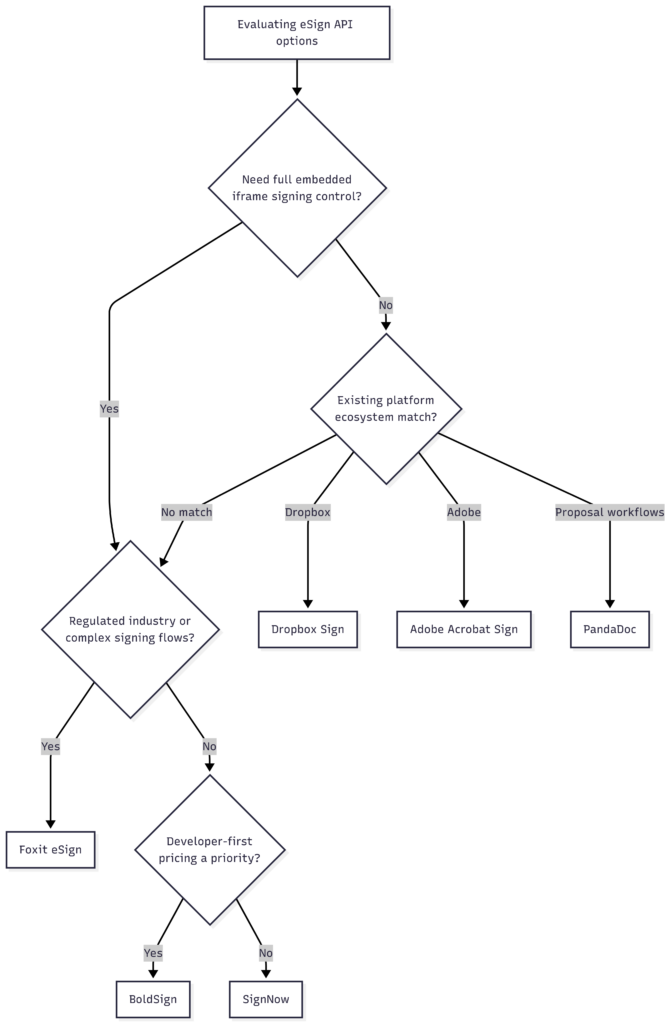
The six alternatives at a glance
The table summarizes where each tool lands on the criteria above. Treat it as a shortlist filter, then read the section for any tool that survives. Compliance and pricing move often, so the linked pages are the source of truth, not this table.
| Tool | Auth | Embedded signing | Webhooks | Official SDKs | Pricing model |
|---|---|---|---|---|---|
| Dropbox Sign | OAuth2 + API key | Iframe via sign_url | Signer-level events | Python, Node, Java, Ruby, PHP | API tier, published |
| Adobe Acrobat Sign | OAuth2 | Transient docs + widgets | Extensive | Java, plus REST | Enterprise, sales-led |
| PandaDoc | OAuth2 + API key | Iframe (send + sign) | Document lifecycle | Node, Python, plus REST | Document/seat-based |
| SignNow | OAuth2 + API key | Embedded session URLs | Functional, coarser | Fewer official SDKs | Per-envelope, published |
| BoldSign | OAuth2 + API key | Iframe embedded | Documented events | .NET, Java, Node, Python | Tiered, transparent |
| Foxit eSign | OAuth2 client credentials | Iframe / web view, no redirect | 9 events incl. folder_executed, HMAC-signed | REST, examples in Python | Tiered, published |
Dropbox Sign
Dropbox Sign (formerly HelloSign) runs a clean REST API with solid embedded signing and documentation that developers consistently rate as approachable. If you’re already in the Dropbox ecosystem and don’t need heavy customization, it provides a reliable, well-documented API. But it does have thinner webhook payloads and narrower embedded-UX control than purpose-built full-control APIs.
- Auth model. OAuth2 for multi-account apps, plus straightforward API key auth for single-account integrations.
- Embedded signing. Embedded requests return a
sign_urlyou load directly into an iframe, keeping signers in your app. - Webhook granularity. Events fire at each signer-level state change, though payloads are less granular than the top-tier options.
- SDKs. Official SDKs for Python, Node.js, Java, Ruby, and PHP.
- Compliance. Positioned for general business use; confirm the current certification list in their docs before relying on a specific standard.
- Pricing model. API pricing is published as its own tier, separate from the end-user product.
See the developer docs and API pricing.
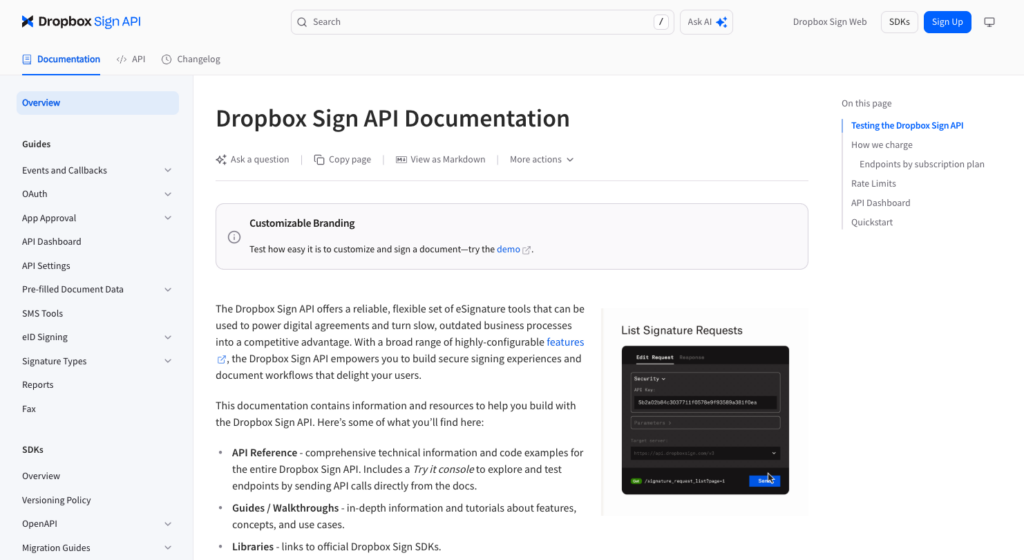
Dropbox Sign’s developer documentation. The organized reference and SDK list are the reason it scores well on the docs-quality criterion.
Adobe Acrobat Sign
Adobe Acrobat Sign brings enterprise-scale infrastructure and a deep compliance footprint to its REST API, at the cost of a larger, more complex surface area. It’s a reasonable fit for large enterprises already standardized on Adobe Document Cloud with compliance needs that benefit from Adobe’s footprint. On the other side, it also has the largest integration overhead on this list and pricing that is not self-serve.
- Auth model. OAuth2, integrated with Adobe’s broader identity and Document Cloud platform.
- Embedded signing. Supported via Transient Documents and widget-based flows rather than a single drop-in iframe call.
- Webhook granularity. Extensive event coverage, appropriate for large multi-step enterprise workflows.
- SDKs. An official Java SDK plus a broad REST surface; other languages typically integrate at the REST level.
- Compliance. Strong certification footprint aimed at healthcare, finance, and government; verify the specifics for your regulatory context.
- Pricing model. Enterprise-tier and sales-led; expect a conversation rather than a public per-call rate.
See the developer guide and Adobe’s Acrobat business pricing page.
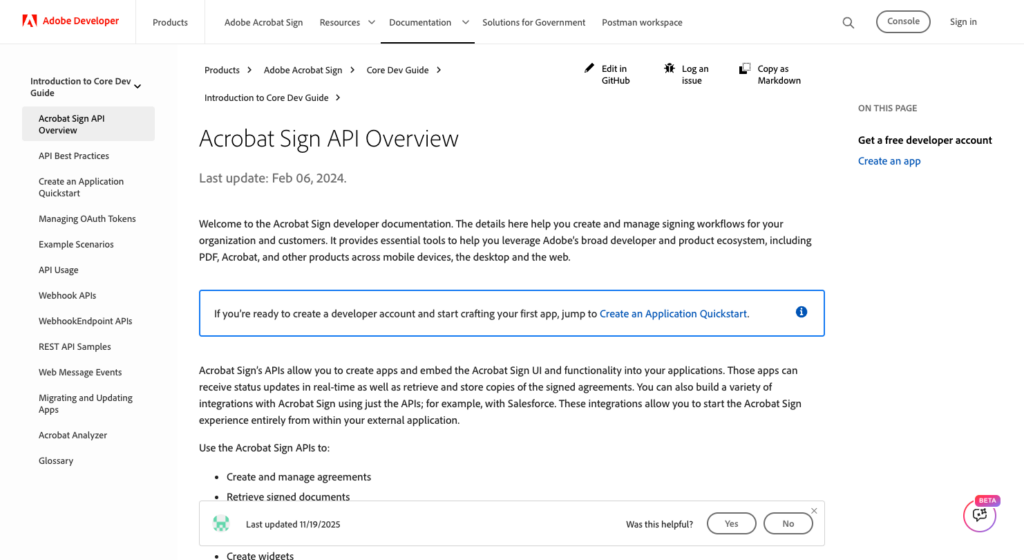
The Acrobat Sign API overview. The breadth here is the point, and also the integration-overhead warning.
PandaDoc
PandaDoc’s API sits closer to document-creation-plus-signing than pure eSignature, which is a strength if you need both from one integration. It works well for building quote-to-sign or proposal-to-signature workflows where generation and signing happen through one API. The tradeoffs are document-based pricing that adds up at volume, and thinner signing-order controls than purpose-built eSign APIs.
- Auth model. OAuth2 and API key options.
- Embedded signing. Embedded sending and signing via iframe, alongside template-driven document generation.
- Webhook granularity. Document-lifecycle events covering creation, sending, and completion.
- SDKs. Official Node.js and Python SDKs, plus a documented REST API.
- Compliance. Business-grade; confirm the current list against your requirements in their docs.
- Pricing model. Document-centric and can climb at high envelope volumes, so model your cost at target scale.
See the developer documentation and pricing.
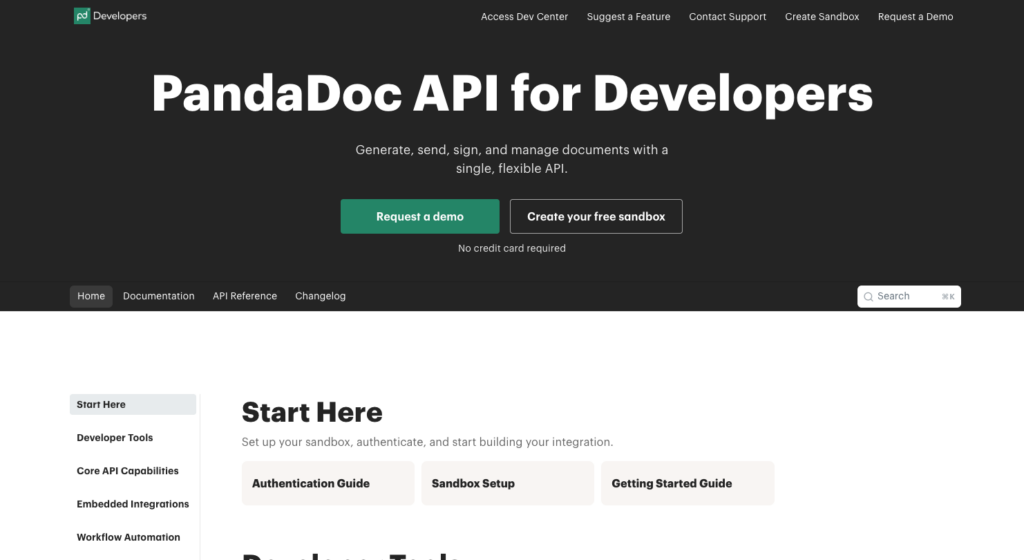
PandaDoc’s developer hub. Document generation sitting next to signing is what distinguishes it from pure eSign APIs.
SignNow
SignNow offers a capable REST API that is frequently competitive on per-envelope cost at volume, which makes it a common pick for high-throughput, straightforward signing. It’s a cost-sensitive option that can handle high-volume, straightforward signing if you don’t have any complex embedded-UX requirements. However, its coarser webhooks and narrower SDK coverage will push you toward raw REST.
- Auth model. API key and OAuth2 authentication.
- Embedded signing. Embedded session URL generation for in-app signing.
- Webhook granularity. Functional, but event types are coarser than the top-tier options.
- SDKs. Narrower official SDK coverage, so expect more raw REST work outside the main supported languages.
- Compliance. Business and industry compliance is advertised; verify the current certifications in their docs.
- Pricing model. Per-envelope pricing that is published and tends to reward volume.
See the API documentation and pricing.
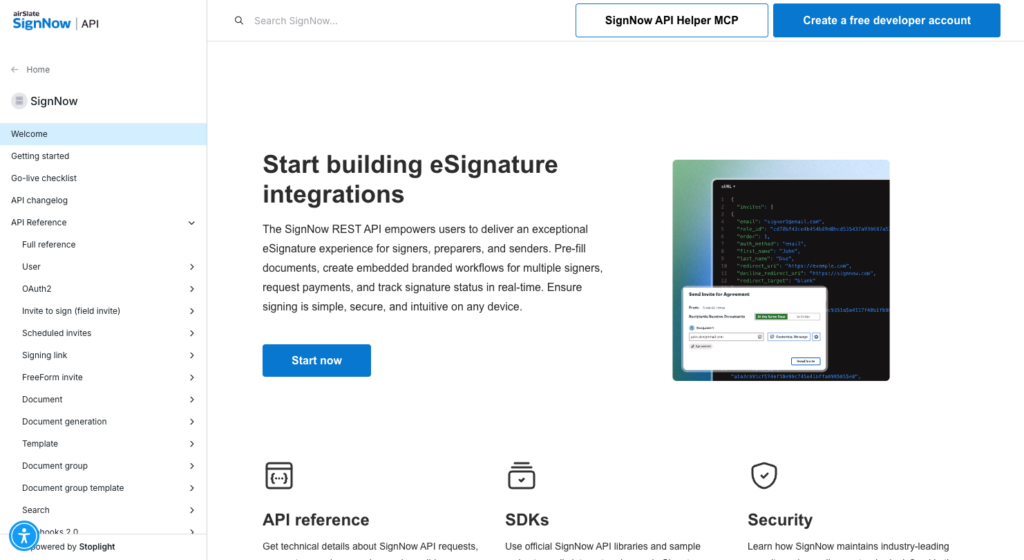
SignNow’s REST API documentation. Envelope creation, signer routing, and embedded session URLs are all covered here.
BoldSign
BoldSign is a developer-first eSign API with a clean REST interface and pricing that is more transparent than most enterprise alternatives at the lower tiers. This option offers a modern, well-documented API with straightforward pricing, outside the most heavily regulated industries. Worth noting is a smaller compliance footprint than the established players.
- Auth model. OAuth2 and API key options.
- Embedded signing. Solid iframe-based embedded signing built for developer integration.
- Webhook granularity. Documented event types suitable for most integration workflows.
- SDKs. Official SDKs including .NET, Java, Node.js, and Python.
- Compliance. A newer entrant with a smaller certification footprint than established players, so verify current standards before committing in a regulated industry.
- Pricing model. Tiered and transparent, published without a mandatory sales call at the lower tiers.
See the developer portal and pricing.
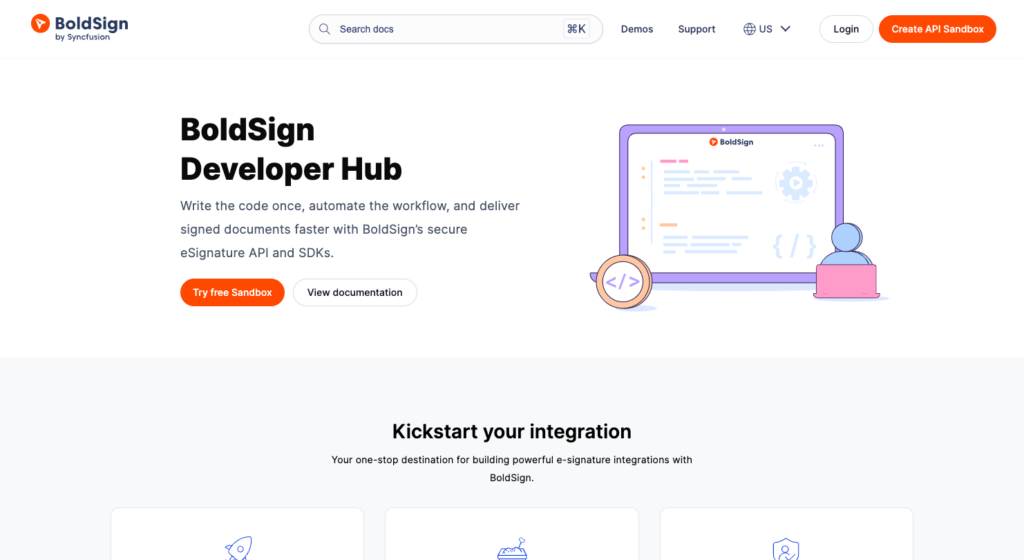
The BoldSign Developer Hub. Transparent pricing and a self-serve sandbox are its main developer-experience draws.
Foxit eSign
Foxit eSign gives developers full control over the signing experience, with no redirect to an external Foxit-hosted page at any point. This is the tool covered in the most technical depth here, and the getting-started section below runs against its live API.
- Auth model. OAuth2 client credentials. Your backend gets a machine-to-machine Bearer token with no user login in the loop.
- Embedded signing. Signing sessions load inside an iframe or web view within your own application. You control the header, sidebars, and the exact page signers land on after finishing.
- Webhook granularity. Nine event types, including
folder_executed, and every callback is signed with an HMAC-SHA-256 digest of the raw body so you can verify authenticity. - SDKs. A documented REST API with worked examples; the getting-started code below is Python.
- Compliance. eIDAS at the AES and QES levels (QES requires pairing with a qualified trust service provider), plus the ESIGN Act, UETA, HIPAA, GDPR, 21 CFR Part 11, CCPA, FINRA, FERPA, and SOC 2 Type II infrastructure.
- Pricing model. Tiered and published, with a free developer account to build against.
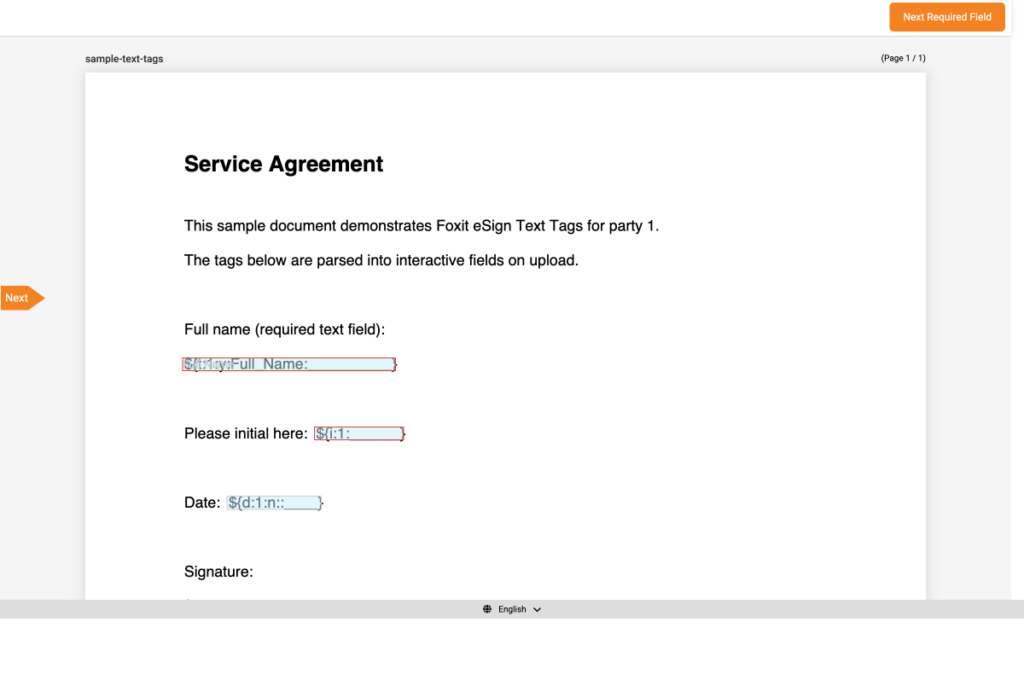
The Foxit eSign embedded signing session, loaded in-app. Text tags in the source PDF are parsed into the interactive Full name, initial, date, and signature fields shown here, with no redirect to an external page.
Signing order control
Setting signInSequence to false on a folder request puts all recipients into parallel mode, while leaving it true enforces the sequence you define. Hybrid flows mix both, so some signers proceed in parallel while others wait on prior steps.
Compliance coverage
Full details live at the Foxit compliance page and the Foxit Trust Center.
Best for development teams that need full embedded-signing control, flexible signer routing, and broad compliance coverage from a single integration, especially in regulated industries.
Watch out for planning your regional endpoint (the instance_url returned at auth) into your configuration rather than hardcoding one.
Getting started with the Foxit eSign API
Three steps take you from zero to your first signed document. The code below runs end to end against the live API.
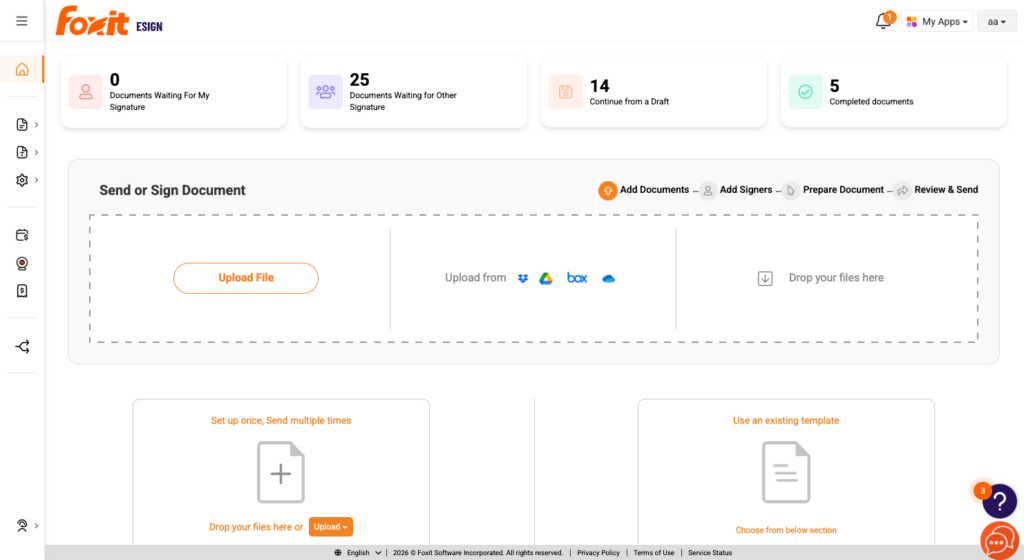
The Foxit eSign dashboard you land on after signing in. The API you are about to call drives the same envelopes shown here.
Step 1. Activate the API tab. Log into your Foxit eSign account, navigate to Settings, and open the API tab. Fill out the form to receive your client_id and client_secret.
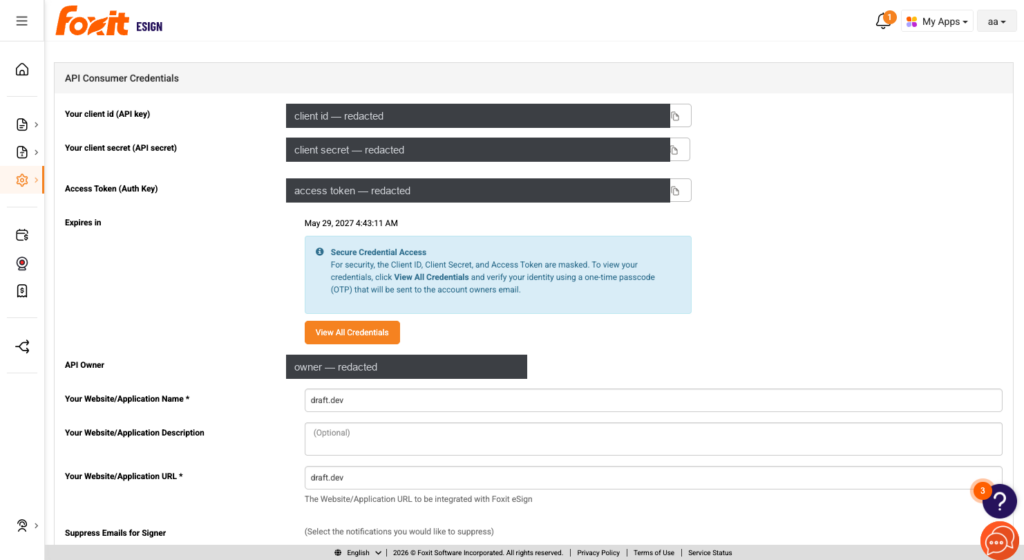
The API Consumer Credentials screen. Foxit masks the client id, secret, and access token by default and requires a one-time passcode to reveal them, which is the credential-handling behavior worth knowing before you build.
Step 2. Obtain a Bearer token. POST to the regional OAuth2 endpoint with a form-encoded body (sending a JSON body returns HTTP 415 Unsupported Media Type). The response includes access_token, token_type, expires_in, and instance_url.
Step 3. Create an envelope and register a webhook. Use the Bearer token in the Authorization header to create an envelope (Foxit calls it a folder) from a source document, then register a webhook targeting the folder_executed (EXECUTED) event to be notified once every party has signed and the document is executed.
The code reads credentials from environment variables. It exchanges credentials for a token, then creates a draft envelope from a sample PDF without emailing anyone.
import os
import requests

# The token endpoint requires a form-encoded body
# (application/x-www-form-urlencoded). Sending a JSON body returns
# HTTP 415 Unsupported Media Type.
TOKEN_URL = "https://na1.foxitesign.foxit.com/api/oauth2/access_token"

# Step 1: Exchange credentials for a Bearer token.
token_response = requests.post(
    TOKEN_URL,
    data={  # use data= (form-encoded), NOT json=
        "grant_type": "client_credentials",
        "client_id": os.environ["FOXIT_ESIGN_CLIENT_ID"],
        "client_secret": os.environ["FOXIT_ESIGN_CLIENT_SECRET"],
        "scope": "read-write",
    },
)
token_response.raise_for_status()
token_data = token_response.json()

access_token = token_data["access_token"]     # Bearer token
instance_url = token_data["instance_url"]      # already a full URL, e.g. https://na1.foxitesign.foxit.com/
base = instance_url.rstrip("/")                # trim trailing slash; do NOT re-add https://

# Step 2: Create an envelope (folder) from a document.
# sendNow=False creates a DRAFT and emails no one.
headers = {
    "Authorization": f"Bearer {access_token}",
    "Content-Type": "application/json",
}
payload = {
    "folderName": "Service Agreement",
    "fileUrls": ["https://your-app.example.com/agreement.pdf"],
    "fileNames": ["agreement.pdf"],
    "sendNow": False,                          # DRAFT; set True to dispatch to signers
    # signInSequence True  = signers proceed in the sequence you define
    # signInSequence False = all signers receive the document in parallel
    "signInSequence": True,
    "parties": [
        {
            "firstName": "Jane",
            "lastName": "Doe",
            "emailId": "[email protected]",
            "sequence": 1,
        }
    ],
}
resp = requests.post(f"{base}/api/folders/createfolder", headers=headers, json=payload)
resp.raise_for_status()
folder_id = resp.json()["folder"]["folderId"]  # the id nests under "folder"
print("Envelope created:", folder_id)
The code above reads your client id and secret from the environment, POSTs them form-encoded to the regional token endpoint, and reads the access_token and instance_url from the response. Because instance_url is already a complete URL, you strip its trailing slash and use it directly rather than prepending a scheme. You then POST to /api/folders/createfolder with the source document, the signing parties, and sendNow set to false so the envelope is created as a draft without notifying anyone, and read the new folder’s id from folder.folderId in the response.
Registering the executed webhook
You register webhooks once in the eSign portal’s API settings, not through the token flow above. Add your endpoint URL and a webhook secret, then enable the events you care about. The screenshot below shows the real configuration screen with folder_executed selected.
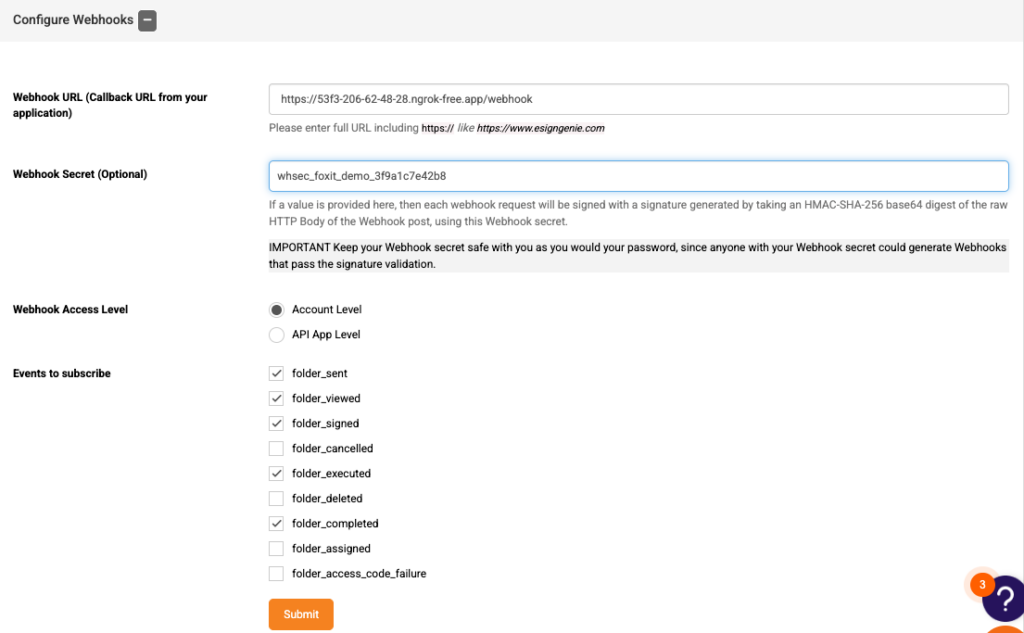
The Configure Webhooks page. Note the nine event checkboxes, folder_executed selected, and the field note confirming each request is signed with a Base64 HMAC-SHA-256 digest of the raw body.
folder_executed fires when all parties have signed and the document reaches the EXECUTED state, which is the point at which the completed, legally binding PDF is ready to archive. Foxit delivers each event as an HTTP POST with the signature appended as a query parameter (?signature=...), where the signature is the Base64-encoded HMAC-SHA-256 of the raw request body keyed with your webhook secret. Recompute that digest on receipt and compare it before you act on the callback.
import base64, hashlib, hmac

def verify_webhook(raw_body: bytes, signature: str, secret: str) -> bool:
    """Return True only if the callback's signature matches the raw body."""
    expected = base64.b64encode(
        hmac.new(secret.encode(), raw_body, hashlib.sha256).digest()
    ).decode()
    return hmac.compare_digest(expected, signature)
The full API reference is at developersguide.foxitesign.foxit.com.
Docusign API FAQ
What is an eSignature API?
An eSignature API lets your application send, track, and complete legally binding signature requests without building a separate signing portal. Your app calls the endpoints to create the workflow, route the document to signers, capture their signatures, and pull the completed, audit-ready record, all without anyone leaving your product.
What are the best DocuSign API alternatives for developers in 2026?
Six strong alternatives worth evaluating are Dropbox Sign (well-documented, fits the Dropbox ecosystem), Adobe Acrobat Sign (enterprise compliance depth), PandaDoc (proposal-to-signature workflows), SignNow (cost-effective at volume), BoldSign (developer-first, clean REST interface), and Foxit eSign (full embedded control and multi-standard compliance across eIDAS, ESIGN, UETA, HIPAA, GDPR, and 21 CFR Part 11).
Does the Foxit eSign API support embedded signing?
Yes. Signing sessions load inside an iframe or web view within your own application, with no redirect to an external Foxit page. You can customize headers and sidebars, and configure where signers land after completing the document. The experience stays inside your product throughout.
What compliance standards does the Foxit eSign API meet?
Foxit eSign meets eIDAS at the AES (Advanced Electronic Signature) and QES (Qualified Electronic Signature) levels (QES requires pairing with a qualified trust service provider). Additional certifications include the ESIGN Act, UETA, HIPAA, GDPR, 21 CFR Part 11, CCPA, FINRA, FERPA, and SOC 2 Type II infrastructure. Full details are at the Foxit compliance page.
How do I get started with the Foxit eSign API?
Create an account at developer-api.foxit.com, activate the API tab in your eSign account settings to receive your client_id and client_secret, then POST to https://na1.foxitesign.foxit.com/api/oauth2/access_token with a form-encoded body to obtain a Bearer token. Use that token in the Authorization header to make your first envelope call.
How does OAuth2 client credentials auth work in the Foxit eSign API?
Your backend POSTs a form-encoded request to the regional token endpoint using your client_id and client_secret. The response returns a Bearer token with a defined expiry and a region-specific instance_url. Every subsequent API call passes that token in the Authorization header, with no session-level user login required at any point.
What webhook events does the Foxit eSign API support?
You register webhooks through the eSign API Settings page and configure them to fire on specific event types, nine in total, spanning sent, viewed, signed, cancelled, executed, deleted, completed, assigned, and access-code-failure. The folder_executed event fires when all parties have completed signing. Foxit signs each webhook POST with an HMAC-SHA-256 digest of the raw body, giving you a verifiable authenticity signal on every inbound notification.
How does Foxit eSign handle parallel and sequential signing flows?
Setting signInSequence to false on a folder request sends the document to all recipients simultaneously. Setting it to true enforces the order you define in the sequence field on each party. Hybrid flows combine both modes, so some signers proceed in parallel while others wait on prior steps, all from a single API call.
Which eSign API is best for regulated industries?
Foxit eSign covers the broadest compliance footprint across eIDAS (AES and QES), HIPAA, GDPR, 21 CFR Part 11, FINRA, FERPA, CCPA, and SOC 2 Type II. Adobe Acrobat Sign also carries strong enterprise certifications relevant to healthcare and finance. Teams in regulated industries should verify current certification status directly with each vendor before committing.
What is the difference between envelope-based and consumption-based eSign pricing?
Envelope-based pricing charges a fixed fee per document sent for signature, which makes costs predictable at low volumes but expensive at scale. Consumption-based pricing ties costs to actual usage metrics (API calls, active users, or data volume), which can reduce spend at high volume but introduces budget variability. Seat-based pricing charges per licensed user regardless of volume, which suits teams with consistent, predictable signing activity.
Picking the right eSign API
The six criteria (embedded signing depth, auth model, webhook event granularity, SDK language coverage, compliance certifications, and pricing transparency) cut the field quickly when you apply them consistently.
Dropbox Sign fits teams in the Dropbox ecosystem who want reliable coverage without high complexity. Adobe Acrobat Sign suits large enterprises with existing Adobe infrastructure and deep compliance footprints. PandaDoc is the right call for proposal-to-signature workflows. SignNow works for cost-sensitive, high-volume signing at scale. BoldSign offers a clean developer experience outside the most heavily regulated industries.
If you need full embedded-signing control, flexible signer routing, and compliance coverage across eIDAS, HIPAA, GDPR, and 21 CFR Part 11 bundled without piecing those certifications together from add-ons, Foxit eSign is worth a close look. Once a folder reaches the EXECUTED state, the completed document carries a full audit trail and signer certificate, which is what you archive as the legal record.
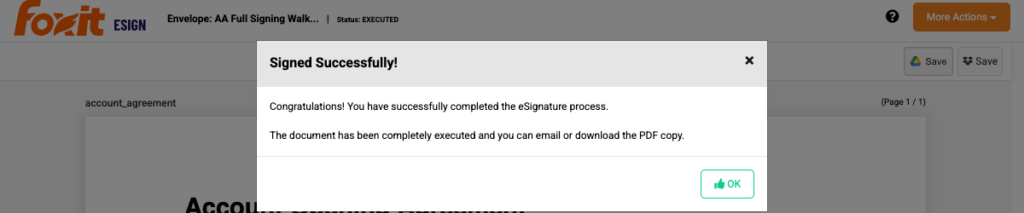
An executed Foxit eSign agreement. The EXECUTED state is the archival point the folder_executed webhook announces.
Visit developer-api.foxit.com to create a free developer account and try the full signature flow with no commitment.