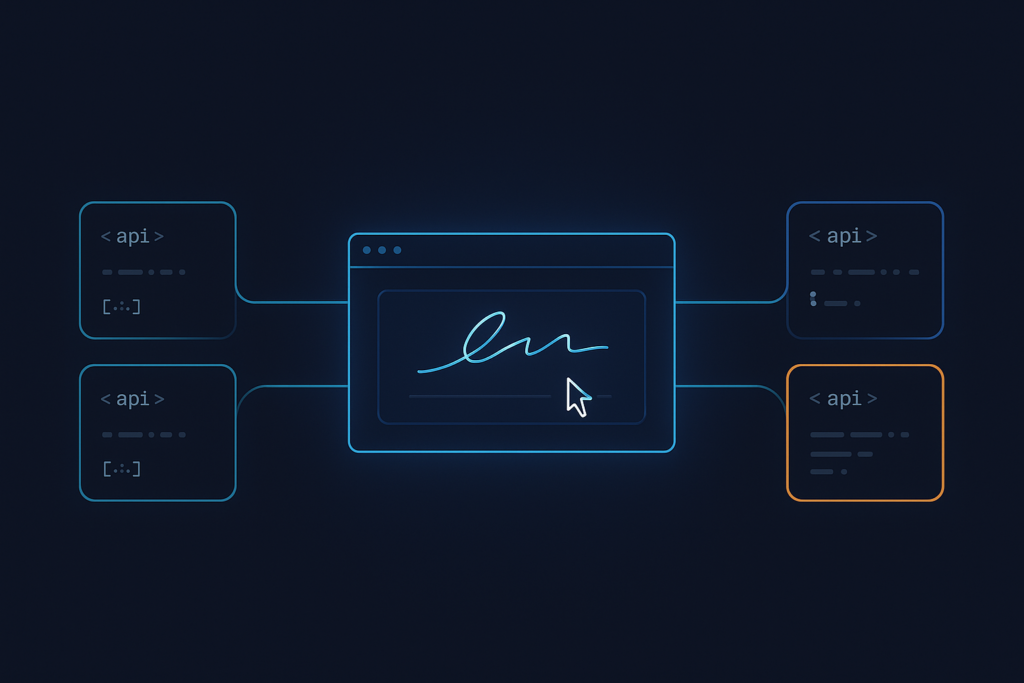
Embedded signing has a clear technical shape. An iframe loads a document, captures the signature, and fires a webhook when it’s done. Adobe Sign’s API handles that, but the path from credentials to a production embed is longer than the feature requires.
This roundup covers five alternatives evaluated on authentication setup, envelope creation, iframe embedding, and webhook handling. Each entry is specific enough to shortlist and act on today.
What Adobe Sign’s API gives you for embedded signing
Adobe’s Acrobat Sign API follows a standard OAuth2 flow. Your application exchanges credentials for a bearer token, posts to the /agreements endpoint to create an agreement, then calls /agreements/{agreementId}/views with a SIGN view type to receive a signing URL. The embedded experience loads from that URL.
The integration itself is well-documented. The production delta for teams building in-app signing surfaces at the shipping stage. Adobe does offer a free Acrobat Sign Developer Edition for testing, but shipping the embedded experience to real users goes through Acrobat Sign Embed, an OEM partner program that requires onboarding, provisioning, and app certification. Adobe’s own documentation directs developers to contact Adobe to become an Embed partner. Pricing for the API and the embed path is unpublished and requires direct contact. Teams that need an iframe signing session inside their product often find that the full onboarding cycle exceeds what the use case demands.
This article sets Acrobat Sign as the benchmark, covers what its production embed path actually involves, and then presents five alternatives that reach production faster.
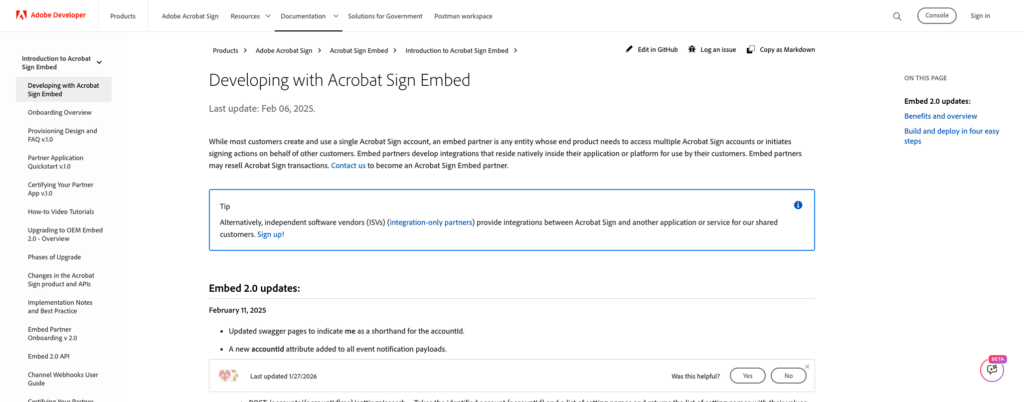
Adobe’s own Acrobat Sign Embed docs, confirming the OEM partner program requires contacting Adobe directly rather than a self-serve signup.
What “simpler” means for an embedded signing API
Every alternative in this roundup is evaluated on four criteria.
- Steps from credentials to first embedded session. Fewer authentication steps and self-serve signup mean faster iteration.
- True iframe embed vs. redirect-only. A genuine iframe keeps signers inside your product. A redirect breaks the in-app experience.
- SDK language coverage. Real, installable packages on public registries (npm, PyPI, Maven, RubyGems) vs. sample code.
- Pricing model. Self-serve tiers with published rates vs. sales-gated access and custom quotes.
5 alternatives worth shortlisting
The comparison table below summarizes all 5 alternatives across these criteria.
| Provider | Embed Approach | SDK Coverage | Compliance | Pricing Model | Free Tier |
|---|---|---|---|---|---|
| Dropbox Sign | iframe (hellosign-embedded) | 6 official SDKs (Python, Node, PHP, .NET, Ruby, Java) | ESIGN, UETA, GDPR | Self-serve | Yes (test mode) |
| SignWell | iframe | 4 official SDKs (Ruby, Node, Python, PHP) | ESIGN, UETA | Self-serve, published pricing | Yes |
| BoldSign | iframe | REST + official SDKs | ESIGN, UETA, GDPR | Self-serve | Yes (free sandbox) |
| Documenso | iframe (embed SDKs for React, Vue, Svelte, Angular, Solid, Preact) | 6 framework-specific embed SDKs | ESIGN, UETA, GDPR | Self-serve / self-host | Free (self-host) |
| Foxit eSign API | iframe (embeddedSessionURL) | Sample code in cURL, PHP, C#, Java; Postman collection | eIDAS (AES, QES), ESIGN, UETA, 21 CFR Part 11, HIPAA, GDPR, CCPA | Self-serve trial, then pricing at developer-api.foxit.com | 30-day TEST mode trial |
Dropbox Sign
Dropbox Sign delivers one of the cleaner developer experiences in this space. The hellosign-embedded library wraps the iframe lifecycle, handling the parent window’s domain verification and the post-signing event messages. Official SDKs exist on PyPI, npm, Packagist, NuGet, RubyGems, and Maven. Two gates apply before you hit live traffic, as embedded apps need App Approval before leaving test mode, and the iframe verifies the parent window’s domain, so your production domain must be registered. Best for teams where polished DX and iframe UX are the top priorities.
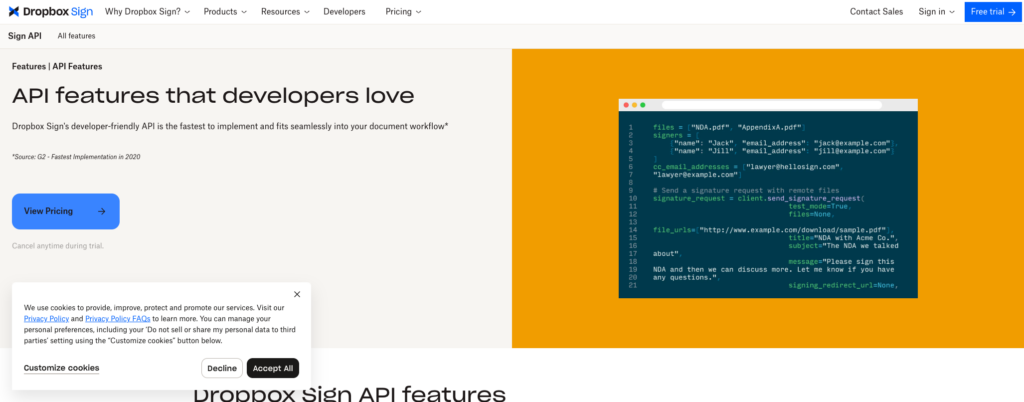
Dropbox Sign’s API features comparison, confirming the 6-language SDK coverage and embedded-signing feature.
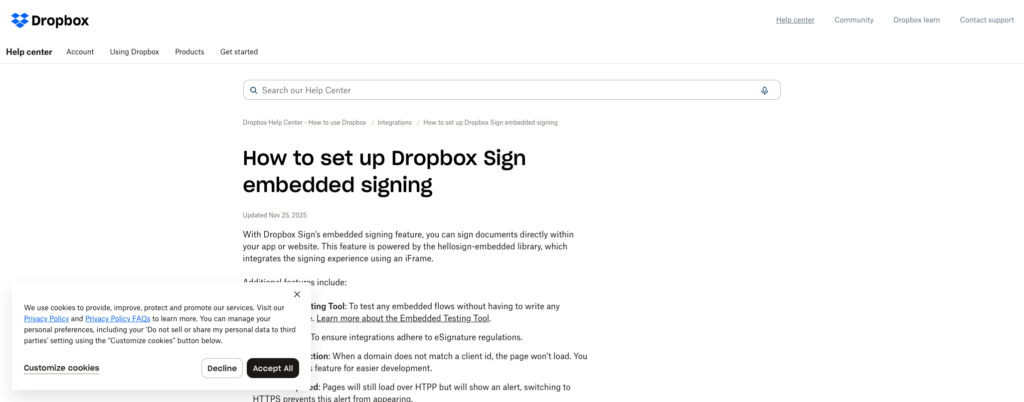
Dropbox Sign’s embedded signing documentation, naming the App Approval and domain-matching requirements before production traffic.
SignWell
SignWell publishes its pricing transparently on its pricing page and exposes a clean REST API that returns a signing URL you embed directly. SignWell also ships four official SDKs, covering Ruby, Node, Python, and PHP, so integration does not have to stay at the raw HTTP layer. The predictable pricing structure makes SignWell a reasonable fit for teams with variable signing volume that need cost certainty before committing.
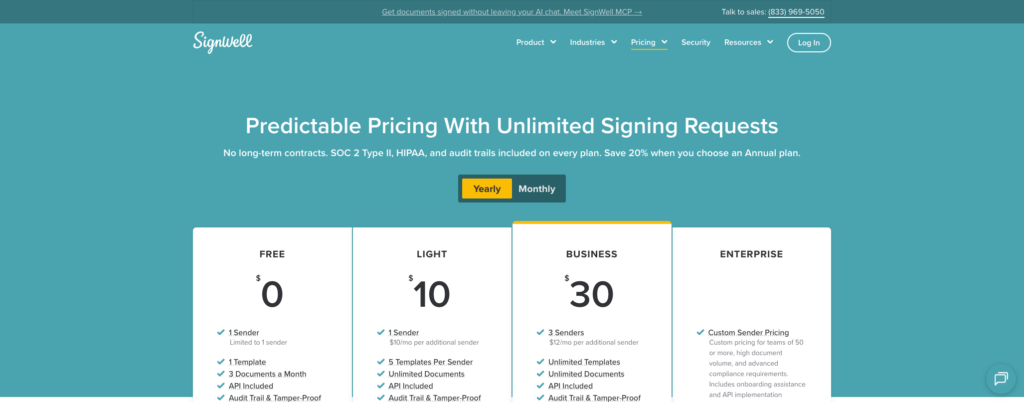
SignWell’s pricing page, showing published self-serve rates rather than a sales-gated quote.
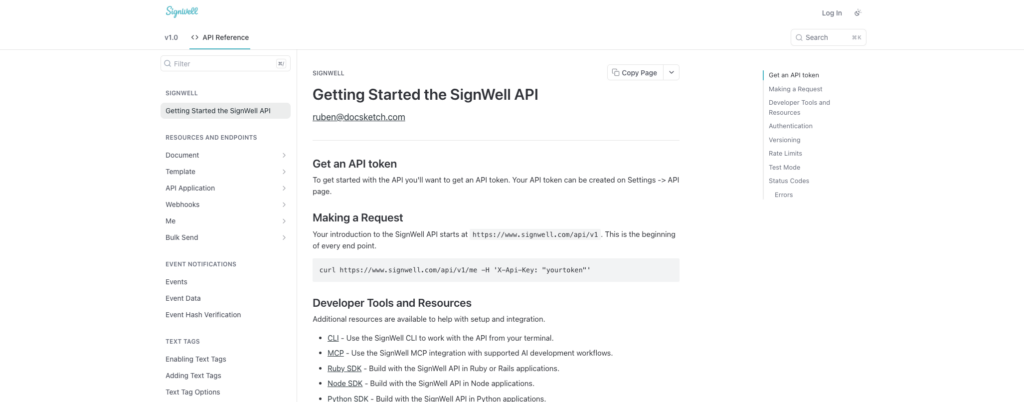
SignWell’s “Getting Started” docs page, listing the four official SDKs alongside the OpenAPI file.
BoldSign
BoldSign offers a free API sandbox that covers the full build-and-test cycle for embedded send-and-sign before you go anywhere near production. The path from sandbox credentials to a working iframe is short. Check BoldSign’s pricing page for current plan details. Best for teams optimizing for the fastest route to a working production embed.
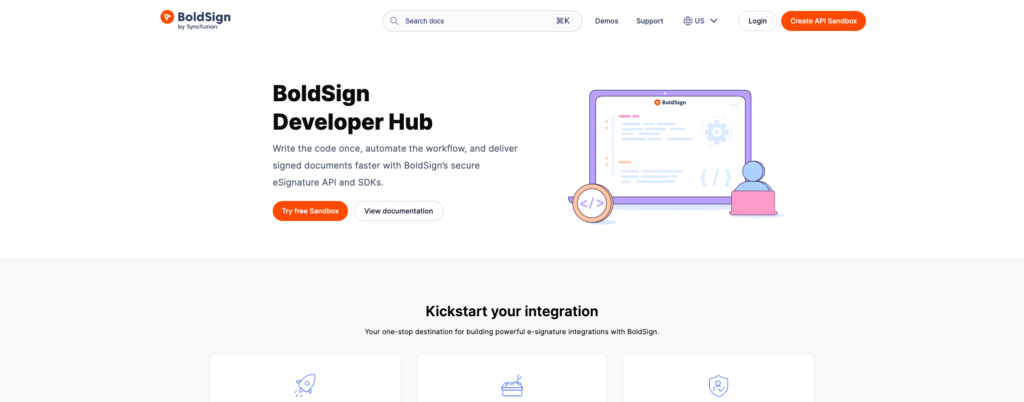
BoldSign’s developer hub, showing the free sandbox signup and the Embedded Send & Sign feature. (BoldSign’s own pricing page geo-blocks automated requests from this connection, so it isn’t pictured here; the URL above is live and correct.)
Documenso
Documenso is open-source and self-hostable, which changes the data-control equation entirely. The project ships official embed SDKs for React, Vue, Svelte, Angular, Solid, and Preact, plus a web-component package. Teams that need their signed documents to stay on their own infrastructure can self-host for free. On Documenso Cloud, embedded signing starts at the Teams plan. Best for teams with strict data residency requirements or open-source mandates.
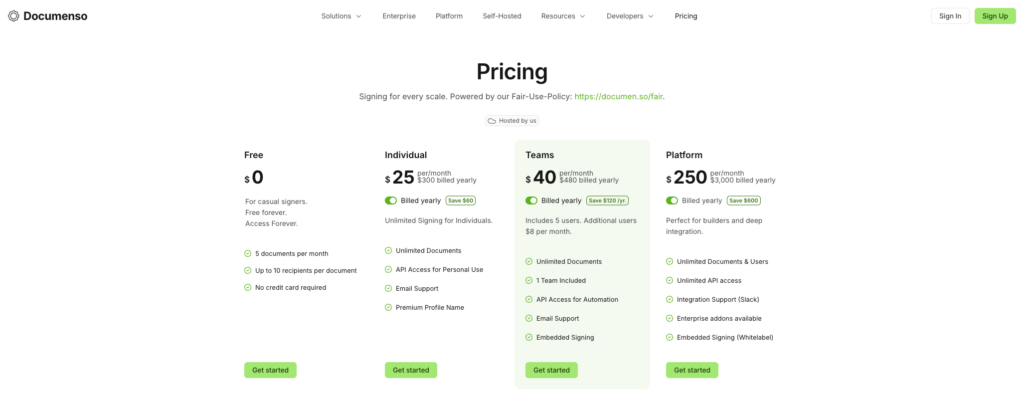
Documenso’s pricing page, confirming Embedded Signing is included from the Teams plan up, with self-hosting as the free alternative.
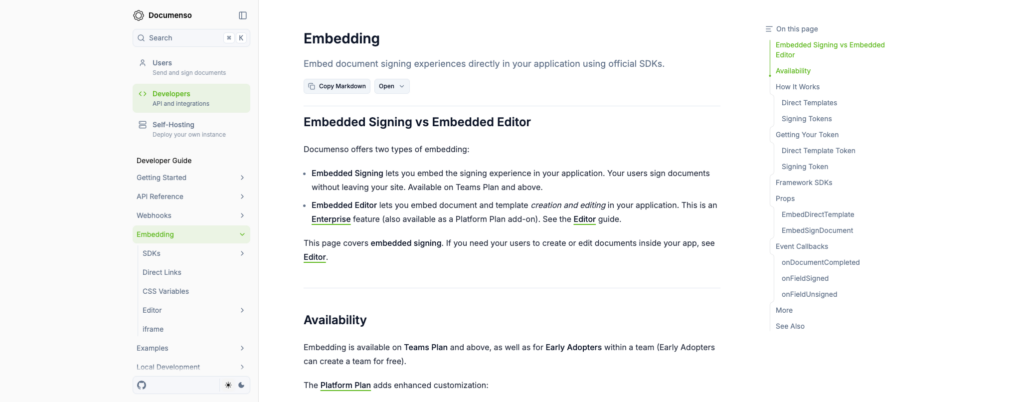
Documenso’s embedding docs, listing the framework-specific SDK packages.
Foxit eSign API for embedded signing
Foxit eSign API covers the complete embedded signing stack, including authentication, envelope creation, iframe signing sessions, embedded sending sessions, webhooks, and branding controls, all served from a cloud-hosted REST API.
Credentials and regional setup
Foxit separates its API products at the credential level. The Developer Portal at developer-api.foxit.com issues keys for PDF Services and Document Generation. eSign uses a separate account and dashboard. Create your account at the Foxit eSign Portal (login.foxitesign.foxit.com), then activate API access from the API tab in your account settings. Your Client ID and Client Secret appear there once API access is active.
The Foxit eSign Portal sign-in page, the separate account referenced above (distinct from the main Developer Portal login).
Before your first API call, pick your regional host. Foxit supports four regions, and your credentials are scoped to the region where they were issued.
- US:
na1.foxitesign.foxit.com - EU:
eu1.foxitesign.foxit.com - Canada:
na2.foxitesign.foxit.com - Australia:
au1.foxitesign.foxit.com
Authentication
Foxit eSign uses the OAuth2 client_credentials grant. POST your credentials form-encoded (a JSON body returns HTTP 415) to /api/oauth2/access_token.
POST https://na1.foxitesign.foxit.com/api/oauth2/access_token
Content-Type: application/x-www-form-urlencoded

grant_type=client_credentials
&client_id=YOUR_CLIENT_ID
&client_secret=YOUR_CLIENT_SECRET
&scope=read-write
The response contains an access_token. Pass it as Authorization: Bearer <token> on every subsequent request.
Envelope creation and the embedded session URL
To launch an embedded signing session, create the envelope with the embedded session flag set. The API returns an embeddedSessionURL for each recipient. Use the complete URL the API returns, because assembling it manually produces failures when session hosts and tokens vary by region.
The signing experience loads into a standard iframe.
<div style="height: 800px; width: 100%; overflow: hidden;">
  <iframe
    id="esignIframe"
    src="EMBED_SESSION_URL"
    title="Foxit eSign signing session"
    style="width: 100%; height: 100%; border: 0;"
  ></iframe>
</div>
Include the esignGeniePostMessageParent.js script on the parent page to receive post-message events from the signing session. After signing or declining, Foxit eSign redirects to your specified URL and appends folderId and event as query parameters (signing_success or signing_declined).
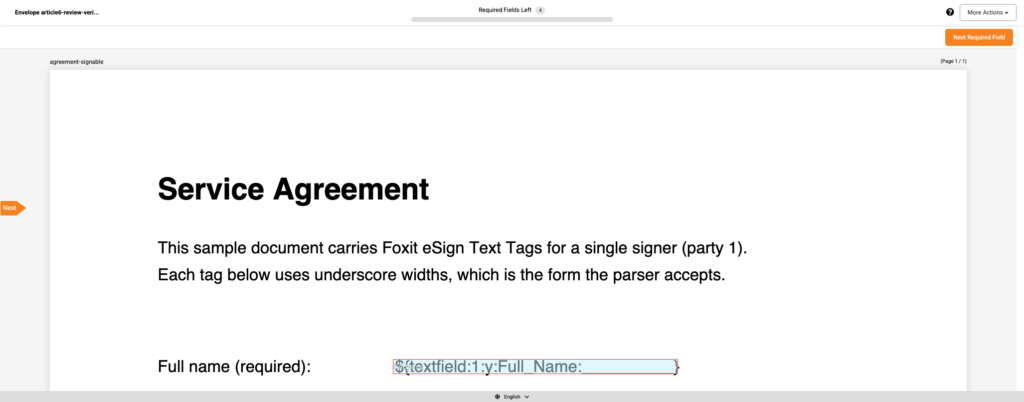
A real embeddedSessionURL opened directly (the same page an iframe would load), created live with createEmbeddedSigningSession, showing the Text Tag field rendered as an interactive input and the “Required Fields Left” counter this article’s flow produces.
To give preparers an embedded document-preparation experience, set createEmbeddedSendingSession to true in the Create Envelope request. Foxit returns a second embeddedSessionURL for the sending view, which you embed the same way.
Document preparation
Two paths exist for placing signature fields.
- Text Tags in the PDF: embed tag syntax directly in the PDF content, then set
processTextTags: truein the envelope creation call. Foxit converts the tags into fields without removing the text. Match the tag font color to the document background to hide the raw tag text from signers. - Direct API field placement: if your application already holds the page coordinates and field dimensions, POST the field definitions directly and skip Text Tags entirely.
Webhooks
Webhooks deliver real-time envelope status changes without polling. Configure webhook channels to receive events when an envelope reaches EXECUTED status, which lets your application trigger downstream steps (such as uploading the signed document to a CRM or generating follow-up forms) the moment signing completes.
Code samples and integration path
Foxit’s eSign developer guide ships sample code in cURL, PHP cURL, C#, and Java. Foxit also publishes an eSign Postman collection on GitHub, which covers the full request sequence from authentication through envelope retrieval. The API overview page lists .NET, Java, PHP, Python, Ruby, and TypeScript as SDK languages, but no packages under those names appear on PyPI, npm, RubyGems, Packagist, or Maven. eSign integration is a direct REST integration with sample code in four languages, with no six-language installable SDK suite available.
Compliance coverage
Foxit eSign covers a broad compliance floor, documented at foxit.com/esign-pdf/maintain-industry-compliance/, including eIDAS conformance at the Advanced Electronic Signature (AES) and Qualified Electronic Signature (QES) levels, ESIGN, UETA, 21 CFR Part 11, HIPAA, GDPR, and CCPA. Audit trails include identity verification, tamper-evident logs, and certificates of completion. Regional hosting across four jurisdictions keeps signed documents within a chosen geographic boundary without requiring you to build compliance infrastructure from scratch.
Trial mode
Activating eSign provisions a 30-day trial in TEST mode. Completed envelopes in TEST mode carry a watermark. Check developer-api.foxit.com for current pricing and plan details before moving to production.
How to pick the right provider
Match your primary requirement to the provider built for it.
- Regulated industries requiring eIDAS at AES or QES level, HIPAA, or 21 CFR Part 11 coverage: Foxit eSign API.
- Transparent self-serve pricing and predictable per-document costs: SignWell.
- Fastest path to a working production embed with minimal friction: BoldSign.
- Self-hosted or open-source data control requirements: Documenso.
- Cleanest developer experience with a polished iframe UX library: Dropbox Sign.
Identify the scenario that matches your requirements and open that provider’s free tier or sandbox today. Every option above gives you something to test without a sales call.
Adobe Sign API FAQ
What is an embedded signing API?
An embedded signing API is a REST API that returns a session URL a developer loads inside their own application, typically via iframe, so signers complete the entire signing process without leaving the host product. The API handles session creation, field rendering, signature capture, and status callbacks on the server side.
Why do developers look for Adobe Sign API alternatives?
The most common reasons are the enterprise-tier access requirements that gate the production embedded signing path, pricing that is unpublished for self-serve on the API or Embed OEM program, and an integration scope that exceeds what a dedicated embedded signing use case needs. Teams building a single in-app signing flow often want a REST API, a sandbox, and published pricing, and several alternatives deliver exactly that.
Does Foxit eSign API support iframe-based embedded signing?
Yes. The Create Envelope endpoint returns an embeddedSessionURL that loads directly into an iframe on your page. Include the esignGeniePostMessageParent.js script on the parent page to receive post-message events from the signing session, and configure a redirect URL to capture the signing_success or signing_declined outcome.
How do I choose an e-signature API for embedded signing?
Apply four criteria, counting the steps from credentials to your first embedded session, confirming the API returns a true iframe URL rather than a redirect, checking whether the provider’s SDKs are real installable packages on public registries, and verifying that pricing is published at a self-serve tier your team can access without a sales conversation. The comparison table above maps all five providers across these dimensions.
What compliance standards do embedded signing APIs typically cover?
Most providers cover ESIGN and UETA, which establish legal validity for electronic signatures in the US. GDPR coverage is common among providers with EU hosting. Foxit eSign API extends further to eIDAS at AES and QES levels, HIPAA, 21 CFR Part 11, and CCPA, making it the strongest option for regulated industries.
Can I test an embedded signing API before committing to a paid plan?
Yes. Every provider in this roundup offers a free tier or sandbox. Dropbox Sign provides a test mode, BoldSign offers a free sandbox covering the full build-and-test cycle, SignWell has a free plan, Documenso is free to self-host, and Foxit eSign API provisions a 30-day TEST mode trial on account activation.
What is the difference between a true iframe embed and a redirect-based signing flow?
A true iframe embed loads the signing session inside your application’s page, so the signer never leaves your product. A redirect-based flow sends the signer to an external URL, breaking the in-app experience and handing off visual control to the signing provider. For products where brand consistency and user retention matter, a true iframe embed is the correct choice.
Getting started with Foxit eSign API
Create a free Foxit account at app.developer-api.foxit.com/sign-up, activate eSign from your account settings, and collect your Client ID and Client Secret from the Foxit eSign Portal. Those eSign credentials are issued separately from your PDF Services and Document Generation keys, so look in the eSign Portal’s API tab specifically. From there, authenticate with the client_credentials grant, create an envelope, and load the returned embeddedSessionURL into an iframe. The full flow is testable in 30-day TEST mode with no commitment required.