Our Foxit eSign API, DocuSign, Dropbox Sign, Adobe Acrobat Sign, and PandaDoc use different billing units, allowances, and access rules. Comparing monthly prices alone can hide what your application will actually cost to run.
An eSignature API lets your application send documents for electronic signature, track their status, and retrieve signed files. Before comparing prices, decide whether signers can use a vendor-hosted page or need to sign inside your app. Embedded signing can change the plan you need.
In this article, we compare 5 eSignature APIs based on plan prices, billing units, allowances, embedded-signing gates, and free or test use. All prices are US list prices in USD.
eSignature API pricing at a glance
How much does an API subscription cost for eSignature? Our Foxit eSign API starts at $1,750 a year on Startup for 5,000 shared credits, enough for up to 1,000 envelopes if no credits go to other operations. Embedded signing is included.
PandaDoc API Developer starts at $40 a month for 40 documents, and DocuSign Starter starts at $50 a month billed annually for 40 envelopes. Dropbox Sign’s embedded-signing plans start at $250 a month billed yearly. DocuSign and Adobe require sales-led plans for embedded signing, and Adobe publishes no API price.
API | Billing unit | Lowest published paid API plan | Embedded signing starts on | Largest published self-serve allowance |
Foxit eSign API | Envelope created, 5 credits from a shared yearly pool | Startup: $1,750 a year for 5,000 credits (up to 1,000 envelopes) | Every plan, including the free Developer plan’s eSign trial | Business: $4,500 a year for 15,000 credits (up to 3,000 envelopes, about 250 a month) |
DocuSign eSignature REST API | Envelope, counted when sent | Starter: $50 a month billed annually, or $75 billed monthly; 40 envelopes a month | Enhanced plans only (sales-led, 5-user minimum) | 100 envelopes a month on Intermediate or Advanced |
Dropbox Sign API | Signature request (one bundle, any number of signers), counted when sent | Essentials 50: $75 a month billed yearly, or $100 billed monthly | Standard, from $250 a month billed yearly (100 requests a month) | 500 requests a month on Standard 500 or Essentials 500 |
Adobe Acrobat Sign API | Transaction (each agreement sent, with bulk sends counted once per recipient) | No published API price. Free Developer Edition available for testing. | Through sales. Embedding in a product you sell goes through the Embed partner program. | No published allowance |
PandaDoc API | Document, counted when created | API Developer: $40 a month after a 14-day trial; 40 documents a month | Free and API Developer | 40 documents a month included; API Developer cap not stated |
Past these published allowances, confirm higher-volume pricing with each vendor directly. PandaDoc does not state an API Developer volume cap.
To test our side of this comparison before you budget, create a free Foxit developer account, click Get started with eSign on the dashboard, and follow our eSignature API tutorial to send a TEST-mode envelope.
How we compared the pricing
We compare API plans only. Web-app seat plans appear only where vendors mix them into API pricing.
The vendors bill by envelope, signature request, transaction, or document. Compare what each unit includes and when it counts, not just its name. We compare 2 modes: hosted signing, where signers use the vendor’s page, and embedded signing, where they stay inside your app.
Where a vendor offers annual billing, we use that rate. PandaDoc shows only a monthly price, so its yearly figure is $40 × 12.
What each eSignature API charges, plan by plan
Foxit eSign API
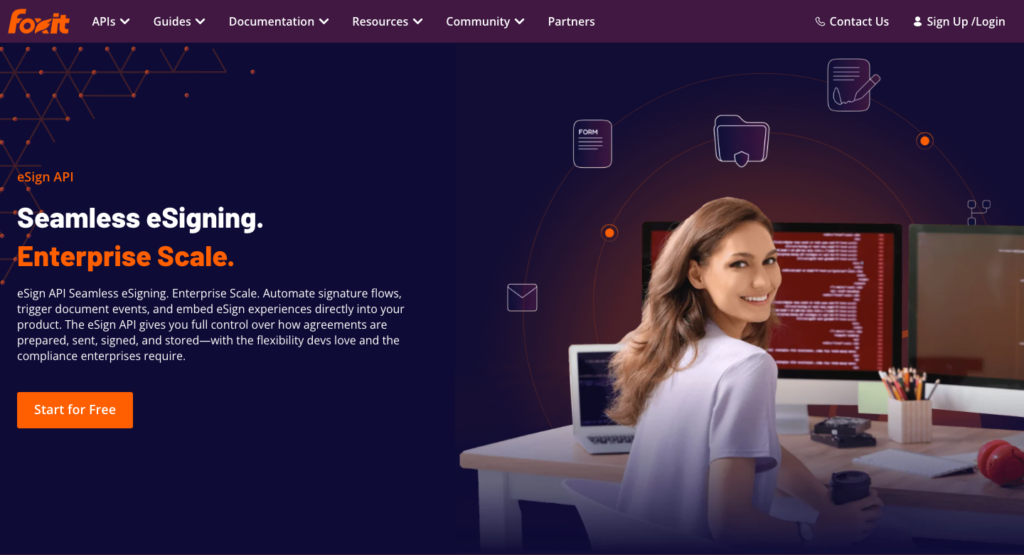
Our eSign API product page.
Our credit model covers the whole account. The same yearly pool covers eSign (5 credits per envelope created) and our PDF Services API or Document Generation API (1 credit per operation), so a team that generates PDFs and signs them draws from a single pool instead of separate billing relationships.
Pricing fact | Details |
Plans and list prices | Developer: free (500 shared credits a year, plus a 30-day eSign Business trial in TEST mode with up to 25 envelopes). Startup: $1,750 a year (5,000 credits). Business: $4,500 a year (15,000 credits). Volume: custom. These figures use annual list prices. |
Billing unit | Envelope created, through the API or the eSign UI: 5 credits, including a draft that’s never sent. Status checks, webhooks, and other eSign API calls use no credits. |
Allowance and rollover | One yearly pool shared with PDF Services and Document Generation (1 credit per operation). Credits reset when they renew rather than rolling over. |
Over the allowance | Credit-consuming calls pause at zero. Restore credits through renewal, an upgrade, or a purchased top-up. Top-ups expire at the same reset date as the base plan. We send alerts before credits run out. |
Embedded signing | Embedded signing and embedded sending on every plan, including the free Developer plan’s eSign trial. |
Paid add-ons | None. We charge no per-feature fees. |
Free and test use | Activating eSign on the free Developer plan creates an eSign Sandbox account and starts a 30-day Business trial in TEST mode with up to 25 envelopes. TEST-mode envelopes are watermarked. Activation asks for an eSign company name and a document storage region (US, EU, or Canada) that can’t be changed afterward. |
Above the self-serve tiers | Volume, through sales. Our pricing estimator recommends Volume above 250 envelopes a month (15,000 credits) when no other operations use credits. |
Where Foxit eSign API stands out
Embedded signing is on every plan, including the free Developer plan’s eSign trial. For teams building a product where signers sign inside the app, there’s no plan jump and no extra conversation with sales, so you can test the full embedded flow before committing to any paid tier.
Generating a document uses 1 credit, and creating its signing envelope uses another 5, for 6 credits total from the shared pool. Additional PDF processing operations use extra credits.
What to consider
At its annual list price of $1,750, Startup has the highest paid entry cost in this comparison for low-volume hosted signing. At 40 envelopes a month, PandaDoc at $480 a year, DocuSign at $600 a year, and Dropbox Sign at $900 a year all cost less.
Credits don’t roll over. At zero, credit-consuming calls pause until the pool is restored through renewal, an upgrade, or a purchased top-up.
Envelopes are billed at creation, whether or not they’re signed. PandaDoc also counts at creation, while DocuSign, Dropbox Sign, and Adobe count at send. Assuming all credits go to eSign, the per-envelope price at full use is $1.75 on Startup and $1.50 on Business (our arithmetic).
Best for. Products that generate or process PDFs before embedded signing, with a plan sized for both PDF operations and envelopes. Getting started. Sign up for a free developer account, then click Get started with eSign on the dashboard.
Activation needs a last name on your Foxit Account profile, so add one to your profile first if you signed up without it.
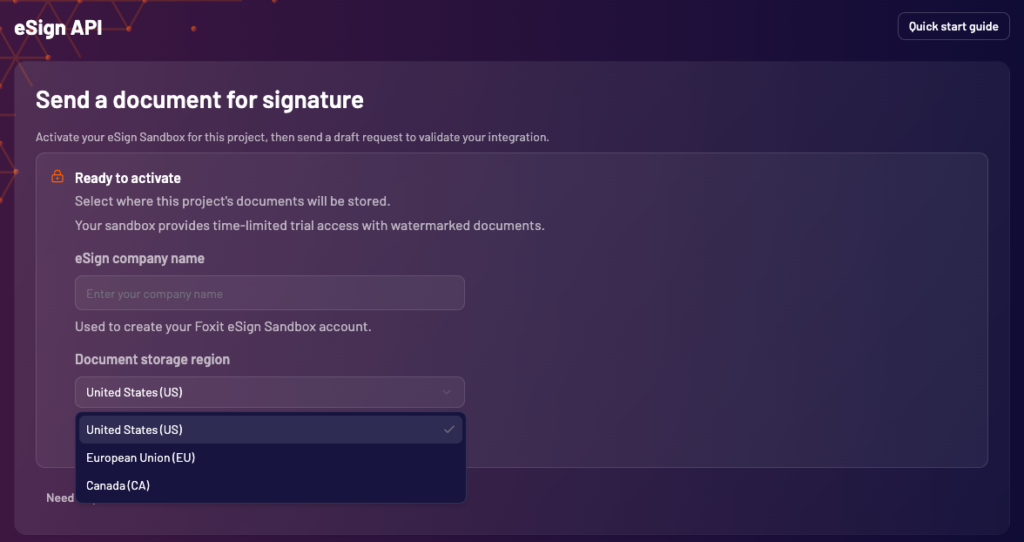
The eSign activation form in our console, with the 3 document storage regions.
DocuSign eSignature REST API
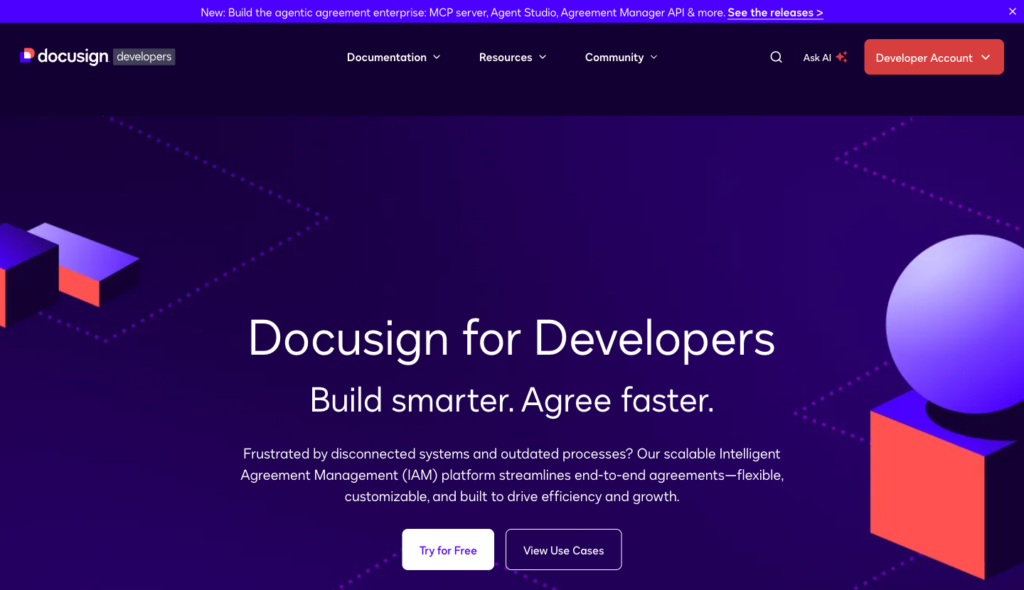
The DocuSign for Developers home page, where the free developer account starts.
How much does DocuSign API cost? DocuSign’s developer plans start at $50 a month billed annually (Starter, $600 a year), and the first plan that includes embedded signing requires a sales conversation. DocuSign separates its developer API plans from its web-app plans, and the two have different terms.
Pricing fact | Details |
Plans and list prices | Starter: $50 a month billed annually ($600 a year), or $75 billed monthly. Intermediate: $300 a month billed annually ($3,600 a year), or $450 billed monthly. Advanced: $480 a month billed annually ($5,760 a year), or $720 billed monthly. Enhanced: by quote with a 5-user minimum. Additional tax may apply. |
Billing unit | Envelope: one or more documents sent to one or more recipients. Consumed when sent, whether or not the envelope is signed. A PowerForm counts when accessed. Bulk sends through the API count per envelope. |
Allowance and rollover | “Starting amount” of 40 envelopes a month on Starter; 100 envelopes a month on Intermediate and Advanced. Allowances expire at the end of the order term and don’t roll over unless the order form says otherwise. |
Over the allowance | API-plan overage: not published. The $3.00 to $7.80 per-envelope figures in DocuSign’s overage FAQ cover the Standard and Business Pro web-app plans only. Personal plans have no overage billing, and the developer API plans are not covered. |
Embedded signing | Enhanced plans only. Embedded sending is included on all 4 plans. Embedding DocuSign features in your own product for your customers is an “Embedded integration” that requires ISV Embed partner licensing, and the classification chosen at go-live changes how envelopes are billed. |
Paid add-ons | SMS and phone authentication through sales on Advanced and Enhanced. Multi-channel delivery and ID verification through sales on Enhanced. ID verification costs from $2.40 per attempt on web-app plans, and no developer-plan price is published. |
Free and test use | Free developer account in a demo environment. Envelopes sent from a DocuSign demo account aren’t legally binding. Going live requires a paid production account and integration-key promotion. Eligible integrations may qualify for automatic promotion, while manual reviews typically take 24 to 48 hours. |
Above the self-serve tiers | Enhanced plans for higher send volumes. No price published for 2,000 envelopes a month. |
Where DocuSign stands out
DocuSign publishes a clear entry price for hosted signing at low volume, $600 a year for 40 envelopes a month on Starter. For teams whose procurement process already requires DocuSign, the developer plans provide a path to production without opening a new vendor relationship.
Embedded sending is available on every self-serve developer plan, so you can build most of a signing workflow before the billing question for embedded signing forces a conversation with sales. Status webhooks through DocuSign Connect start on the Advanced plan, so budget for that tier if your integration depends on them.
What to consider
Does DocuSign have a free API? Not for production use. DocuSign offers a free developer account in a demo environment, but envelopes sent from that account aren’t legally binding, so it serves integration testing only. Sending live envelopes needs a paid production account.
The plan progression from Starter through Advanced covers hosted signing only, so if your product needs signers to sign inside your app, the budget starts at Enhanced, which requires a quote and a 5-user minimum.
Bulk send through the eSignature REST API is included on Advanced and Enhanced, so a workflow built around bulk sending starts at $5,760 a year.
For products that embed DocuSign features inside your app and serve them to your customers, the go-live classification as an Embedded integration changes how envelopes are billed and requires ISV Embed partner licensing. That classification can shift the budget more than the plan price does, so settle it before writing any numbers into a roadmap.
Best for. Hosted signing at up to 100 envelopes a month, or engineering teams already standardized on DocuSign infrastructure. Getting started. DocuSign developer plans and pricing.
Dropbox Sign API
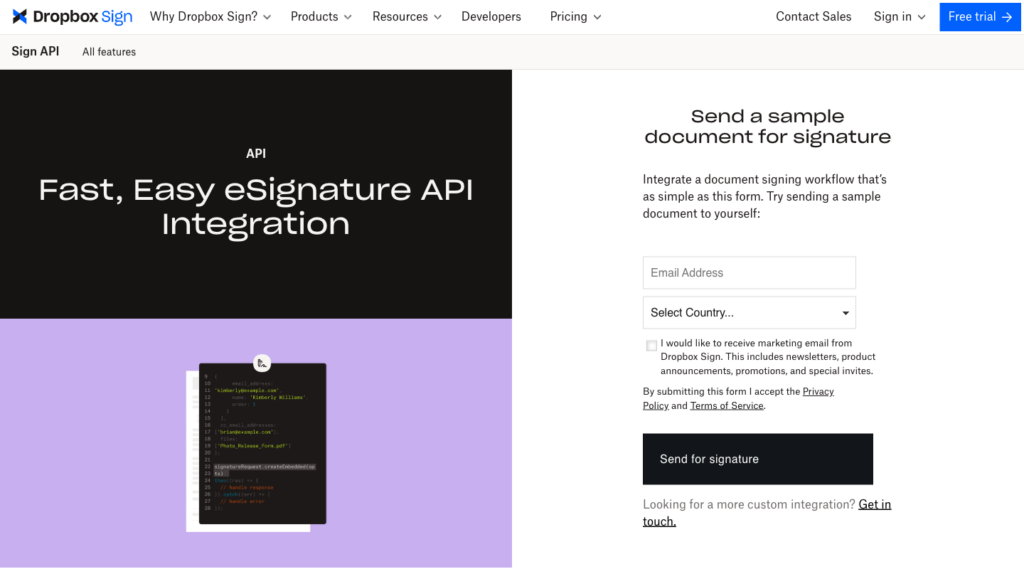
The Dropbox Sign API product page, with a form for sending yourself a sample document.
Dropbox Sign API (formerly HelloSign) publishes a detailed self-serve pricing ladder. Every tier is priced, and the plan that unlocks embedded signing is clearly named and costed.
Pricing fact | Details |
Plans and list prices | Yearly price (monthly-billing price in parentheses): Essentials 50 $900 ($100/mo); Essentials 100 $1,500 ($165/mo); Essentials 250 $3,300 ($365/mo); Essentials 500 $5,400 ($600/mo); Standard 100 $3,000 ($300/mo); Standard 250 $5,400 ($540/mo); Standard 500 $7,500 ($750/mo). Premium: custom quote. |
Billing unit | Signature request: documents sent together in one bundle count as 1 request regardless of the number of signers. API calls that count include send, send with template, create embedded, create embedded with template, and bulk send with template. Drafts count when the sender clicks Continue or Request Signature. |
Allowance and rollover | Monthly quota by default. On yearly billing plans, the yearly allotment is divided into monthly amounts. A yearly refresh is available for an additional cost, and that price is not published. |
Over the allowance | Sending never stops because of quota. At the limit, the subscription is automatically upgraded to the next tier and stays there from that point forward. An alert goes out at 80% of the quota. |
Embedded signing | Standard plans and above. Embedded templates and white-label branding require Premium. |
Paid add-ons | SMS Tools available on Standard or higher as an additional-cost add-on through sales. eID and Qualified Electronic Signature (QES) under the EU’s eIDAS regulation require a per-request subscription. Advanced signing tools are Premium features. |
Free and test use | Test mode is free, produces watermarked documents, is not legally binding, and does not count against quota. Rate limit: 10 requests a minute. |
Above the self-serve tiers | 750 or more requests a month: contact sales. Premium: custom quote. |
Where Dropbox Sign stands out
For teams that need a budgetable number before going to procurement, the published ladder answers the question without a sales call, up to 500 requests a month and including the price of the tier that unlocks embedded signing.
A bundle of documents sent to multiple signers counts as 1 signature request. For example, a request containing 3 documents has a lower effective cost per document than the request price alone suggests.
Test mode doesn’t count against quota at all, so you can run integration testing freely without burning through a monthly allowance.
What to consider
Moving from hosted to embedded signing doubles the annual cost at 100 requests a month, with Essentials 100 at $1,500 a year versus Standard 100 at $3,000 a year. That’s a meaningful step, and it’s worth costing both modes during scoping rather than after the integration is half-built.
Yearly plans still hand out a monthly allotment by default. If your volume is seasonal, say 400 requests in December and 50 in January, the monthly cap applies anyway. A yearly refresh costs extra and that price isn’t published, so a Dropbox Sign annual plan doesn’t give you an annual pool you can draw from unevenly. The automatic upgrade at the cap stays in place from that point forward, so a busy month can move your plan tier for the rest of the contract.
Templates are capped at 5 on Essentials plans and 15 on Standard. If your use case relies on many templates, verify the count before choosing a tier.
Best for. Steady volume between 50 and 500 signature requests a month where a published, tiered price is a procurement requirement. Getting started. Dropbox Sign API pricing.
Adobe Acrobat Sign API
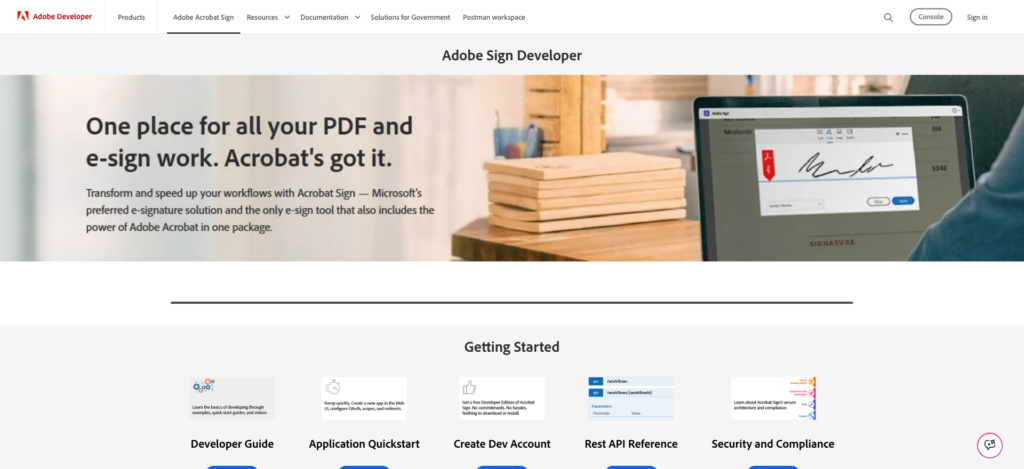
The Adobe Sign Developer home page and its Getting Started links.
Adobe Acrobat Sign API (formerly Adobe Sign) does not publish API prices. Adobe routes all API buyers through sales, so the table below holds billing rules rather than prices.
Pricing fact | Details |
Plans and list prices | No published API price. API access is reserved for enterprise and developer tier accounts, and Acrobat Sign Solutions are sold through Adobe sales. Acrobat Sign API licensing is separate from Adobe PDF Services API licensing. |
Billing unit | Transaction: each electronic document or collection of related documents sent to one or more recipients. Agreements sent through the API count. Send in Bulk counts 1 transaction per recipient agreement. Web Form submissions count. Drafts and template creation do not count. |
Allowance and rollover | Plans sold as user licenses include 150 transactions per user per year by default, unless a contract specifies otherwise. High-volume customers can purchase a total transaction volume with unlimited users (a site license). |
Over the allowance | Not published; set by contract. |
Embedded signing | Through sales. Embedding Acrobat Sign in a product you sell to your customers requires the Embed (OEM) partner program, where partners may resell transactions, and pricing is not published. |
Paid add-ons | Knowledge-based, phone, and government ID authentication, and the Notarize integration, are metered separately from transactions. |
Free and test use | Free Developer Edition with no commitments. Test documents carry a “test” label. |
Above the self-serve tiers | Everything is sales-led, and no price is published for any volume. |
Where Adobe Acrobat Sign stands out
Adobe Acrobat Sign fits companies that already hold an Adobe enterprise agreement. If your organization licenses Acrobat Sign at the enterprise level, the API may already be covered by your existing contract, removing the need to open a separate budget line.
A site license can remove per-user transaction caps entirely, replacing them with a total transaction volume across unlimited users. For large organizations running high document throughput, that model can be more predictable than per-user caps.
What to consider
There’s no published number to budget from until sales responds. Unlike the other 4 APIs compared here, Adobe doesn’t publish API list prices, so you need a quote before budgeting.
License plans cap transactions per user (150 per user per year by default), and that cap is easy to hit if even a few users send documents regularly. Acrobat Standard and Pro list unlimited e-signatures in the app, but API access is explicitly separate.
Best for. Organizations already on an Adobe enterprise agreement that covers Acrobat Sign. Getting started. Acrobat Sign Developer Edition for testing. Contact Adobe for production licensing.
PandaDoc API
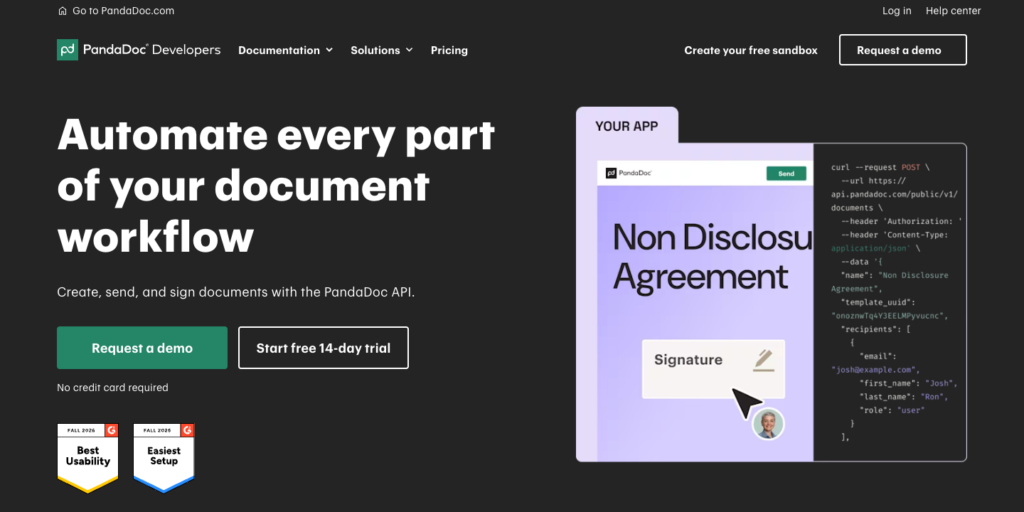
The PandaDoc API product page, where the 14-day API trial starts.
PandaDoc’s API covers document creation (templates, pricing tables, approval workflows) as well as signing, so its “document” unit is distinct from a signing-only envelope.
A document that goes through generation, review, and signing counts once. That broader scope makes PandaDoc useful for quote-to-sign workflows, though direct per-unit comparisons with the other 4 APIs need that context.
Pricing fact | Details |
Plans and list prices | Free: $0 (60 documents a year, 2 recipients per document, 5 templates). API Developer: $40 a month after a 14-day trial; 40 documents a month; the published plan scales with volume at an unpublished rate. No annual price or seat count is shown for API Developer. Enterprise: custom. |
Billing unit | Document, counted when created. Status checks and audit trails are free. |
Allowance and rollover | 40 documents a month on API Developer. Rollover: not published. |
Over the allowance | PandaDoc’s April 10, 2026 blog states $4 per additional document sent on API Developer; its current pricing page does not list that rate. Confirm the current terms and whether charges apply at creation or sending. On Starter and Business web-app plans, API document creation pauses when usage credits run out rather than generating an overage. |
Embedded signing | Embedded signing is available on Free and API Developer, which includes all Free features. Your organization must be a PandaDoc client to implement embedding. |
Paid add-ons | None listed on the API pricing page. |
Free and test use | API calls with the Sandbox key are not charged. Sandbox documents are watermarked, carry a [DEV] prefix, and can only go to your own email domain. Rate limit: 10 requests a minute per endpoint. |
Above the self-serve tiers | Enterprise, with “Custom document volume”. Free and API Developer are self-serve, and Enterprise is for custom volume. |
Where PandaDoc stands out
At $40 a month ($480 a year), PandaDoc API Developer has the lowest published paid entry price in this comparison. For low-volume use cases where 40 documents a month is sufficient, that’s $120 a year less than DocuSign Starter, the next-lowest.
The combination of document generation and signing in the same API is useful for products that handle quotes, proposals, or contracts. You can build a template, populate it with data, and route it for signature through the same integration instead of a separate signing API.
What to consider
PandaDoc’s April 10, 2026 blog gives a $4 rate for each additional document sent, but that rate is absent from the current API pricing page. For 100 or 250 documents a month, confirm the applicable rate and billing event in writing before budgeting.
For a wider look at PandaDoc’s position, our PandaDoc API alternatives comparison covers 6 other APIs for the same workloads.
Best for. Low-volume, template-heavy documents such as quotes and proposals at up to 40 a month. Getting started. PandaDoc API pricing.
What the same workload costs on each API
The individual pricing pages don’t answer 3 questions side by side, namely when each unit is charged, which plan unlocks embedded signing, and what a given monthly volume costs. The sections below take them in turn.
Each API bills a different unit at a different moment
API | Billing unit | Charged when | Allowance resets | Past the allowance |
Foxit eSign API | Envelope (5 credits) | Created, through the API or the UI | Yearly, no rollover | Credit-consuming calls pause until renewal, an upgrade, or a purchased top-up restores credits |
DocuSign | Envelope | Sent, signed or not | Monthly (“starting amount”) | API-plan overage not published |
Dropbox Sign | Signature request (one bundle) | Sent, with drafts counting when the sender clicks Continue or Request Signature | Monthly by default, with a yearly refresh available at an additional cost (price not published) | Automatic upgrade to the next tier, which stays in place |
Adobe Acrobat Sign | Transaction | Sent, with bulk sends counted once per recipient agreement | Per user per year on license plans (150 by default) | Set by contract |
PandaDoc | Document | Created | Monthly | Current pricing page omits the rate; an April 2026 blog states $4 per additional document sent. Confirm current terms. |
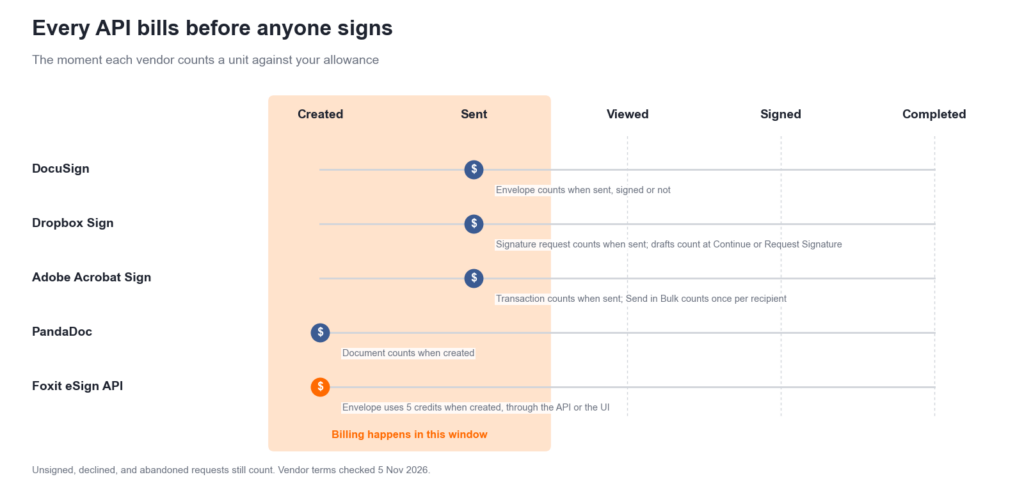
Where each API counts a unit against the allowance, relative to the signature.
Every API in this comparison bills before anyone signs. Whether the unit counts at send or at creation, unsigned, declined, and abandoned requests still count against the allowance across all 5.
The reset period affects seasonal volumes differently. Dropbox Sign refreshes monthly by default, and Foxit credits reset yearly. DocuSign allowances expire at the end of the order term without rolling over, and PandaDoc publishes no API rollover terms. A product with a busy contract quarter followed by a slow one will exhaust a monthly allowance in some months and waste it in others, and that includes Dropbox Sign’s yearly plans, which divide the yearly allowance by 12 unless you pay for a yearly refresh.
Count what you’ll send, not what will be signed, and check which period’s allowance each envelope lands in.
Billing before the signature
At 2,000 requests a month with 10% never completed (abandoned, declined, or voided), about 200 billed requests a month produce no signed document (our arithmetic). APIs that bill only for completed signatures exist, and our best eSignature APIs comparison covers them.
Embedded signing decides the plan you pay for
API | Embedded signing on | Cheapest published plan with it | Yearly list price | Requests included |
Foxit eSign API | Every plan | Startup | $1,750 | Up to 1,000 a year |
DocuSign | Enhanced only, with ISV Embed licensing required to embed in your own product | Not published | Quote | Quote |
Dropbox Sign | Standard and above (white-label on Premium) | Standard 100 | $3,000 | 100 a month |
Adobe Acrobat Sign | Through sales, with the Embed partner program for your customers | Not published | Quote | Quote |
PandaDoc | Free and API Developer | API Developer | $480 ($40 × 12, our arithmetic) | 40 a month |
Embedded sending and embedded signing are different things on DocuSign. DocuSign includes embedded sending (you embed the document creation flow in your app) on every developer plan, while embedded signing (the signer completes the signature inside your app) is Enhanced only. If you’ve scoped a DocuSign integration around embedded sending and assumed embedded signing is included, that assumption needs revisiting.
DocuSign’s go-live classification, covered in the DocuSign entry above, is a second variable. Settle it before a number goes into a customer contract.
On Dropbox Sign, white-label branding is a separate gate. Standard plans unlock embedded signing, but white-label branding that removes Dropbox Sign’s logo from the signer interface requires Premium, which is quote-only. If your product requires unbranded signing, budget for Premium rather than Standard.
PandaDoc includes embedded signing on its Free plan. API Developer includes all Free features and costs $40 a month for 40 documents a month.
Price the plan that includes the embed you’ll ship, not the entry plan.
What 40, 100, 250 and 2,000 requests a month cost
The table below assumes that one request is one envelope, signature request, transaction, or document within the vendor’s signer limits, and uses yearly list prices in USD with annual billing where offered, with no add-ons, tax, or discounts. Foxit credits go to eSign only, and all figures are our arithmetic from published list prices, last checked on 5 Nov 2026.
API and signing mode | 40 a month | 100 a month | 250 a month | 2,000 a month |
Foxit eSign API, either mode | $1,750 (Startup) | $4,500 (Business) | $4,500 (Business) | Volume, quote |
DocuSign, hosted signing | $600 (Starter) | $3,600 (Intermediate) | Not published | Enhanced, quote |
DocuSign, embedded signing | Enhanced, quote | Enhanced, quote | Enhanced, quote | Enhanced, quote |
Dropbox Sign, hosted signing | $900 (Essentials 50) | $1,500 (Essentials 100) | $3,300 (Essentials 250) | Contact sales (750+) |
Dropbox Sign, embedded signing | $3,000 (Standard 100) | $3,000 (Standard 100) | $5,400 (Standard 250) | Contact sales (750+) |
Adobe Acrobat Sign, either mode | Quote | Quote | Quote | Quote |
PandaDoc, either mode | $480 (API Developer, $40 × 12) | Not published | Not published | Enterprise, quote |
Reading the table plainly, including where we’re not the cheapest:
Hosted signing at 40 a month. PandaDoc at $480, DocuSign at $600, and Dropbox Sign at $900 all cost less than Foxit Startup at $1,750. If you need hosted signing only at low volume, Foxit has the highest published price in that column.
Embedded signing at 100 a month. Dropbox Sign Standard 100 at $3,000 a year costs less than Foxit Business at $4,500. The order reverses at 250 a month, where Standard 250 at $5,400 exceeds Foxit Business at $4,500.
Per-request price at full use, our arithmetic. DocuSign Starter $1.25 and Intermediate $3.00 per envelope; Dropbox Sign Essentials 250 $1.10 and Standard 250 $1.80 per request; PandaDoc $1.00 within the included 40 documents; Foxit Startup $1.75 and Business $1.50 per envelope.
Which eSignature API gives the most predictable price at 2,000 signature requests a month? No published self-serve plan covers this workload, so a confirmed rate from each vendor is the prerequisite to any budget. The billing models differ in how predictable a quote is likely to be:
- Our included yearly pool can pause credit-consuming calls at zero; purchased top-ups can extend it.
- An automatic upgrade at the cap (Dropbox Sign) keeps sending but moves the bill to the next tier.
- Per-user transaction caps (Adobe license plans) tie cost to seats unless you buy a site license.
- An unpublished overage rate (DocuSign API plans) leaves the cost of a busy month to the contract.
PandaDoc doesn’t publish an API Developer price above 40 documents a month, which is why the table shows no figure at 100 and 250. At 2,000 a month, PandaDoc sells Enterprise with custom document volume.
Use the estimator on our pricing page to size a Foxit workload before talking to sales, and treat its output as a starting point, not a quote.
Below about 250 requests a month, the published price ladders decide. At 2,000 a month, the contract decides, so compare what each vendor will put in writing.
Will your invoice match the price table?
Unsigned requests still bill. All 5 count a unit at send or at creation, so declined and abandoned requests belong in the budget.
The cap behaves differently on each API. DocuSign doesn’t publish an API-plan overage rate, so a busy month’s cost is determined by the contract rather than the pricing page. Dropbox Sign upgrades you automatically to the next tier, and the account stays on that tier from then on.
PandaDoc’s April 2026 blog states $4 per additional API Developer document sent, but its current pricing page omits that rate; confirm the current terms.
On Starter and Business web-app plans, API creation pauses when usage credits run out. Adobe settles over-use by contract.
Our credit-consuming calls pause at zero; top-ups or an upgrade can restore capacity before renewal.
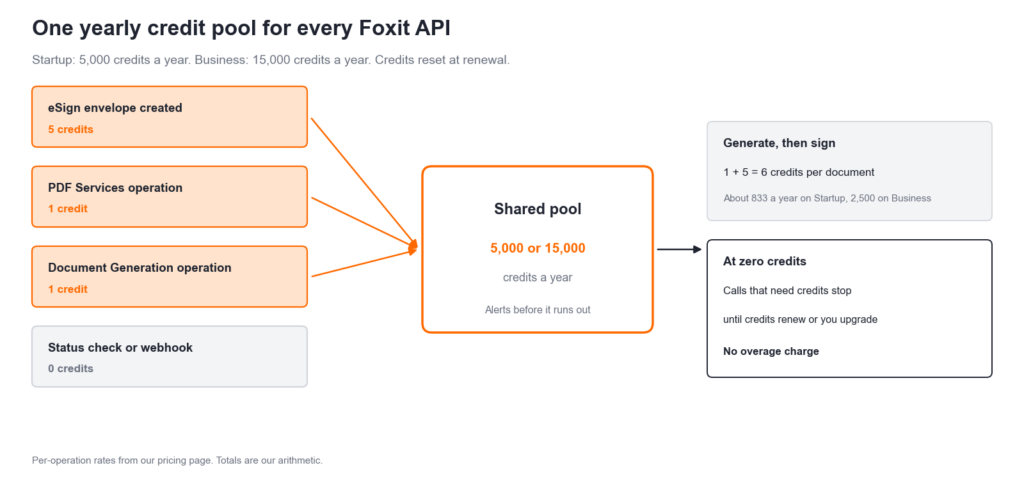
How our shared credit pool is drawn down, and what happens at zero.
Unused allowance is easy to lose. Dropbox Sign hands out a monthly allotment even on yearly billing plans. Foxit credits reset at renewal rather than rolling over. DocuSign allowances expire at the end of the order term and don’t roll over unless the order form says otherwise. PandaDoc publishes no rollover terms for its API plan, so an unused allowance from a slow month may simply disappear.
Identity checks and SMS cost extra. DocuSign sells them through sales on Advanced and Enhanced (ID verification starts at $2.40 per attempt on web-app plans, and no developer-plan price is published). Dropbox Sign sells SMS Tools as a separate add-on on Standard or higher, and eID/QES through a per-request subscription. Adobe meters authentication separately from transactions. We charge no per-feature fees on Foxit plans.
Seats, terms, and tax. DocuSign Enhanced has a 5-user minimum. DocuSign developer plans default to annual billing paid upfront, and additional tax may apply. Our credit pools reset annually; the comparisons here use annual list prices.
What to get in writing at 2,000 requests a month:
- The billing unit and the moment it’s charged, including drafts, voids, bulk sends, and web forms
- The allowance period, and whether unused requests roll over
- What happens at the cap, whether an overage rate, an automatic upgrade, or a hard stop
- Whether embedded signing and white-label branding are included, and how your integration is classified
- Prices for SMS delivery, ID verification, knowledge-based authentication (KBA), and QES
- Seat minimums and how many users the plan covers
- Rate limits at your volume
- Contract length and renewal terms
The price table is a floor, not a forecast.
Where Foxit eSign API fits
Choose based on your expected volume, whether signers need to stay inside your app, and any document processing before signing. Our shared credit model can cover that workflow, but the included credits and total cost still need to fit your budget.
One pool for the whole document flow. A document generated through the Document Generation API and then sent for signature costs 6 credits from one pool, about 833 generated-then-signed documents a year on Startup and 2,500 on Business (our arithmetic). For teams whose workflow includes PDF generation before signing, that consolidation removes a billing variable. Our n8n pipeline tutorial and Power Automate workflow guide show generate-then-sign patterns that draw on the shared pool, and the contract lifecycle management tutorial covers the full contract pipeline.
No plan jump to embed. Embedded signing and embedded sending are available on every plan, including the 30-day eSign trial on the free Developer plan. You can build and test the full embedded flow in TEST mode before committing to Startup or Business. Our embedded signing guide walks through the iframe integration, and our eSignature API tutorial takes you from your first envelope to the executed document.
Compliance coverage. Our eSign API is covered by SOC 2 Type II audits, and we offer HIPAA BAAs for healthcare workflows.
Where another API fits better. For hosted signing at 40 envelopes a month, PandaDoc, DocuSign Starter, and Dropbox Sign Essentials all undercut Foxit Startup at $1,750 a year. Credit-consuming calls pause at zero, but you can purchase top-ups or upgrade. Business includes 15,000 credits a year, enough for 3,000 envelopes only if no credits go to other operations. For larger workloads, compare top-up pricing with a Volume quote.
Create your free Foxit developer account, activate the eSign trial, and follow our eSignature API tutorial to test your signing flow before choosing a plan.
What else to know before you budget for an eSignature API
The questions below come up most often once the pricing tables are in hand.