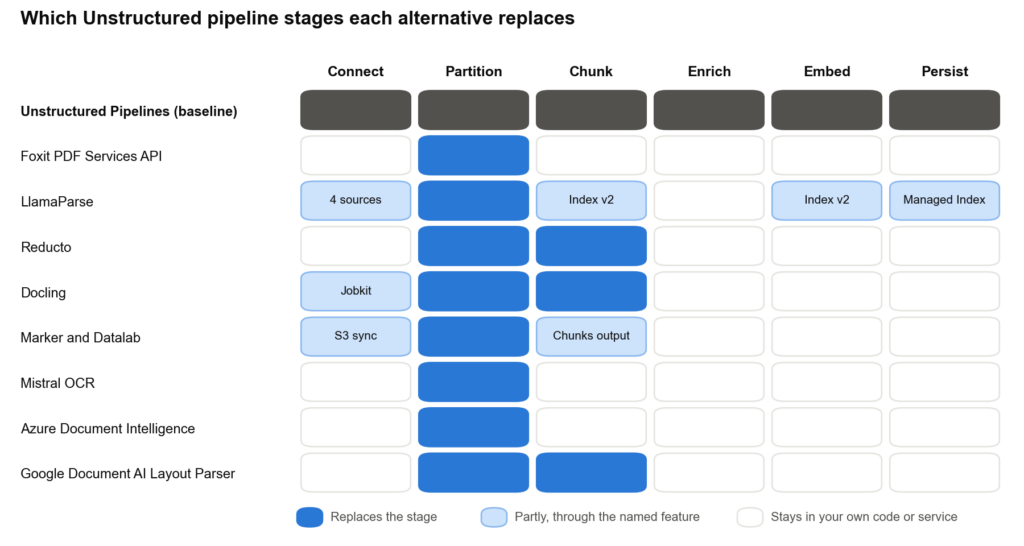
Create your account. Enter your email on the sign-up page to activate the free Developer plan, which needs no credit card.
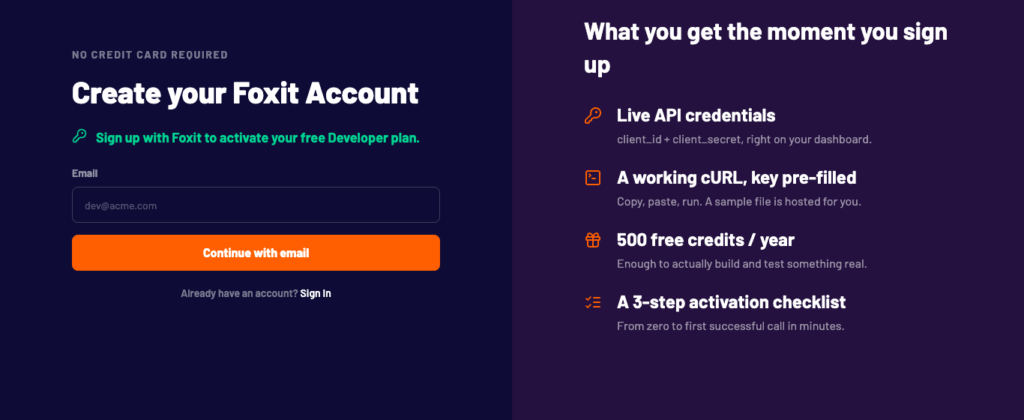
Our sign-up form activates the free Developer plan.
Get your credentials. After you sign up, open the console and copy the client ID and client secret from the Make your first call panel. The script reads both from environment variables.
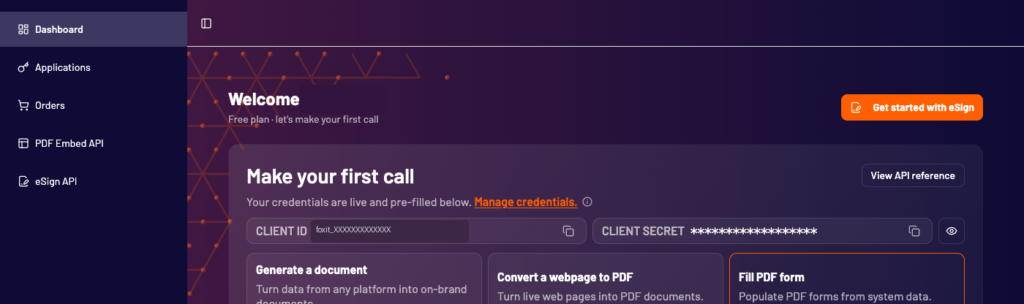
The console after sign-up, with credentials pre-filled for a first call.
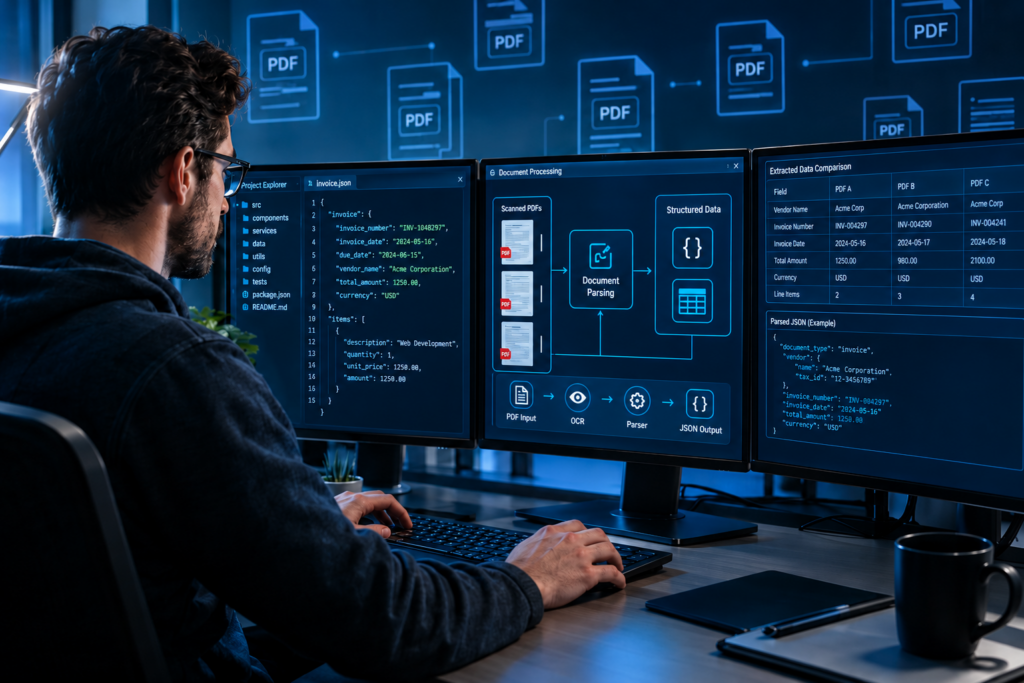
What a run looks like. Every parsing call follows the same asynchronous pattern, so you can see it end to end with curl and jq. This block sets your credentials, defines 3 small helpers, and converts our sample invoice PDF to Markdown.
Run this command from your terminal:
Common mistakes. These are the failures a first run most often hits:
- Wrong client ID or secret : The upload returns
"allow":falsewith a reason such as Invalid credentials, and the script printsUpload failedand stops. Copy both values again from the console, without surrounding spaces or quotes, and re-run theexportlines. - No credits left: If the sample upload returns
"allow":false, the script printsUpload failedand stops. Check Credits Remaining in the dashboard. Credit-consuming processing calls pause when the balance reaches 0; restore credits through an upgrade, a purchased top-up, or the annual reset. Error responses can differ by endpoint. - jq not installed : The script prints
Upload failed:followed by a response that contains adocumentId, then stops. The upload worked, but the script can’t read the JSON without jq. Runjq --version, and install jq from the Prerequisites if it fails.
What to consider. There is no chunking, embedding, or connector layer in the API. Office files and scans each take 2 API calls (convert or OCR, then parse). Credits are sold as a yearly pool rather than pay as you go, so unused credits raise your effective per-request cost. Email is not supported. The 15 requests-per-minute sandbox rate limit will constrain bulk testing.
Best for. PDF-heavy pipelines with long documents that also convert, OCR, or redact files, and where per-request billing improves the economics over per-page pricing.
Getting started. Create a free Foxit developer account and turn your first PDF into Markdown or structured JSON with the PDF Services API. The free Developer plan includes 500 credits a year, no credit card required. See our PDF Structural Extraction tutorial and invoice extraction guide to get started.
LlamaParse
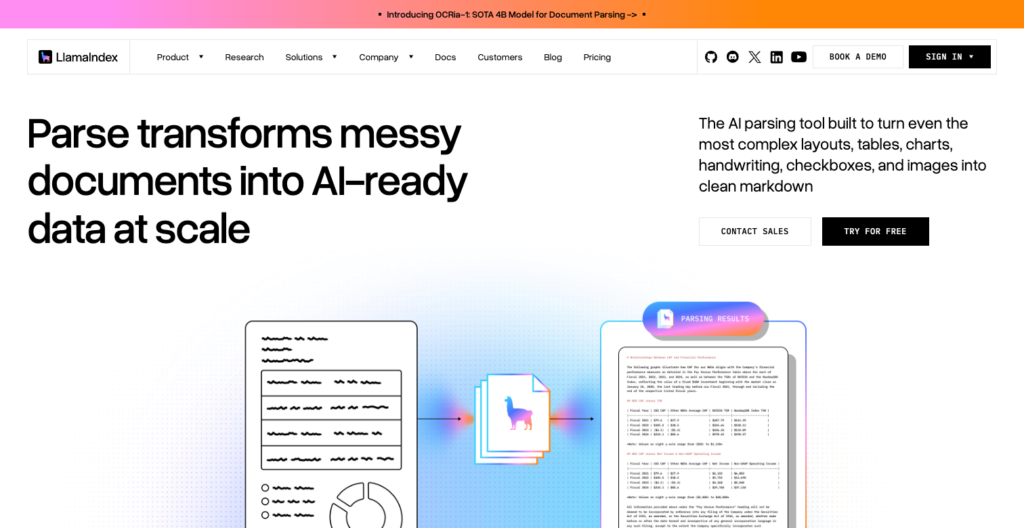
LlamaParse’s product page on the LlamaIndex site.
LlamaParse (by LlamaIndex, formerly LlamaCloud) is a managed parsing service with 130+ supported formats, 4 price tiers, and source connectors on paid plans.
It covers more of Unstructured’s pipeline than a parser-only API, including an optional managed Index that chunks and embeds.
Feature | Details |
Covers | Parsing (plus Extract, Classify, and Split), a managed Index that chunks and embeds, and connectors on paid plans. |
Inputs | 130+ formats, including PDF, DOCX, PPTX, XLSX, HTML, images, and audio. No email format is documented. |
Outputs | Per-page and full-document Markdown and text, plus a typed items tree (text, heading with level, table, image, list, code, link, header, footer) with bounding boxes in page points. Tables are available as HTML with merged cells, CSV, or Markdown, and an XLSX of all tables. |
Scans and tables | OCR runs automatically on pages without a text layer, with more than 80 language codes. Tables keep cell structure, with an option to merge tables that continue across pages. The Fast tier runs no AI model. |
Chunking | Parse includes no chunking. Index v2 chunks and embeds for you with fixed settings (sentence-based, 1,024 tokens, 200-token overlap) and cannot write to your own vector store. |
Pricing | $1.50 per 1,000 credits on pay as you go and $1.25 on Pro. Parse tiers: Fast 1, Cost-effective 3, Agentic 10, and Agentic Plus 25 credits a page, or about $1.25, $3.75, $12.50, and $31.25 per 1,000 pages at the Pro rate. Pro costs $500 a month for 400,000 credits. Free: 10,000 credits a month. Enriched forms output (Beta) adds 10 credits per page containing a form on Cost-effective, is included in the page price on Agentic and Agentic Plus, and is unavailable on Fast. |
Limits and deployment | Parse takes 512 MB and 10,000 pages per job by default. Concurrent jobs: 5 on pay as you go, 20 on Pro, 100 on Enterprise. SaaS in AWS us-east-1 and eu-central-1. BYOC and self-hosted on Enterprise. Source files and the parse cache are kept 48 hours. SOC 2 Type II and HIPAA compliant, with a BAA on Enterprise. |
Moving from Unstructured |
|
Where LlamaParse stands out. Tiers let you route easy pages down a cheap path (Fast at $1.25 per 1,000 on Pro) and complex pages up an expensive one (Agentic Plus at $31.25 per 1,000 on Pro), which can reduce cost on mixed corpora. Connectors plus the managed Index cover more of Unstructured’s pipeline than any parser-only API in this list. LlamaIndex launched its own OCRia-1 model on 22 Oct 2026, and it now runs Cost-effective and Agentic jobs at the same prices.
What to consider. The Fast tier runs no AI model and returns raw text or layout-preserving spatial text, so pick Cost-effective or higher when you need clean Markdown. Index v2 chunking cannot be configured or pointed at your own vector store. Email formats are not documented. The HIPAA BAA scope is Enterprise only, so teams with PHI must confirm the plan level before sending protected documents.
Best for. Teams that want a managed service to replace parsing and part of the ingestion plumbing, especially with Google Drive or SharePoint sources.
Getting started. LlamaParse pricing and sign-up. The free plan includes 10,000 credits a month.
Reducto
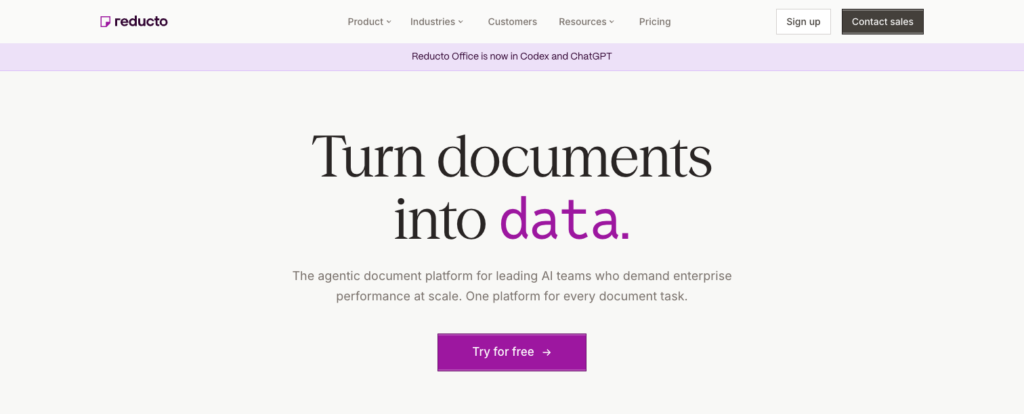
Reducto’s home page.
Reducto is a parsing API with built-in chunking and an r-1 model for complex documents. Parse, Extract, Split, Classify, and Edit all sit behind one API and one authentication credential.
Feature | Details |
Covers | Parse with built-in chunking, plus Extract, Split, Classify, and Edit on the same API. No connectors. |
Inputs | 30+ file types, including PDF, DOCX, DOC, TXT, XLSX, XLS, CSV, PPTX, PPT, HTML, and common image formats. Email (.eml and .msg) is documented for on-premises deployments only. |
Outputs | Chunks with Markdown content, an embedding-optimized version, and blocks ( |
Scans and tables | r-1 targets scans, handwriting, merged cells, and nested headers. Legacy Parse’s standard OCR engine lists 60+ languages, while r-1 publishes no language count. |
Chunking | 6 modes: disabled (default), variable (recommended for RAG, where a chunk_size of 1000 yields 750 to 1,250 characters), section, page, page_sections, and block, with optional overlap and embedding-optimized table summaries. |
Pricing | Per 1,000 pages: r-1 Parse $10 with OCR data and citations included, and r-1 mini Parse $1 (OCR data and citations add $1). Legacy Parse $15 standard and $30 complex (2x in agentic modes), with OCR included. Extract $20 including parsing (over 100 fields per page may incur a surcharge), and the batch queue takes 20% off Parse and Extract. Prompted blocks and custom regions on r-1 and r-1 mini cost $5 per 1,000 blocks. Free: $150 of usage on the Standard plan. |
Limits and deployment | 100 MB direct upload, 5 GB with a presigned upload. No page limit on Standard. Up to 1,000 requests a second per key (300 for job-status polling). Synchronous calls time out at 15 minutes, and results are generally available for 12 hours. SaaS on AWS. EU residency from Growth. Hybrid VPC, full VPC, and on-premises on Enterprise. SOC 2 Type II and HIPAA compliant on all tiers, with a BAA and no training on customer data from Growth up. |
Moving from Unstructured | Chunks replace chunk-by-title output, and blocks replace elements ( |
Where Reducto stands out. Chunks and embedding-ready table summaries come back from the parse call itself, removing a separate chunking step. The r-1 model targets complex layouts including handwriting, merged cells, and nested headers, and r-1 mini offers a lower-cost path at $1 per 1,000 pages. Qualified new customers moving from another provider can apply to Reducto for up to $5,000 in migration credits.
What to consider. When settings.model is unset, Parse runs legacy Parse until 7 Dec 2026 and r-1 after that, so set settings.model to "legacy" if you need the old pipeline’s output to stay stable. No managed source-sync connectors or LangChain/LlamaIndex loaders are documented.
Best for. RAG pipelines with complex PDFs that want chunks and embedding-optimized table summaries returned from the parser itself.
Getting started. Sign up on the Reducto site. The free grant covers your first documents, and Reducto’s docs cover the r-1 model and chunking methods.
Docling
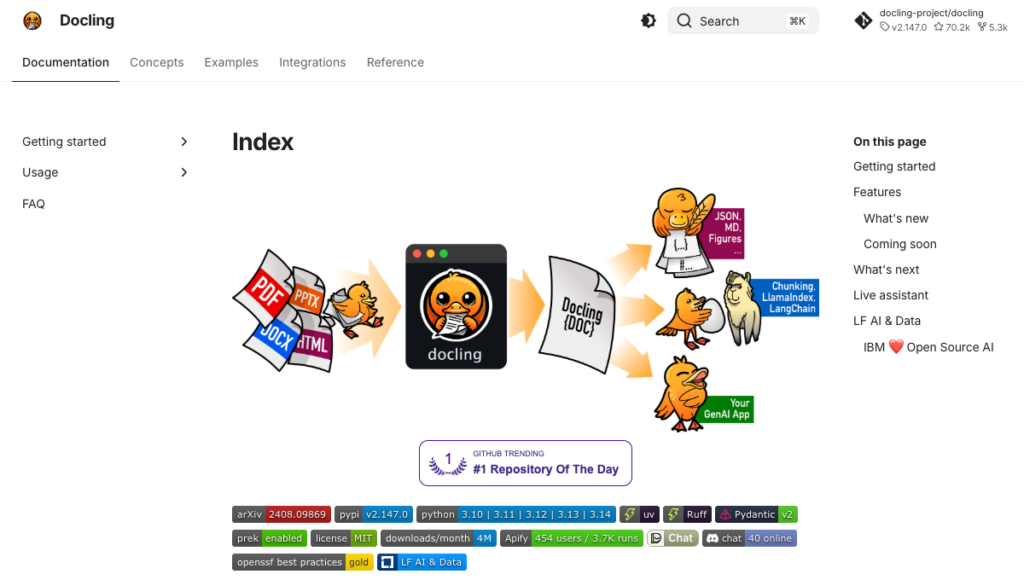
Docling’s documentation home page.
Docling, an LF AI and Data project started at IBM Research, is an open-source option for replacing the unstructured library.
Docling Serve adds a REST API with chunk endpoints. Check the release history when choosing a version to pin.
Feature | Details |
Covers | Open-source replacement for the unstructured library, covering conversion, layout, tables, OCR, and chunking, with Docling Serve as a REST API. Connectors available through Docling Jobkit. |
Inputs | PDF, DOCX, XLSX, and PPTX (legacy DOC, XLS, PPT, and RTF need LibreOffice), HTML and MHTML, .eml and .msg email, EPUB, Markdown, AsciiDoc, LaTeX, CSV, images, audio and video (with the asr extra), and XML formats such as USPTO and JATS. |
Outputs | Markdown, HTML, text, DocTags, lossless JSON (DoclingDocument) with bounding boxes and provenance, and chunks as JSONL. Labels include |
Scans and tables | Pluggable OCR engines (RapidOCR, EasyOCR, Tesseract, macOS Vision, and others); TableFormer in accurate (default) or fast mode; an optional VLM pipeline with GraniteDocling and other presets. Remote services run only with |
Chunking | HybridChunker (token-aware, on top of hierarchical chunking, repeats table headers), HierarchicalChunker (one chunk per element, merging list items by default), and LineBasedTokenChunker; Docling Serve exposes hybrid and hierarchical chunk endpoints. |
Pricing | Free under the MIT license, with model licenses kept separate (Heron and GraniteDocling Apache-2.0, TableFormer CDLA-Permissive-2.0). Docling for IBM watsonx, a managed service, starts at $4 per 1,000 pages pay as you go. |
Limits and deployment | Python 3.10 or later on macOS, Linux, and Windows. Docling Serve ships CPU and CUDA images with async endpoints and no default file-size or page cap. Runs air-gapped with prefetched models. The IBM service caps files at 500 MB. |
Moving from Unstructured | LangChain’s DoclingLoader and LlamaIndex’s Docling Reader and Node Parser replace Unstructured’s loaders. Labels and the document tree differ (body vs. furniture, groups), and tables arrive as cell grids rather than |
Where Docling stands out. Its support for .eml and .msg email, EPUB, and legacy Office files with LibreOffice is useful for mixed-format corpora. Documents stay on your infrastructure when you use local models. LangChain and LlamaIndex integrations provide a starting point for replacing your loader, but you still need to adapt the output schema.
What to consider. You run and scale it. Legacy Office formats (.doc, .xls, .ppt, .rtf) need LibreOffice installed alongside. Default settings may need tuning for scans and charts; in Moda’s 6 Sep 2026 untuned run on its synthetic test set, Docling missed some chart labels. Pin versions, since that release pace can change output between upgrades.
Best for. Teams leaving the unstructured library that want to keep document processing on their own machines, especially with email or legacy Office formats.
Getting started. Docling on GitHub and the Docling Serve docs. Free and MIT-licensed; install with pip install docling.
Marker and Datalab
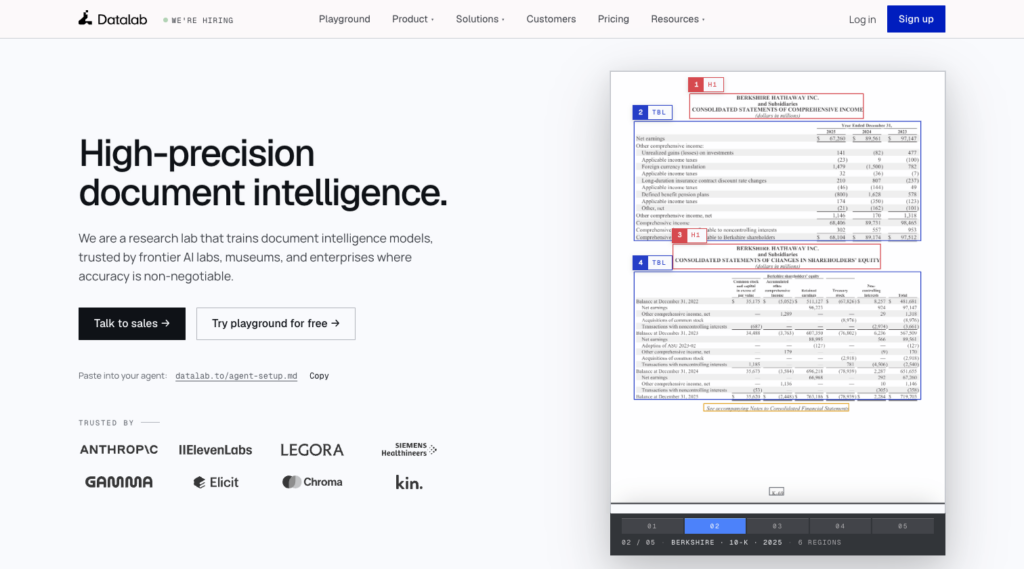
Datalab’s home page, with a parsed sample document.
Marker is an open-source document converter with Apache-2.0 code and separately licensed model weights.
Datalab provides a hosted Convert API using Chandra and other models. Chandra 2.6 runs the hosted fast, balanced, and accurate modes; lite is a separate lower-cost mode at $0.50 per 1,000 pages.
Feature | Details |
Covers | An open-source converter (Marker) and a hosted Convert API (Datalab) that return Markdown, JSON, HTML, or chunks. Datalab Collections supports S3 sync. |
Inputs | Marker reads PDF, images, PPTX, DOCX, XLSX, HTML, and EPUB (non-PDF files need the full install), and the hosted API adds ODT, ODS, ODP, XLSM, and more. No email formats. |
Outputs | Markdown, a JSON block tree with block types ( |
Scans and tables | Marker 2.0 runs layout, OCR, and tables through a surya VLM (vLLM on NVIDIA GPUs, llama.cpp elsewhere), with an optional LLM pass. Hosted fast, balanced, and accurate modes run Chandra 2.6, and hosted OCR covers 90+ languages. |
Chunking | A chunks output format only, with no chunk-size settings. |
Pricing | Hosted Convert per 1,000 pages: lite $0.50 (CPU OCR, added 22 Oct 2026), fast and balanced $4, accurate $10; EU processing adds 25%. Team costs $400 a month. Free usage: $20 a month on a work email or $10 on a personal email. Commercial self-hosted use requires a license above $5M in prior-year gross revenue or total funding for Marker ($2M for Chandra), or for competing products, with personal/research exceptions applying to the financial thresholds. |
Limits and deployment | Hosted: 200 MB per file, 7,000 pages per request, 15,000 pages in flight per team by default, and results deleted about 1 day after processing. VPC, on-premises, and air-gapped on Enterprise. SOC 2 Type II compliant, with BAAs on Team and Enterprise. |
Moving from Unstructured | Chunks replace chunk-by-title output only loosely (no size control); LlamaIndex has a PDFMarkerReader for local Marker. Basic conversion uses Convert. The custom processor endpoints were deprecated with a 31 Oct 2026 sunset, so run custom processors through /api/v1/agent. |
License history. Marker 2.0.0 code is Apache-2.0, while marker-pdf 1.x on PyPI was GPL-3.0-or-later. The hosted Chandra 2.6 model differs from open-source Chandra 0.2.0, so a local test does not predict hosted output.
Where Marker and Datalab stand out. You can choose local conversion or a hosted API, with Markdown, JSON, and chunks available in both. Shared format names do not make the integrations interchangeable: check the response schema and output on your documents before switching. Lite offers a $0.50-per-1,000-page path for straightforward scans.
What to consider. The weights license thresholds and competing-product clause apply to commercial self-hosting, so review them if you run your own infrastructure at scale. Lite mode drops images and can lose complex table structure. The chunks output format has no size control.
Best for. Markdown-first conversion pipelines that need a choice between self-hosting and a hosted per-page price, especially for straightforward scanned documents.
Getting started. Sign up on the Datalab site. The free tier includes $20 a month on a work email.
Mistral OCR
Mistral’s Document AI and OCR page.
Mistral OCR (OCR 4.1) converts documents to per-page Markdown with blocks, bounding boxes, and confidence scores.
The Batch API halves the price for non-latency-sensitive workloads. OCR 4.0 retired on 30 Sep 2026, so pin model names.
Feature | Details |
Covers | OCR and document structure to Markdown, with optional schema annotations. No chunking or connectors in the OCR API. |
Inputs | PDF, DOCX, DOC, PPTX, PPT, XLSX, CSV, TXT, EPUB, RTF, ODT, and images (JPEG, PNG, AVIF, TIFF, GIF, HEIC, BMP, WebP). No HTML or email in the OCR API. |
Outputs | Per-page Markdown plus images, tables, hyperlinks, header and footer; optional blocks in reading order with labels ( |
Scans and tables | OCR on scans and images. OCR 4 supports 170 languages and performs strongly in more than 40. |
Chunking | The OCR API includes no chunking. Mistral’s separate Search Toolkit (beta, v0.2.0) adds Markdown and token splitters plus HTML and EML or MSG extractors. |
Pricing | OCR 4.1: $4 per 1,000 pages, $2 with the Batch API, $5 per 1,000 annotated pages. OCR 3 (mistral-ocr-2512) is still GA at $2 and $3. Regional inference endpoints exclude the Batch and Files APIs. No free page allowance is published. |
Limits and deployment | 50 MB and 1,000 pages per document. OCR 4 is not intended for “real-time/latency-sensitive processing”. Hosted API plus Amazon SageMaker and Microsoft Foundry; self-managed deployment for enterprise customers. Uploaded files are kept 30 days unless deleted; zero data retention on the OCR endpoint excludes the Files API and batch files; Free mode may use inputs for training. |
Moving from Unstructured | Per-page Markdown replaces partition output; map block labels to element types; chunk in your own code or with the Search Toolkit. Pin model names on every request since OCR 4.0 retired on 30 Sep 2026. |
Where Mistral OCR stands out. One page price already includes blocks, boxes, and confidence at $4 per 1,000 pages, halved to $2 with the Batch API. That makes large batch conversions to Markdown competitive with Azure Layout and Google Layout Parser for teams that already own chunking and orchestration.
What to consider. The API includes no chunking. HTML and email are not supported as inputs. OCR 4 is not designed for latency-sensitive calls. Models retire quickly, so pin model on every request. Zero data retention requires an approved request and has scope limits. No free page allowance is published.
Best for. Large batch conversions to Markdown where you already own chunking and orchestration, and want block-level structure with confidence scores.
Getting started. Mistral API pricing and sign-up. Credits are pay as you go with no free OCR page allowance.
Azure Document Intelligence
Azure Document Intelligence’s product page.
Azure Document Intelligence in Foundry Tools (API v4.0, 2024-11-30), previously called Form Recognizer, is now part of Azure Content Understanding. The Layout model returns Markdown with HTML tables and is the primary pick for RAG pipelines on Azure.
Feature | Details |
Covers | Layout parsing to Markdown, plus Read OCR. No chunking or connectors in the service. |
Inputs | PDF, JPEG, PNG, BMP, TIFF, HEIF, DOCX, XLSX, PPTX, and HTML for Layout; Office and HTML text is extracted as is, without embedded images. No email. |
Outputs | Markdown output ( |
Scans and tables | OCR covers 300 printed-language/script entries and 12 handwritten languages; high-resolution, font, and formula add-ons cost $6 per 1,000 pages; tables that span pages need splitting and stitching; tables in XLSX files are not analyzed. |
Chunking | The service includes no chunking. Microsoft’s RAG guide pairs AzureAIDocumentIntelligenceLoader with LangChain’s MarkdownHeaderTextSplitter. |
Pricing | East US, per 1,000 pages: Layout $10 (batch costs the same), Read $1.50, then $0.60 above 1 million pages; Azure cloud commitment tiers start at $190 a month for 20,000 prebuilt pages. Free F0 tier: 500 pages a month, analyzing only the first 2 pages of each document. |
Limits and deployment | S0: 500 MB and 2,000 pages per analysis; 15 analyze requests a second by default (adjustable); asynchronous. Inputs and results are deleted 24 hours after you submit the analyze request. Read and Layout v4.0 containers, including disconnected containers on commitment plans. |
Moving from Unstructured | Layout Markdown replaces partition output for RAG; paragraph roles map to |
Where Azure Document Intelligence stands out. Markdown with HTML tables arrives straight from the service, with no post-processing needed for merged cells and multirow headers. DOCX, XLSX, PPTX, and HTML inputs expand the file coverage beyond PDF. Read and Layout v4.0 containers let environments that cannot call a cloud API run the models on-premises.
What to consider. The service includes no chunking, and tables that span pages need stitching in post-processing. The free tier reads only the first 2 pages of each document, which limits its usefulness for testing complex layouts.
Best for. RAG pipelines on Azure that want Markdown and HTML tables without running models, and need container deployment for data-residency requirements.
Getting started. Azure Document Intelligence pricing. The free F0 tier includes 500 pages a month.
Google Document AI Layout Parser
Google Cloud’s Document AI product page.
Google Document AI Layout Parser parses documents into a layout tree and chunks them for RAG in the same call. The stable version is v1.0 (2024-06-03).
Gemini-powered versions are available as release candidates or previews, so choose the processor version explicitly.
Feature | Details |
Covers | Layout parsing with built-in chunking for RAG; Enterprise Document OCR for images and scans. No connectors. |
Inputs | PDF, HTML, DOCX, PPTX, XLSX, and XLSM (GA and charged; other types are in free preview). Enterprise Document OCR takes PDF, GIF, TIFF, JPEG, PNG, BMP, and WebP. No email. |
Outputs | A document layout tree and chunked_document.chunks; PDF elements are figure, paragraph, table, title, heading, page header, and page footer (HTML adds lists); optional bounding boxes and image or table annotations. |
Scans and tables | Enterprise Document OCR reads printed and handwritten text in more than 200 languages; PDF tables that span pages “might be split in two tables”; nested DOCX tables are not supported. |
Chunking | chunkingConfig with chunkSize in tokens and includeAncestorHeadings; chunks carry ancestor headings and table headers; re-chunking parsed documents costs $0.02 per 1,000 billable pages (up to 3,000 characters each). |
Pricing | Layout Parser $10 per 1,000 pages including initial chunking, or $9 and $8 on 1- and 3-year savings plans. Enterprise Document OCR: first 1,000 pages free, then $1.50 per 1,000 up to 5 million. |
Limits and deployment | Online: 20 MB and 15 pages per PDF (30 in imageless mode). Batch: 500 pages and 1 GB per PDF; jobs still running after 24 hours are canceled. US and EU multi-regions. Document AI is FedRAMP High and HIPAA compliant, and Google does not use customer content to improve its models. |
Moving from Unstructured | Chunk by title maps most closely to chunkSize with includeAncestorHeadings. Only v1.0 (2024-06-03) is stable; the Gemini versions are release candidates or preview, and the v1.6 versions use a global endpoint that does not meet data-residency standards. LangChain’s DocAIParser is OCR-oriented. |
Where Google Document AI Layout Parser stands out. Chunking with ancestor headings is included in the $10 per 1,000 pages parse price. That token-aware chunking with inherited heading context removes a separate chunking step for pipelines on Google Cloud.
What to consider. The Gemini processor versions are not stable. Online requests allow only 15 pages (30 in imageless mode), which rules them out for long document analysis outside batch. Layout Parser runs as a Google Cloud processor in the US and EU multi-regions, so if documents must stay on your own infrastructure, shortlist the tools with documented container or self-hosted deployment.
Best for. RAG pipelines on Google Cloud that want token-aware chunks with ancestor headings.
Getting started. Document AI Layout Parser docs and Document AI pricing. Layout Parser has no free page allowance, while Enterprise Document OCR includes the first 1,000 pages free.
What changes when you move off Unstructured
Picking a parser is the easy part. Everything downstream that expects Unstructured’s element types, chunk boundaries, file coverage, and billing math changes when you switch.
How elements and metadata map across tools
Every alternative uses different element types, different field names, and different coordinate systems.
The mapping table below uses our PDF Structural Extraction as the worked example, because its reference documents every element type. The same mapping exercise applies to every tool in this list.
Unstructured | Foxit PDF Structural Extraction | What changes |
|
| Heading depth comes from |
|
| Same role; paragraphs also carry styling |
| No list type among the 12 documented types | No list type among the 12 documented types. Check how lists appear in your output and add list-detection logic where needed. |
|
| Read the cell grid, or ask PDF to Markdown for HTML_TABLE output |
|
| One type for page furniture; PDF to Markdown drops it unless |
|
| Images arrive as files referenced from the JSON |
|
| Same role |
|
| Map the different form representations explicitly |
| A bounding box per element | Normalize coordinate systems before you store citations |
|
| Rebuild parent links from |
One JSON list of elements | A ZIP with JSON (schema v1.0.7), images and table renditions | Unzip, then parse |
The closest equivalents elsewhere are LlamaParse items (heading, text, list, table, header, footer), Reducto blocks (Section Header, Text, List Item, Table, Key Value), Docling labels (section_header, text, list_item, table, page_header), Azure paragraph roles (title, sectionHeading, pageHeader, pageFooter), Mistral block labels (title, text, list, table, header, footer), and Datalab block types (SectionHeader, Table, Form, PageHeader, PageFooter).
Moda’s 6 Sep 2026 output-contract test shows what this means in practice. On its synthetic mixed-layout page, Unstructured returned checklist lines as NarrativeText while Docling labeled them checkbox_selected or checkbox_unselected, so any code that branches on element type behaves differently after the switch.
Build an explicit type map and a table adapter before switching. A find-and-replace on field names is a rename, not a migration.
Where chunking lives in each tool
Unstructured chunks elements by character, title, page, or similarity, with contextual chunking available in Pipelines. The open-source library lacks by-page and by-similarity chunking. Each alternative puts chunking somewhere different.
Tool | Where chunking happens | Closest to chunk by title |
Foxit PDF Services API | Your code or framework, on Markdown or ordered elements | Split PDF to Markdown output on headings |
LlamaParse | Index v2 with fixed settings, or your code | Your code on per-page Markdown |
Reducto | The parse call, using variable, section, page, page_sections, or block mode | section mode |
Docling | HybridChunker, HierarchicalChunker, or LineBasedTokenChunker, also in Docling Serve | HybridChunker |
Marker and Datalab | A chunks output format, no size settings | chunks output |
Mistral OCR | Your code, or the Search Toolkit splitters (beta) | The toolkit’s Markdown splitter |
Azure Document Intelligence | Your code; Microsoft’s guide uses MarkdownHeaderTextSplitter | MarkdownHeaderTextSplitter |
Google Document AI Layout Parser | The processor: chunkSize in tokens, includeAncestorHeadings | chunkSize with ancestor headings |
Sizes are measured differently across tools. Unstructured and Reducto use characters, Google uses tokens, and Docling’s HybridChunker works through a tokenizer, so the same number produces different chunks depending on the tool.
Chunk boundaries and IDs change with any parser switch, so plan a full re-index rather than mixing old and new chunks in one index.
If chunk-by-title quality is why you chose Unstructured, shortlist the tools that chunk on document structure (Reducto, Docling, Google Layout Parser), or keep your own chunker and swap only the parser.
Which file types each alternative reads
The unstructured library supports more file types than the Transform API. Before choosing, count your files by extension.
Tool | PDF and images | Word, PowerPoint, Excel | HTML | Email (.eml, .msg) |
Unstructured library (baseline) | Yes | Yes, including .doc, .ppt and .xls | Yes | Yes |
Unstructured Transform API (baseline) | Yes | .docx and .pptx only | No | No (the Transform MCP server accepts both) |
Foxit PDF Services API | Yes; images convert to PDF first | Convert to PDF first | Convert to PDF first | No |
LlamaParse | Yes | Yes | Yes | Not documented |
Reducto | Yes | Yes | Yes | On-premises deployments only |
Docling | Yes | Yes; legacy formats need LibreOffice | Yes | Yes |
Marker and Datalab | Yes | Yes | Yes | No |
Mistral OCR | Yes | Yes | No | No (Search Toolkit extractors only) |
Azure Document Intelligence (Layout) | Yes | .docx, .pptx and .xlsx | Yes | No |
Google Document AI Layout Parser | PDF; images through Enterprise Document OCR | .docx, .pptx, .xlsx and .xlsm | Yes | No |
Our convert-then-parse route costs 2 credits per non-PDF file. Azure counts Word and HTML files at 1 page per 3,000 characters. Unstructured counts most files other than PDF, PPTX, TIFF, and DOCX with page metadata at 1 page per 100 KB, so by our calculation a 2,000 KB JPEG bills as 20 pages.
For formats the 8 tools handle poorly, 2 libraries are useful references rather than picks. Apache Tika (4.2.0, Apache-2.0) reads “over a thousand different file types,” and Microsoft MarkItDown (v0.1.9, MIT) is a lighter option to compare against.
One folder of emails or legacy Office files can decide the pick on its own.
Per page or per request
Billing units differ across every tool in this list. Per-request billing favors long PDFs and per-page billing favors short files.
Tool | Billing unit | Example list price | Free allowance |
Unstructured Transform Pay-As-You-Go (baseline) | Page; most non-PDF files by 100 KB of size | $0.015 a page, or $15 per 1,000 pages | 10,000 pages once per account |
Foxit PDF Services API | Request (1 credit), any page count within limits | Business: $4,500 a year for 15,000 credits, or $0.30 per request when all are used | 500 credits a year |
LlamaParse | Credits per page by tier | Cost-effective: $3.75 per 1,000 pages on Pro | 10,000 credits a month |
Reducto | Pages, priced per product | r-1 Parse: $10 per 1,000 pages; r-1 mini: $1 | $150 of usage |
Docling | No charge when self-hosted | Your compute; IBM’s managed service $4 per 1,000 pages | Unlimited on your hardware |
Marker and Datalab | Pages, priced per mode | Balanced: $4 per 1,000 pages; lite: $0.50 | $20 a month on a work email |
Mistral OCR | Pages | OCR 4.1: $4 per 1,000 pages, or $2 with batch | None published |
Azure Document Intelligence | Pages, priced per model | Layout: $10 per 1,000 pages | 500 pages a month, 2 pages per document |
Google Document AI Layout Parser | Pages, priced per processor | $10 per 1,000 pages, chunking included | First 1,000 OCR pages |
Worked example, long document. A 200-page PDF costs $3.00 on Unstructured Transform and 1 credit on our API, allocated at $0.30 with full use of the Business plan’s 15,000 annual credits or $0.35 on Startup. The same file costs $0.75 on LlamaParse Cost-effective at the Pro rate, $2.00 on Reducto r-1, Azure Layout, or Google Layout Parser, and $0.80 on Mistral OCR 4.1 or Datalab balanced, or $0.40 with Mistral’s Batch API. These are list-price calculations, not comparisons of equivalent output or parsing quality.
Worked example, short document. A 2-page PDF costs $0.03 on Unstructured Transform and still 1 credit on our API, against $0.0075 on LlamaParse Cost-effective, $0.008 on Mistral OCR 4.1, and $0.02 on Reducto r-1, Azure, or Google.
Where the lines cross. At $0.30 a request, our API matches Unstructured Transform at 20 pages, Reducto r-1, Azure Layout, and Google Layout Parser at 30 pages, Mistral OCR at 75 pages, and LlamaParse Cost-effective at 80 pages. We calculated these crossovers from list prices, assuming full use of the annual credit pool. Unused credits raise the effective cost.
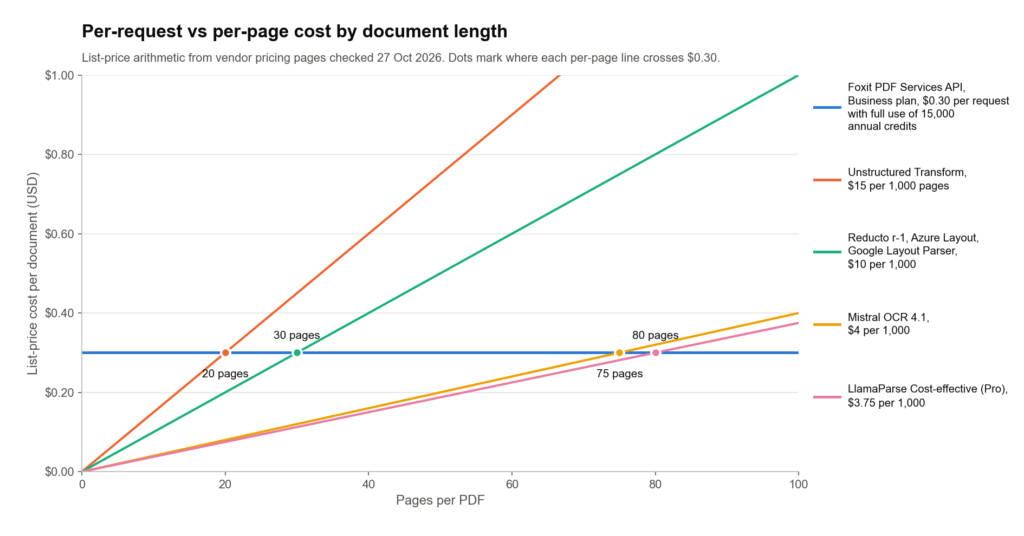
List-price arithmetic for one document. The flat line assumes full use of the Business plan’s annual credits.
Our paid plans are yearly credit pools. Most per-page APIs in this list are pay as you go. If your volume is unpredictable, that commitment structure changes the economics. See Credits Explained for the precise billing rules, including which calls are not billed.
Estimate cost from your real page-count distribution.
What stays behind in Unstructured
A new parser doesn’t replace Pipelines. These are the layers you keep owning yourself, or keep paying Unstructured for, after the parser changes.
Connectors and sync. Pipelines reads from sources such as S3, SharePoint, Google Drive, and Confluence, with change detection and incremental processing. Among the picks, LlamaParse has 4 connectors that sync about once a day on paid plans, IBM’s managed Docling service lists its own connectors, Docling Jobkit supports sources, and Datalab Collections supports S3 sync. Parser-only routes need your own orchestration for everything else.
Embeddings and enrichment. Unstructured Pipelines embeds with providers such as OpenAI, Bedrock, VoyageAI, and IBM, and can describe tables and images. Most alternatives stop at parsed output. LlamaParse’s Index v2 embeds only into its own managed store.
Scheduling, retries, and monitoring. Pipelines runs workflows as jobs with built-in scheduling. With a parser-only API, your orchestrator owns retries and alerts.
Compliance scope. Unstructured’s SOC 2 Type 2, ISO 27001, HIPAA, and FedRAMP High coverage, listed earlier, may not carry over to the tool you pick. Compare each alternative’s claims for the plan you would actually buy, not the enterprise tier.
When to keep Unstructured
Keep Unstructured Pipelines if you rely on its source sync from systems such as SharePoint, Confluence, or Slack, or on its enrichment and embedding workflow and a replacement would leave those needs unmet. Check email and legacy-format support before switching, and confirm that the replacement meets your compliance requirements, including FedRAMP High where needed. Replace the layer that fails, not the pipeline that works.
Building a parsing pipeline on the PDF Services API
If the parser is the layer that fails, the PDF Services API slots in at the parsing step and leaves the rest of your pipeline in place. Each file follows the same path.
Upload it, convert or OCR it first if it isn’t a text-layer PDF, submit PDF to Markdown or PDF Structural Extraction (Trial), poll the task, download the Markdown or ZIP, and hand the result to your chunker.
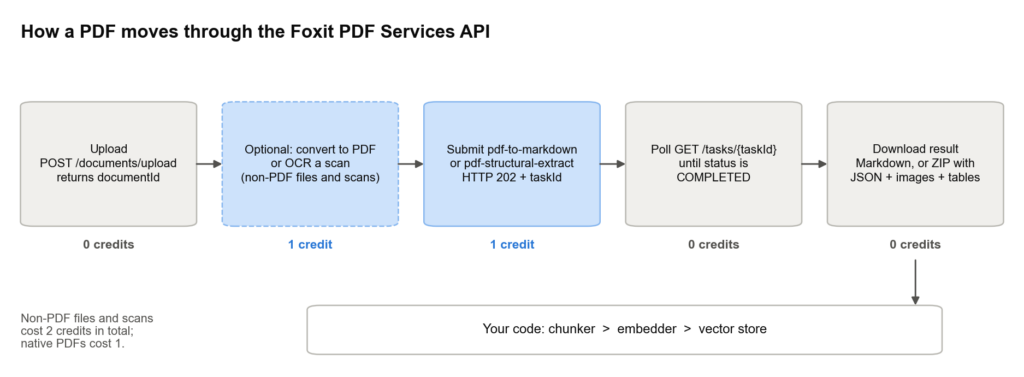
Only the operation calls use credits. Uploads, polling, and downloads are free.
Parsing shares a credit pool with other PDF operations. Convert Office files, images, HTML, and Markdown to PDF before parsing, split long files, and redact sensitive content using text matching, rectangle regions, or form-field targeting before it reaches an index. That covers the pre-processing pipeline without switching APIs or billing systems. Our conversion walkthrough shows the DOCX-to-PDF path, and our text extraction tutorial covers the text extraction route.
The API has no chunking, embedding, or connector layer, so pair the output with your own chunker and orchestrator. Elements arrive in reading order, which means heading-based splitting on title and head elements works without reordering. Our structured JSON tutorial shows how to work with the Structural Extraction output.
Our MCP server exposes structural analysis, extraction, and OCR tools to agents. Our MCP server walkthrough covers the 30+ PDF tools it gives AI agents and the integration details.
Plans and credits. The free Developer plan needs no credit card. See Foxit API pricing for plan details, or Credits Explained for how credits are counted.
What else to know before you switch from Unstructured
This section answers 3 practical questions that come up in the transition.
Which LangChain and LlamaIndex loaders replace UnstructuredLoader?
How to run multiple parsers in the same pipeline?
You can route by file type or page complexity, sending emails and legacy Office files to Docling or Unstructured, long PDFs to a per-request API, and hard scans to a VLM tier. Normalize every output into one element schema, and chunk in one place so retrieval behaves consistently. Maintaining multiple parsers adds real cost and complexity, but so does forcing all your documents through a single parser that handles some of them poorly.
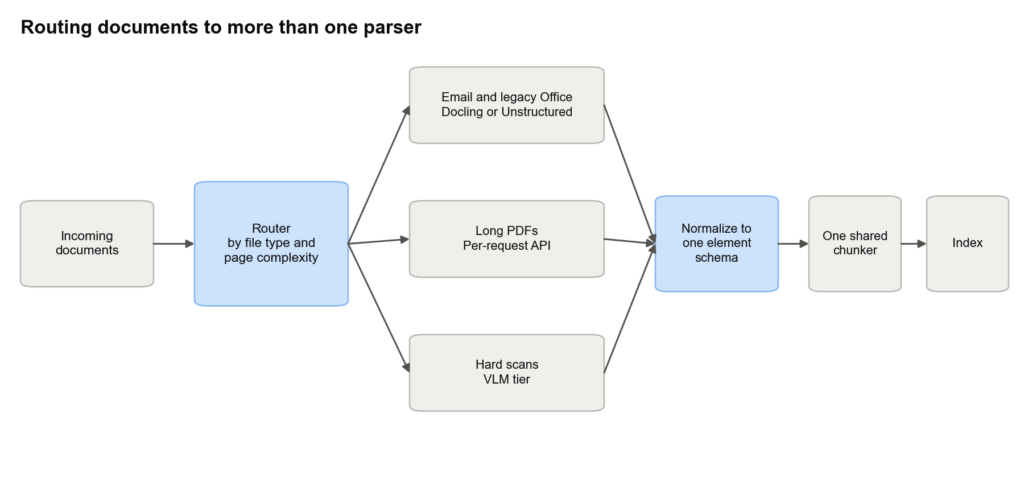
One router, one element schema, and one chunker keep retrieval consistent across parsers