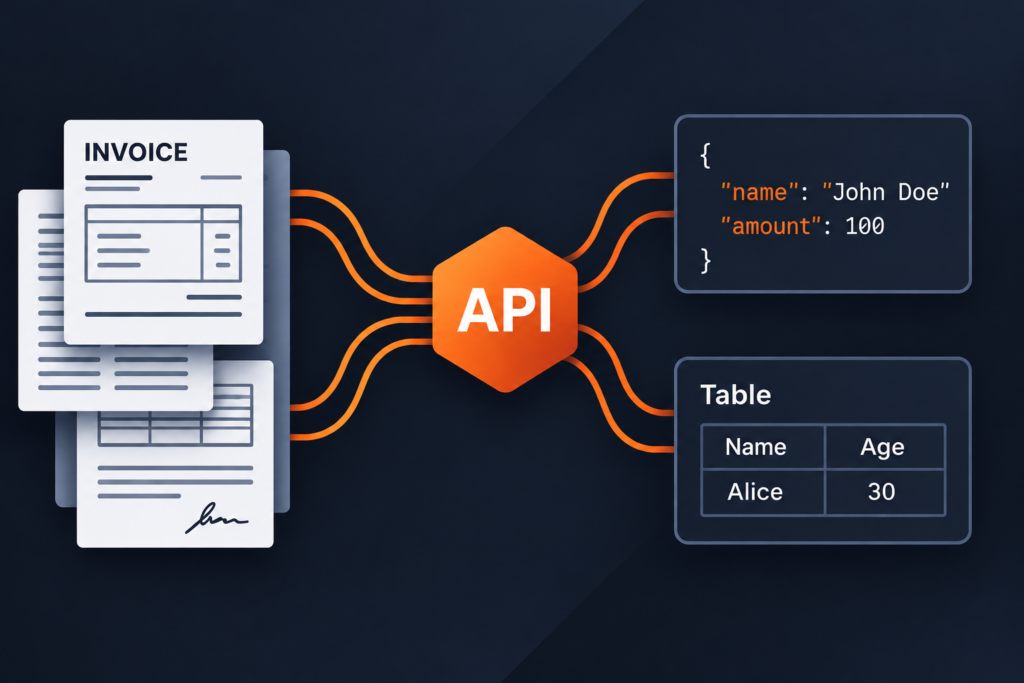
A parser that handles clean digital PDFs may struggle with a scanned lease, a 2-column report, or a table that spans several pages. Misread reading order and missing table cells can leave garbled RAG chunks, incorrect invoice totals, or missing contract parties.
“Document parsing” covers 3 distinct jobs that most roundups treat as one.
- Layout parsing returns document structure as Markdown or JSON, including headings, tables, reading order, and often bounding boxes.
- Field extraction returns named values against a schema or prebuilt model, the invoice_total or party_name your pipeline actually needs.
- OCR turns images of text into selectable text so the other 2 jobs can run. Most APIs are built around one of these jobs and bill each differently.
Pricing units alone make comparison hard. On Amazon Textract, the same page costs $1.50 per 1,000 pages for plain text detection and $70 per 1,000 pages when you add Forms, Tables, and Queries together.
LlamaParse bills credits per page by tier, Reducto bills per product per 1,000 pages, and the Foxit PDF Services API bills 1 credit per request regardless of page count.
In this article, we compare 10 document parsing APIs based on their features, pricing, usage limits, and deployment options.
Our top picks by use case
The best document parsing API depends on whether you need layout structure, named fields, or OCR, and where your documents can be processed. These picks match common developer workflows to the APIs that support them.
All prices and availability are current as of 16 Oct 2026.
Use case | Pick | Why it fits |
Structure-aware JSON inside a wider PDF workflow | Structural Extraction (Trial) returns 8 confirmed element types with bounding boxes and table cell grids at 1 credit per request, with PDF to Markdown and OCR on the same account | |
RAG ingestion with tiered cost and quality | LlamaParse | 4 parse tiers from 1 to 45 credits per page at $1.25 per 1,000 credits; 10,000 free credits a month |
Parse, extract and split behind one API, with VPC options | Reducto | r-1 parsing at $10 per 1,000 pages (preview), Extract at $20 including parsing, with hybrid and full VPC deployments |
Field extraction you can trace back to the page | DPT-3 models with line- or word-level grounding and a Ground API that costs no credits | |
High-volume OCR to Markdown at one flat page price | OCR 4.1 at $4 per 1,000 pages, or $0.40 with the Batch API, with blocks, bounding boxes and confidence included | |
Prebuilt models for invoices, IDs and tax forms | Layout and prebuilt models at $10 per 1,000 pages, with invoice, receipt, ID, bank statement, tax and mortgage models, plus containers | |
Layout-aware chunking on Google Cloud | Layout Parser at $10 per 1,000 pages including chunking, with Gemini-based versions in preview | |
Paying per feature inside AWS | Amazon Textract | Text at $1.50 per 1,000 pages, Tables $15, Forms $50, and natural-language Queries |
PDF extraction for teams already on Adobe PDF Services | Element tree with fonts and reading order, tables as CSV and XLSX, and 500 free Document Transactions a month | |
Self-hosted, open-source parsing | MIT-licensed, runs locally or air-gapped, with Docling Serve REST API. v2.140.0 released 16 Oct 2026 |
Each API appears once, under the use case it fits best. Several handle more than 1 job, and the feature table in each entry shows their coverage.
The Foxit Developer plan includes 500 credits a year, enough to run Structural Extraction on a sample of your hardest pages. Create a free developer account to start.
How we compared these document parsing APIs
We reviewed public documentation, pricing pages, official price feeds, model cards, and GitHub repositories as of October 16, 2026.
Each API uses the same 8 comparison rows: outputs, scanned pages and OCR, tables and layout, field extraction, pricing, free allowance, limits, and deployment and data. Prices identify the billing unit and relevant tier or mode. Security and compliance statements remain vendor claims.
The picks reflect use-case fit, not an overall ranking. Benchmark results appear separately, with their publisher, product version, and date.
The 10 document parsing APIs in detail
Foxit PDF Services API
Our PDF Services API covers cloud-based PDF extraction, conversion, OCR, redaction, and compression. The extraction endpoints covered here are PDF Structural Extraction (Trial) and PDF to Markdown.
Key features at a glance
Feature | Details |
Outputs | PDF Structural Extraction (Trial) returns a ZIP with StructureInfo.json (schema v1.0.7), extracted images, and table renditions. Also: PDF to Markdown (tables as Markdown pipes or HTML), PDF to Excel, PDF to HTML, PDF to text, and image, text, or page extraction on sibling endpoints |
Scanned pages and OCR | Our dedicated OCR endpoint makes scanned PDFs searchable and supports around 38 language codes, including Simplified and Traditional Chinese, Japanese, Korean, Thai, and 30+ European languages and variants. Our Structural Extraction documentation does not separately state an OCR language count |
Tables and layout | In v1.0.7, our MCP server’s extraction schema defines 8 element types: title, head, paragraph, table, image, form, hyperlink, and formula. The output includes reading order and bounding boxes. Tables return as cell grids with row and column relationships |
Field extraction | No schema-based extraction or prebuilt invoice models. Map elements to your fields in code, as the invoice parsing and contract metadata tutorials show |
Pricing | 1 credit per successful request, regardless of page count or file size within supported limits. Startup $1,750 a year (5,000 credits), Business $4,500 a year (15,000 credits). Credits reset yearly with no rollover |
Free allowance | 500 credits a year on the Developer plan |
Limits | 100 MB upload. Per application: 15 requests a minute in sandbox, 100 in production. Asynchronous workflow: submit, poll the task, then download the ZIP. Polling, uploads, and downloads use no credits. A page limit per request is not published as of 16 Oct 2026 |
Deployment and data | Cloud only, through one global API gateway. A delete endpoint removes uploaded and generated files. Our cloud-hosted PDF APIs are covered by SOC 2 Type II audits, and we support HIPAA BAAs. pdf_structural_analysis, pdf_extract, and pdf_ocr tools ship in the Foxit MCP Server |
Where Foxit PDF Services API stands out
Per-request billing charges the same 1 credit for a 200-page report as a 1-page receipt, within supported limits. The cost advantage depends on document length and how much of your annual credit pool you use.
These extraction endpoints share an account and credit pool with our other document services, including OCR, conversion, redaction, and eSign. If your workflow already uses those services, you can add extraction without a separate vendor integration.
Our MCP server exposes structural extraction tools, so AI agents can call the API through the same interface as other PDF operations.
What to consider
Our PDF Structural Extraction API is currently in trial and uses schema version v1.0.7. The API may change, so validate responses against the schema your application expects.
The API has no schema-based field extraction and no prebuilt invoice or contract models. You receive a typed element tree and map fields yourself, which the invoice parsing tutorial and contract metadata tutorial walk through. Teams that need named fields returned directly from the API should evaluate LandingAI, Reducto Extract, or Azure prebuilt models alongside this.
Paid credits expire at year-end without rollover. Forecast annual usage before choosing a plan.
Best for
Pipelines that already convert, OCR, redact, or sign PDFs and need structure-aware JSON or Markdown from the same account, particularly on long documents where per-request billing is favorable.
Getting started
Create a free Foxit developer account, set up a sandbox application, and send your first PDF to the Structural Extraction endpoint. The Developer plan includes 500 credits a year with no credit card required.
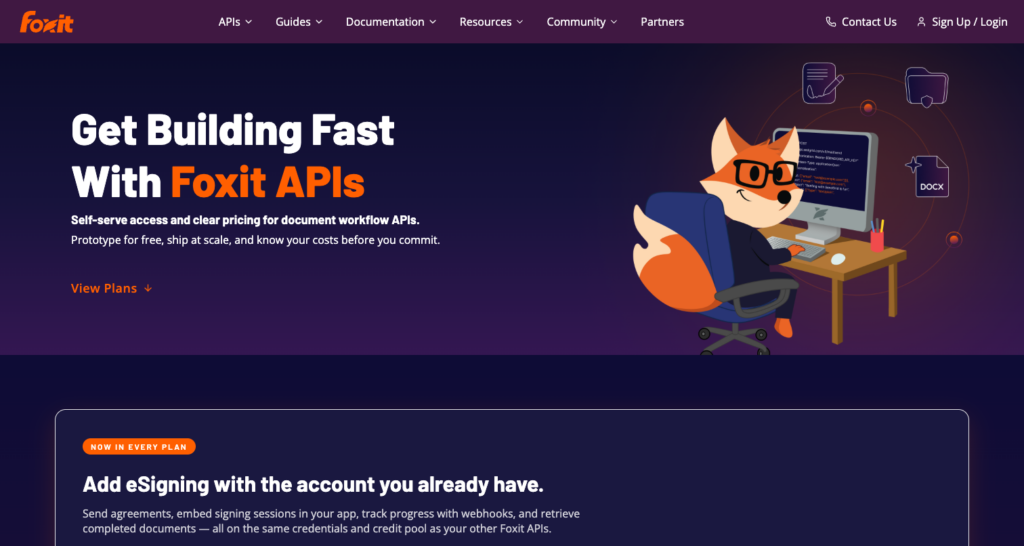
Our API plans and included credits.
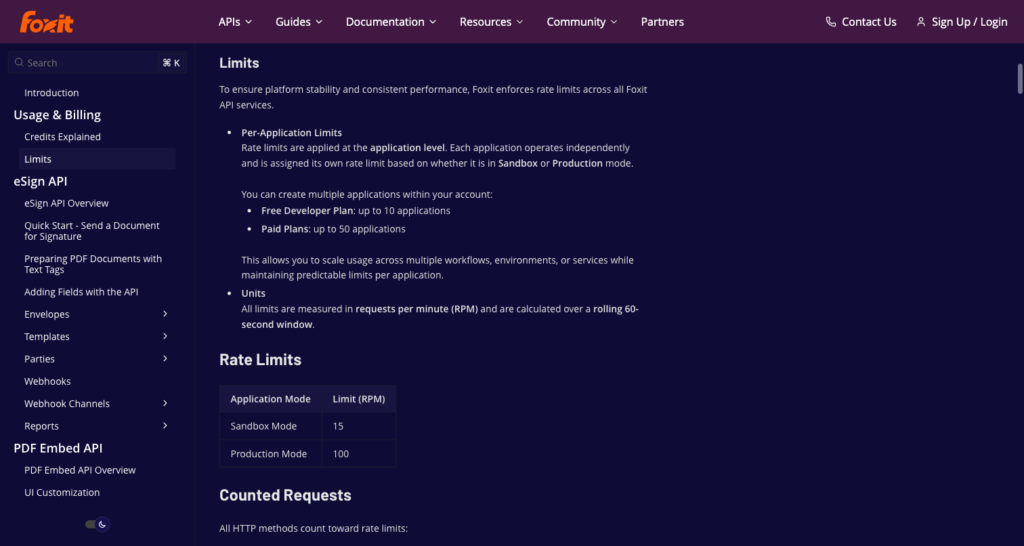
Sandbox and production request limits for our APIs.
LlamaParse
LlamaParse is the document parsing service from LlamaIndex, the company that also publishes the ParseBench benchmark.
It accepts 130+ file types, returns Markdown or JSON, and offers 4 parse tiers that let you route documents by cost and quality.
Key features at a glance
Feature | Details |
Outputs | Markdown, plain text, per-page JSON, XLSX and HTML tables, and layout bounding boxes as an add-on (+3 credits a page), plus schema-based JSON with citations and confidence through LlamaExtract |
Scanned pages and OCR | OCR in 80+ languages (vendor claim) across 130+ file types, including images, Office files, HTML, spreadsheets, and audio |
Tables and layout | Layout-aware table extraction that preserves cell structure, plus charts and diagrams, and enriched forms output in beta (+10 credits per page with a form) |
Field extraction | LlamaExtract with JSON schemas: Cost-effective 8, Agentic 25, Agentic Plus 60 credits a page including parsing; Turbo 35 |
Pricing | $1.25 per 1,000 credits. Parse tiers: Fast 1, Cost-effective 3, Agentic 10, Agentic Plus 45 credits a page (approximately $1.25, $3.75, $12.50, and $56.25 per 1,000 pages). Starter $50 a month (40,000 credits), Pro $500 a month (400,000 credits) |
Free allowance | 10,000 credits a month |
Limits | Parse accepts 512 MB per file. Extract caps at 100 MB and 500 pages per job. Concurrent jobs: 5 on Free and Starter, 20 on Pro, 100 on Enterprise. Text beyond 64 KB per page is dropped |
Deployment and data | SaaS in the US (us-east-1) or EU (eu-central-1), with single-tenant, bring-your-own-cloud and self-hosted options for enterprise. Files cached 48 hours unless you opt out per request. No training on customer data by default. Claims SOC 2 Type II; HIPAA BAA for Enterprise |
Where LlamaParse stands out
Fast costs $1.25 per 1,000 pages, compared with $56.25 per 1,000 for Agentic Plus. Routing simple scanned pages to Fast and complex layouts to Agentic Plus can substantially cut costs in mixed-document pipelines.
Date-pinned tier versions keep the output format reproducible when you rerun the same job weeks later, supporting reliable regression testing on parser output.
LlamaExtract adds JSON schema-based field extraction on top of parsing, with citations and confidence scores, at no separate integration. The same credential covers both.
What to consider
Concurrency caps are a real constraint on lower plans. One practitioner in the r/RAG community thread (June 1, 2026) reported throttling at 5 to 10 concurrent jobs, which can stall batch pipelines during peak ingestion. The 500-page Extract cap is also worth checking against your largest documents before committing.
LlamaParse’s own API reference confirms the Fast tier skips OCR on images and skips table and heading reconstruction, so its output is closer to spatially-laid-out raw text than the fully reconstructed Markdown the Balanced and Premium tiers produce. The HIPAA BAA scope is Enterprise only, so teams with PHI must confirm the plan level before sending protected documents.
The 48-hour file cache means documents persist by default unless you explicitly opt out per request, which is worth reviewing against your data policy.
Best for
RAG ingestion where you want to trade cost against quality on a per-document basis.
Getting started
Create an account at llamaindex.ai and start with the 10,000 free monthly credits.
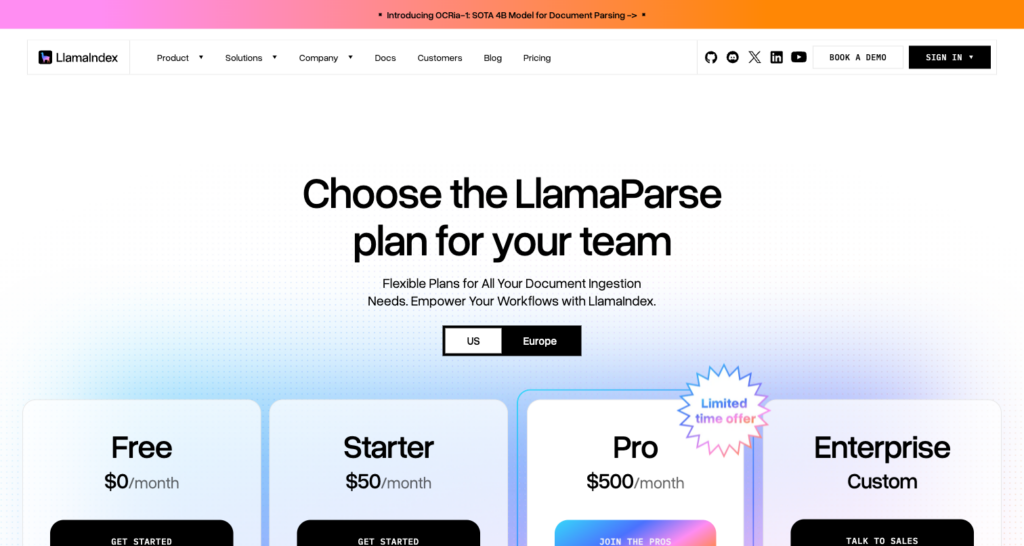
LlamaParse plans, pricing, and included credits.
Reducto
Reducto offers parsing, extraction, splitting, classification, and a document-editing endpoint behind one API. Its r-1 model is its newest parsing tier, currently in preview.
Pricing moved to a per-product structure on 1 Sep 2026, replacing the previous credit-based model.
Key features at a glance
Feature | Details |
Outputs | Blocks with bounding boxes, whole-document Markdown, embedding-ready table summaries. Extract returns JSON with citations. Split, Classify, and Edit endpoints also available |
Scanned pages and OCR | r-1 handles scans and handwriting (vendor claim), with 30+ file types and a multilingual guide covering 60+ languages |
Tables and layout | Merged cells and nested headers on r-1, with dynamic table output (Markdown for simple tables, HTML for complex ones) |
Field extraction | Extract $20 per 1,000 pages including parsing, Deep Extract $40. Extractions over 100 fields per page may incur a per-field surcharge |
Pricing | Per 1,000 pages: r-1 Parse $10 (preview, opt-in on the API), legacy Parse $15 standard and $30 complex (2x for agentic modes). Citations add $2, custom regions $5. Parse and Extract batch jobs 20% off, Deep Extract excluded. Contracted customers keep credit-based pricing until renewal |
Free allowance | $150 of usage on the Standard plan, equivalent to 15,000 credits at the standard $10-per-1,000-page r-1 Parse rate |
Limits | 100 MB direct upload (5 GB with presigned upload). No page limit on Standard. Synchronous calls time out near 15 minutes. 1,000 requests a second per key. 200 guaranteed concurrent pages on Standard |
Deployment and data | SaaS, hybrid VPC (your storage, Reducto compute), or full VPC on Enterprise. Results available approximately 12 hours. Growth and Enterprise API artifacts expire within 24 hours under ZDR policy, except Studio jobs and persist_results results. Claims SOC 2 Type II on every tier. Never trains from Growth up; Standard training policy not stated |
Where Reducto stands out
Teams can consolidate these document operations under one API and authentication credential rather than chaining vendors. The Edit endpoint also supports document filling.
Hybrid VPC deployments let you keep documents in your own storage while Reducto handles compute. That arrangement splits the data-custody question in a way that SaaS-only providers can’t match without a full VPC agreement.
r-1 returns Markdown for simple tables and HTML for complex merged-cell tables, so your downstream parser can handle each format appropriately.
What to consider
The r-1 tier is preview and opt-in via the API, meaning its behavior may change before general availability. Pricing changed 6 weeks before the check date, so re-verify rates before signing a volume commitment. The Standard plan’s training data policy is not explicitly stated, so teams with sensitive documents should ask before sending production data.
The Standard plan’s free allowance is $150 of usage, worth 15,000 credits at the standard $10-per-1,000-page r-1 Parse rate.
Best for
Teams that need parsing, extraction, and splitting in one place with a path to a private deployment.
Getting started
Sign up at reducto.ai and start with the Standard plan’s free usage.
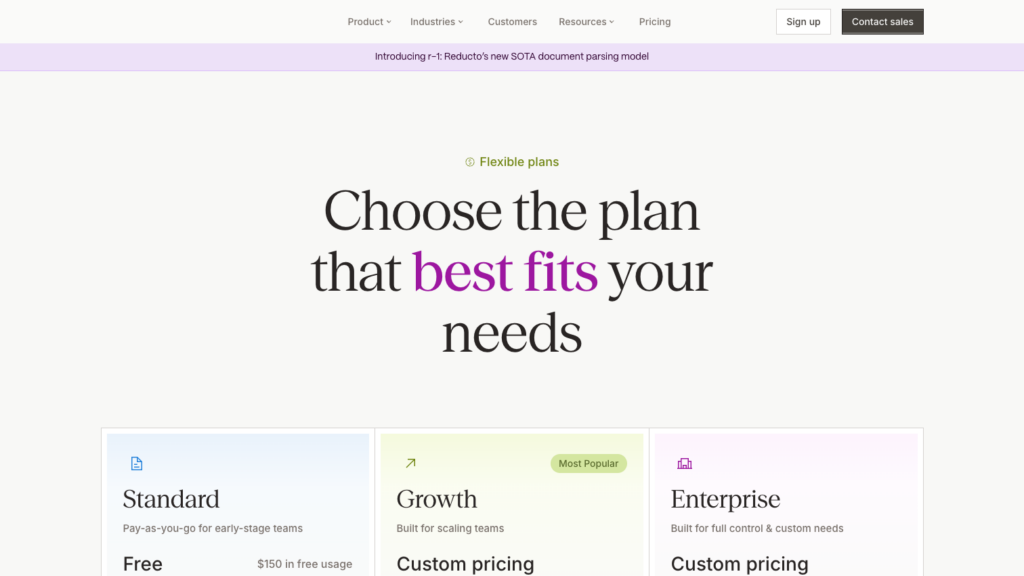
Reducto’s Standard, Growth, and Enterprise plans.
LandingAI Agentic Document Extraction
LandingAI Agentic Document Extraction (ADE) made its v2 APIs generally available on 24 Jul 2026. Its DPT-3 model family returns extracted values linked to their exact location in the source document, which lets downstream processes verify or review what the model read.
Key features at a glance
Feature | Details |
Outputs | Reading-order Markdown and hierarchical JSON (pages, blocks, table cells) with block bounding boxes, line-level grounding on DPT-3 Pro, and word-level grounding and word confidence on DPT-3 Verity (preview) |
Scanned pages and OCR | DPT-3 Pro handles scans, handwriting, and non-Latin scripts. Verity is Latin-only and does not handle scans. 11 languages listed as strong |
Tables and layout | Tables, forms, checkboxes, and figure descriptions. Spreadsheet cells grounded by Excel address |
Field extraction | Extract API with JSON Schema and a schema builder. The Ground API links extracted fields to page bounding boxes and costs no credits, but is unavailable with zero data retention (ZDR) enabled |
Pricing | $0.01 per credit. DPT-3 Pro priority: 1 credit per page plus 0.5 credits per 1,000 output characters. Async standard tier costs half. LandingAI quotes a 1.5-credit median for a typical business document on standard. Team plans start at $250 a month |
Free allowance | 1,000 credits on Explore, expiring 90 days after sign-up |
Limits | Synchronous: 50 MiB, 100 pages a minute on Explore, 475-second timeout. Async jobs: PDFs up to 1 GiB and 6,000 pages on standard, with priority capped by rate limit. Both have a 6-hour timeout |
Deployment and data | US (us-east-2) and EU (eu-west-1), with VPC and on-premises for Enterprise and optional ZDR on Team and Enterprise. Claims SOC 2 Type II, GDPR, and HIPAA with a BAA |
Where LandingAI Agentic Document Extraction stands out
Grounding is the defining feature. DPT-3 Pro links every extracted value to the line that contains it, and DPT-3 Verity links to the word. The Ground API then lets you query those positions without spending additional credits, so your review UI or audit log can show exactly where in the document each field value came from.
Each table cell has a bounding box, so reviewers can highlight a tax line on a complex form rather than inspect a bare string. This helps regulated workflows where someone must sign off on what the model read.
What to consider
Per-page cost moves with output character count, so dense documents with a lot of extracted text cost more than the per-page headline rate suggests. LandingAI quotes a 1.5-credit median for typical business documents on standard, but your actual distribution will depend on document type.
Free credits expire after 90 days from sign-up, not at month end, so plan your evaluation window accordingly. DPT-3 Verity is still in preview and limited to Latin scripts without scan support, so don’t route scanned or non-Latin documents to it.
Enabling ZDR disables the Ground API, which means you must choose between the strongest data-residency guarantee and the traceability feature. That tradeoff is worth understanding before choosing a plan.
Best for
Regulated extraction where each field value must be traceable to its location in the source document.
Getting started
Sign up at landing.ai and start with the 1,000 Explore credits (90-day expiry).
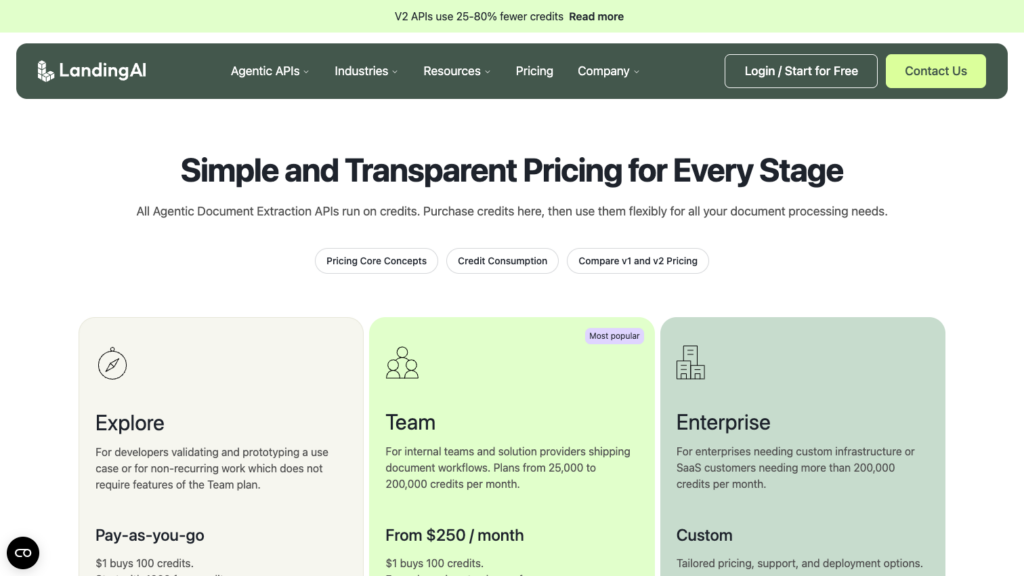
LandingAI’s free Explore tier and credit-based pricing.
Mistral OCR
Mistral OCR is Mistral’s document-to-Markdown service, now at model version OCR 4.1 (released 16 Jul 2026).
It bills one flat price per page and cuts that price by 90% for batch jobs, with confidence scores and bounding boxes included in both modes.
Key features at a glance
Feature | Details |
Outputs | Per-page Markdown, image bounding boxes, and blocks in reading order with labels (text, title, table, equation, signature, others). Confidence at page, block, or word level. Tables inline or as separate Markdown or HTML |
Scanned pages and OCR | OCR on images and PDF, DOCX, PPTX, and more, with 42 languages officially supported for OCR |
Tables and layout | table_format options, with header and footer extraction |
Field extraction | Document AI annotations with your JSON schema. A separate per-annotated-page price is not published alongside the OCR rates as of 16 Oct 2026 |
Pricing | OCR 4.1 (released 16 Jul 2026): $4 per 1,000 pages synchronous, $0.40 per 1,000 pages with the Batch API |
Free allowance | Free-mode usage limits shown on the account’s Limits page. Mistral’s free mode may use inputs and outputs for training unless you opt out |
Limits | 50 MB and 1,000 pages per document. OCR 4 is not intended for real-time, latency-sensitive processing |
Deployment and data | Hosted API, plus Amazon SageMaker and Microsoft Foundry, and single-container self-hosting for enterprise customers. Zero data retention on /v1/ocr requires approved pay-as-you-go access, with Files API and batch files excluded. ISO 27001, ISO 27701, and SOC 2 Type II listed on the trust center |
Where Mistral OCR stands out
A single flat page price already includes blocks, bounding boxes, confidence scores, and reading-order labels. Most providers charge separately for bounding boxes or confidence, so the all-in-one pricing simplifies budget math for large batch jobs.
For pipelines that can wait for asynchronous results, the Batch API’s 90% discount brings the price to $0.40 per 1,000 pages, making it one of this list’s cheapest options for converting archives to Markdown.
What to consider
OCR 4 is not intended for low-latency, real-time processing. If your pipeline needs synchronous sub-second responses on individual documents, test latency at your volume before committing.
Model versions retire quickly. OCR 4.0 was retired on 30 Sep 2026, less than 3 months after release. Pin your API calls to a specific model version and monitor Mistral’s release notes so you’re not caught by an automatic cutover. Published scores in the OCR 4 announcement are Mistral’s own reproductions of competitor benchmarks, not independent measurements.
Mistral officially supports 42 languages for OCR. Test on your target languages before committing.
Best for
Large batch conversions of documents to Markdown for RAG at a flat per-page price.
Getting started
Sign up at mistral.ai and generate an API key.
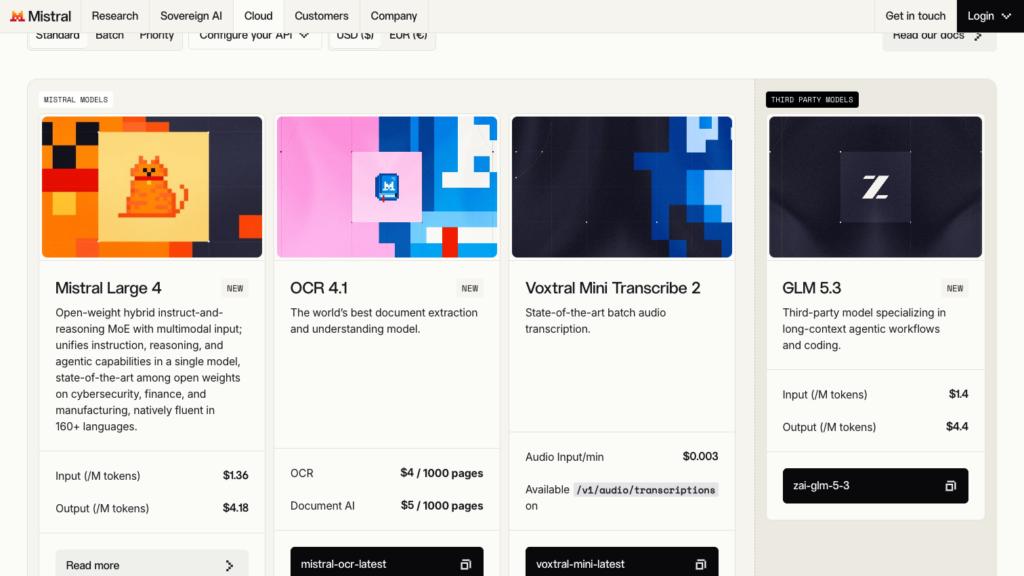
Mistral’s general pricing page. OCR rates are listed separately in its API pricing documentation.
Azure Document Intelligence
Azure Document Intelligence (previously Form Recognizer, then Azure AI Document Intelligence) is Microsoft’s cloud extraction service, now available as Azure Document Intelligence in Foundry Tools (API v4.0, 2024-11-30).
It covers layout parsing, a broad catalog of prebuilt models, custom training, and container deployments for environments that cannot call a cloud API.
Key features at a glance
Feature | Details |
Outputs | JSON with paragraphs and roles, lines and words with confidence and polygons, selection marks, tables with row and column spans, figures and sections. Layout can return Markdown with HTML tables for merged cells |
Scanned pages and OCR | Read and Layout OCR printed text in a long language list, with handwriting on a shorter list. Add-ons for high resolution, formulas, fonts, barcodes, and searchable PDF output |
Tables and layout | Spans and header flags. For tables that run across pages, Microsoft advises splitting the PDF and stitching the results in post-processing |
Field extraction | Prebuilt invoice, receipt, ID, bank statement, check, pay stub, contract, US tax, and mortgage models, plus custom neural and template models and query fields as an add-on |
Pricing | East US pay-as-you-go, per 1,000 pages: Read $1.50 (then $0.60 above 1 million), Layout and prebuilt models $10, custom extraction $30, add-ons $6, query fields $10. Batch costs the same as standard. Commitment tiers start at $190 a month for 20,000 prebuilt pages |
Free allowance | 500 pages a month on the F0 tier, which analyzes only the first 2 pages of each document (4 MB cap) |
Limits | S0: 500 MB and 2,000 pages per analysis; 15 analyze requests a second by default (adjustable); asynchronous submit and poll |
Deployment and data | Azure regions plus Read and Layout containers, including disconnected tiers. Inputs and results deleted 24 hours after analysis completes. SDKs for .NET, Python, Java, and JavaScript |
Where Azure Document Intelligence stands out
Azure’s prebuilt model catalog is among the broadest on this list. Its dedicated models already map named fields, so you don’t have to write field-extraction logic for the standard document types listed above.
Container deployments let you run Read and Layout processing inside your own infrastructure without sending documents to Azure endpoints. Disconnected containers extend that to air-gapped environments, though availability varies by model and API version.
Volume commitment tiers reduce per-page costs substantially for high-volume workloads. The $190/month tier covers 20,000 prebuilt pages at $9.50 per 1,000 pages rather than the list price.
What to consider
The F0 free tier analyzes only the first 2 pages of each document, which means a 30-page invoice only returns extraction on pages 1 and 2. Testing during evaluation must account for this limit, or you’ll get misleading accuracy results.
For multi-page tables, budget development time to stitch the extracted sections together during post-processing.
Azure Content Understanding (GA with API version 2025-11-01) is a newer generative extraction layer on the same cloud that’s worth evaluating alongside Document Intelligence for use cases that benefit from generative models.
Best for
Invoices, receipts, IDs, and tax forms on Azure infrastructure, with an option for container or disconnected deployments.
Getting started
Sign up at portal.azure.com and create a Document Intelligence resource. The F0 tier gives 500 free pages a month.
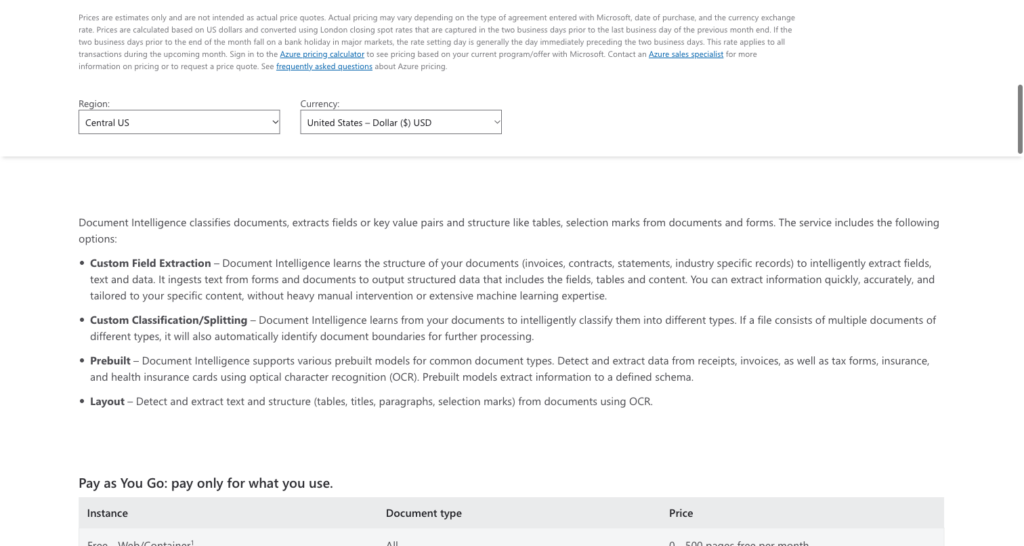
Azure Document Intelligence pricing and its F0 free tier.
Google Document AI
Google Document AI is Google Cloud’s document processing platform, covering OCR, layout parsing with chunking, form parsing, and specialized prebuilt parsers. The Layout Parser’s built-in chunking feature makes it a direct fit for RAG pipelines on Google Cloud.
Key features at a glance
Feature | Details |
Outputs | Document objects with blocks, paragraphs, and tokens. Layout Parser builds a layout tree and context-aware chunks that carry their parent headings. Image and table annotations are GA (27 May 2026) |
Scanned pages and OCR | Enterprise Document OCR reads printed and handwritten text in more than 200 languages (Google claim), with checkbox and math OCR add-ons |
Tables and layout | Layout Parser detects tables, headings, page headers and footers. Google notes that PDF tables spanning pages “might be split in two tables” |
Field extraction | Form Parser (key-value pairs and checkboxes), Custom Extractor (generative or trained), and Invoice, Expense, Bank Statement, Pay Slip, and ID parsers |
Pricing | Per 1,000 pages: OCR $1.50 after the first 1,000, Layout Parser $10 including chunking, Form Parser and Custom Extractor $30 (then $20 above 1 million), Invoice and Expense parsers $0.10 per document up to 10 pages |
Free allowance | First 1,000 Enterprise Document OCR pages are free |
Limits | Online requests take up to 15 pages for most processors, or 30 in supported imageless mode. Batch jobs typically finish in 12 to 24 hours after starting, excluding queue time |
Deployment and data | US and EU multi-regions, with VPC Service Controls and customer-managed keys. Google states it never trains Document AI models on customer data. FedRAMP High and HIPAA listed |
Where Google Document AI stands out
Layout Parser includes context-aware chunks with parent-heading metadata at $10 per 1,000 pages, removing a separate chunking step from a standard RAG pipeline on Google Cloud.
Image and table annotations became generally available on 27 May 2026, so the Layout Parser now returns visual assets alongside text structure in one pass.
What to consider
As of 16 Oct 2026, every Gemini-based Layout Parser version is in preview; only v1.0 from 2024 is stable. Most processors cap standard online requests at 15 pages, or 30 in supported imageless mode. Documents above those limits require batch processing, which typically takes 12 to 24 hours, excluding queue time.
Multi-page tables may be split across 2 table objects, requiring post-processing stitching similar to Azure Document Intelligence. The per-document pricing on Invoice and Expense parsers ($0.10 per document up to 10 pages) is competitive for short invoices but doesn’t scale linearly beyond 10 pages.
Best for
RAG pipelines already running on Google Cloud that want layout-aware chunking included at the page price.
Getting started
Enable Document AI in your Google Cloud project at cloud.google.com/document-ai.
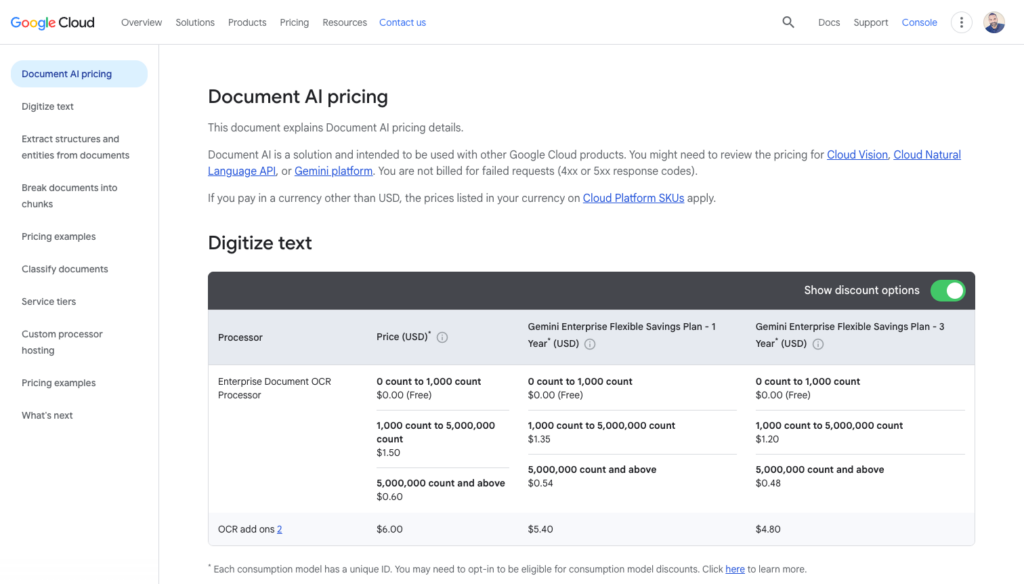
Per-page pricing for Google Document AI processors.
Amazon Textract
Amazon Textract charges per feature rather than per page tier, so you pay for Tables only if you call Tables, and Queries only if you call Queries.
That pay-per-feature structure makes it flexible for pipelines that need different capabilities from different document types.
Key features at a glance
Feature | Details |
Outputs | JSON blocks (words, lines, tables, key-value pairs, layout elements, signatures) with confidence scores and bounding boxes. Markdown output not stated on pages checked 16 Oct 2026 |
Scanned pages and OCR | Printed text in English, French, German, Italian, Portuguese, and Spanish, with handwriting in English only |
Tables and layout | Tables and Layout features. Table extraction works best with visually separated, upright tables |
Field extraction | Forms (key-value pairs), Queries in natural language (English only), Custom Queries with adapters, and prebuilt Expense, ID (US passports and driver’s licenses), and Lending APIs |
Pricing | US East, first 1 million pages a month: text $1.50 per 1,000 pages, Tables $15, Forms $50, Queries $15, Layout $6.50 (then $4 after 1 million pages), Forms plus Tables plus Queries $70. Expense $10. ID $25 for first 100,000 pages, then $10 |
Free allowance | 3 months for new AWS customers: 1,000 pages a month of text detection and 100 pages a month for Forms, Tables, and Layout |
Limits | Synchronous calls take 1-page PDFs up to 10 MB. Asynchronous jobs take up to 500 MB and 3,000 pages from S3. TPS quotas per API, adjustable |
Deployment and data | Most AWS regions including GovCloud, with PrivateLink. AWS may use inputs to improve its services unless you opt out with an AWS Organizations policy. HIPAA eligible, and covered by PCI, ISO, and SOC programs |
Where Amazon Textract stands out
Text-only pipelines pay $1.50 per 1,000 pages without bundling unused field or table extraction. For one-off or low-volume extraction, Queries retrieve specific values using questions such as “What is the total due?” without a full extraction schema.
GovCloud availability and PrivateLink support make Textract an option for US government workloads and VPC-isolated architectures that other providers on this list can’t reach.
What to consider
6 supported OCR languages with English-only handwriting and English-only Queries is a hard constraint. If your document set includes French invoices with handwritten annotations, Textract won’t serve that use case.
Synchronous API calls accept only single-page PDFs up to 10 MB, so multi-page documents must go asynchronous through S3.
The data-use opt-out requires an AWS Organizations policy, not an individual account setting. If your organization doesn’t have that policy in place, AWS may use your documents to improve its services by default.
For generative extraction, also evaluate Amazon Bedrock Data Automation, AWS’s newer document layer. It costs $0.01 per page standard and $0.04 per page for custom models.
Best for
English-language forms and tables already stored in S3, where you want to pay only for the specific features your pipeline calls.
Getting started
Enable Textract in your AWS account at aws.amazon.com/textract. The 3-month free tier includes 1,000 text pages a month.
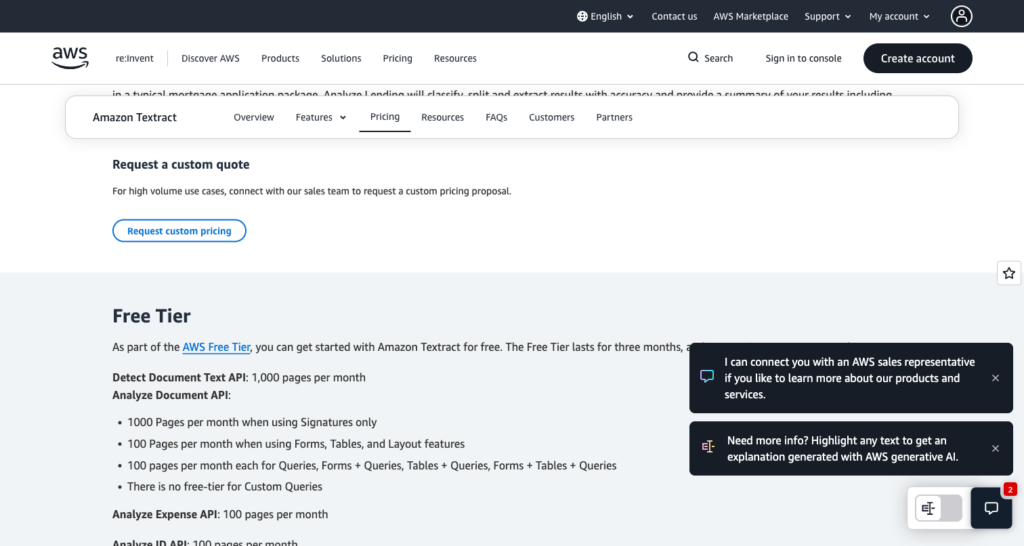
Amazon Textract’s 3-month free tier allowances.
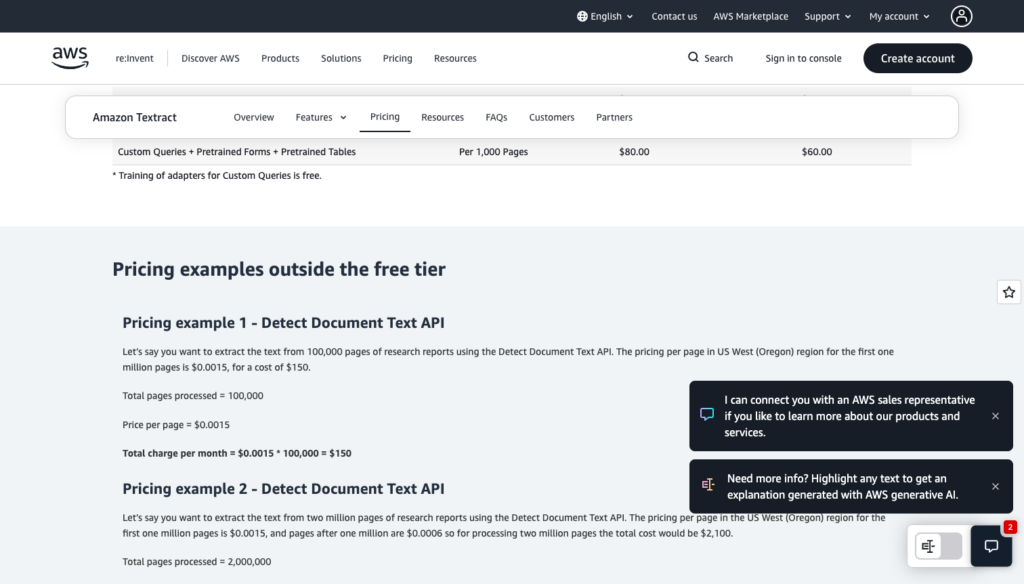
Amazon Textract pricing by feature and feature combination.
Adobe PDF Extract API
Adobe PDF Extract API is part of Adobe PDF Services. It returns a detailed element tree from native PDFs, including font data, reading order, and tables as CSV and XLSX, in a single ZIP output.
Key features at a glance
Feature | Details |
Outputs | A ZIP with structuredData.json containing an ISO-style element path (headings, paragraphs, lists, tables, figures, footnotes) with bounds, fonts, and reading order, plus tables as CSV, XLSX, and PNG, and a PDF to Markdown endpoint for LLMs. Page headers and footers are excluded |
Scanned pages and OCR | Native or scanned PDFs; quality drops below 200 DPI. Optimized for English, with other Latin-script languages expected to work |
Tables and layout | Cells spanning rows or columns are identified |
Field extraction | No key-value pairs, checkboxes, schemas, or prebuilt models |
Pricing | 1 Document Transaction per 5 pages. Paid plans by sales quote only |
Free allowance | 500 Document Transactions a month across Adobe PDF Services, covering up to 2,500 Extract pages. That figure assumes every transaction covers exactly 5 Extract pages and no other PDF Services operations |
Limits | 100 MB; up to 400 pages (150 if scanned, lower for table-heavy files); 25 requests a minute on the free tier, 100 on enterprise |
Deployment and data | Hosted only; SDKs for Java, .NET, Node.js, and Python. US and Europe processing regions, with uploaded and generated assets stored 24 hours by default and early deletion available. Compliance scope and training use not verified as of 16 Oct 2026 |
Where Adobe PDF Extract API stands out
Font metadata alongside structural elements is uncommon in this category. If your pipeline needs to distinguish between a heading that is bold because of its font weight and one styled that way by position alone, the element tree carries that information. Tables export as CSV and XLSX in the same ZIP as the JSON, which removes a conversion step for pipelines that feed spreadsheet data into downstream systems.
The PDF to Markdown endpoint gives LLM-oriented pipelines a direct path from native PDF to LLM-ready text without a separate conversion step.
What to consider
The 400-page limit (150 for scanned files) is a hard ceiling per request, and table-heavy documents may hit a lower effective limit.
Paid plan pricing is by sales quote only, so you can’t estimate costs from a public page before speaking with Adobe. Compliance scope and training use were not verified as of 16 Oct 2026, so confirm those terms directly with Adobe before sending sensitive documents.
If you need named fields returned directly, evaluate LandingAI, Reducto Extract, or Azure prebuilt models alongside Adobe.
Best for
Teams already licensing Adobe PDF Services who need font-aware structure and table exports from native digital PDFs.
Getting started
Sign up at developer.adobe.com and start with the 500 free Document Transactions a month.
Docling
Docling is an MIT-licensed open-source document parsing library from IBM Research. It runs locally or in air-gapped environments via Docling Serve, a REST API available in CPU and CUDA containers. v2.140.0 was released on 16 Oct 2026.
Key features at a glance
Feature | Details |
Outputs | Markdown, JSON, and a DoclingDocument object with layout elements, reading order, and table structure |
Scanned pages and OCR | Pluggable OCR backends (EasyOCR, Tesseract, RapidOCR, and others) |
Tables and layout | TableFormer model for table structure recognition, with row and column detection |
Field extraction | DocumentExtractor with a schema |
Pricing | None; your compute only |
Free allowance | Unlimited under the MIT license |
Limits | Determined by your hardware |
Deployment and data | Self-hosted; CPU and CUDA containers for Docling Serve. Data never leaves your infrastructure |
Where Docling stands out
The MIT license means there are no per-page costs, no API keys, and no data leaving your infrastructure. For teams processing sensitive documents in air-gapped environments, or for high-volume pipelines where per-page costs compound quickly, self-hosting eliminates the billing variable entirely.
Docling Serve exposes the library as a REST API in Docker containers, so you can drop it into an existing microservices architecture without rewriting your integration layer.
What to consider
Self-hosting puts you in charge of scaling, uptime, and model updates. OCR quality depends on which backend you configure, and none of the pluggable backends match the accuracy of cloud OCR services on difficult scans. The DocumentExtractor schema-based extraction is less mature than the field extraction offerings from LandingAI, Reducto, or Azure.
Datalab’s Marker and Chandra publish Apache 2.0 code, but the model weights require a commercial license for organizations above $5M in revenue or $2M in funding, so factor that into your evaluation if you’re above those thresholds.
Best for
Air-gapped deployments, high-volume pipelines where per-page costs are prohibitive, and teams that need full data custody.
Getting started
Install via pip (pip install docling) or pull the Docling Serve container from the IBM Research GitHub repository.
What to compare before choosing a document parsing API
Pricing units are the first thing that makes these 10 hard to compare side by side, so the breakdown below starts there.
Per page, per credit or per request
All prices are from vendor pricing pages, checked 16 Oct 2026.
API | Billing unit | Example list price | Free allowance |
Foxit PDF Services API | Request (1 credit), any page count within limits | Business: $4,500 a year for 15,000 credits; $0.30 per request only when all included credits are used | 500 credits a year |
LlamaParse | Credits per page by tier | Cost-effective: $3.75 per 1,000 pages | 10,000 credits a month |
Reducto | Pages, priced per product | r-1 Parse: $10 per 1,000 pages (preview) | $150 of usage |
LandingAI ADE | Credits per page plus output characters | DPT-3 Pro standard: 0.5 credits per page plus 0.25 credits per 1,000 output characters ($0.005 per page plus $0.0025 per 1,000 characters) | 1,000 credits for 90 days |
Mistral OCR | Pages | $4 per 1,000 pages, $0.40 with the Batch API | Free-mode limits shown in account |
Azure Document Intelligence | Pages, priced per model | Layout: $10 per 1,000 pages | 500 pages a month (2 pages per document) |
Google Document AI | Pages, priced per processor | Layout Parser: $10 per 1,000 pages | First 1,000 OCR pages |
Amazon Textract | Pages, priced per feature | Tables: $15 per 1,000 pages | 3-month free tier |
Adobe PDF Extract API | Transaction per 5 pages | Sales quote | 500 transactions a month |
Docling | None (self-hosted) | Your compute | Unlimited |
Worked example, long document. At full use of our Business plan’s 15,000 annual credits, Foxit allocates $0.30 per request. A 200-page document would cost $0.80 on Mistral OCR, $2.00 on Azure Layout or Reducto r-1, and $3.00 on Textract Tables. These are calculations from list prices, not equivalent-output benchmarks.
Worked example, short document. A 2-page invoice still costs $0.30 on Foxit at full credit utilization, versus $0.008 on Mistral OCR, $0.02 on Azure Layout or Reducto r-1, and $0.025 on LlamaParse Agentic.
Where the lines cross. At full credit utilization, the $0.30 request cost breaks even at 20 pages against Textract Tables, 24 against LlamaParse Agentic, 30 against the $10-per-1,000-page services, and 75 against Mistral OCR. These are calculations from list prices.
Commitment. Our paid plans use annual credit pools, while most per-page services bill pay-as-you-go. Unused credits raise the effective cost per request. Each successful PDF Services processing call costs 1 credit within supported limits, including each separate call in a batch.
Capabilities still differ. These are price comparisons, not like-for-like capability comparisons. Use the job-coverage table below to check whether you need layout parsing, field extraction, or OCR.
Estimate cost from your actual document lengths and annual volume before choosing a billing model.
Parsing, field extraction and OCR as distinct jobs
Document parsing turns a document into machine-readable structure, including text, headings, tables, reading order, and sometimes positions.
The table below shows which of the 3 jobs each API covers.
API | Layout parsing | Field extraction | OCR for scans |
Foxit PDF Services API | Structural Extraction (Trial), PDF to Markdown | Map elements in code | Dedicated OCR endpoint (about 38 language codes) |
LlamaParse | Yes | LlamaExtract | Yes |
Reducto | Yes | Extract, Deep Extract | Yes |
LandingAI ADE | Yes | Extract API with grounding | DPT-3 Pro |
Mistral OCR | Markdown and blocks | Schema annotations | Yes |
Azure Document Intelligence | Layout | Prebuilt and custom models | Read and Layout |
Google Document AI | Layout Parser | Form Parser, Custom Extractor, prebuilt parsers | Enterprise Document OCR |
Amazon Textract | Layout blocks (no Markdown stated) | Forms, Queries, prebuilt APIs | 6 languages |
Adobe PDF Extract API | Structure JSON, Markdown | No | Scanned PDFs |
Docling | Yes | DocumentExtractor with a schema | Pluggable OCR |
Choose layout parsing when you need document structure for chunking, search, or LLM input. Choose field extraction when you need named values for a database or business workflow.
Field extraction does not always cost more than layout parsing. Compare the specific product and mode rather than assuming a fixed premium.
What happens to your documents
Compare retention, training policies, and private deployment before sending sensitive documents.
The table uses vendor security and data-use documentation checked on October 16, 2026. “Not published” means the reviewed pages did not state a policy.
API | Default retention | Training on your data | Private deployment |
Foxit PDF Services API | Delete endpoint available. Retention period not published as of 16 Oct 2026 | Not published as of 16 Oct 2026 | Cloud only |
LlamaParse | 48-hour cache (opt out per request) | No, by default | BYOC or self-hosted (enterprise) |
Reducto | Results available approximately 12 hours. Growth and Enterprise API artifacts expire within 24 hours, except Studio and persist_results | Never from Growth up; Standard not stated | Hybrid or full VPC (enterprise) |
LandingAI ADE | Optional ZDR on Team and Enterprise, with results deleted after retrieval | Not used under zero retention | VPC or on-premises (enterprise) |
Mistral OCR | Optional ZDR with approved pay-as-you-go access, excluding Files API and batch files | Free mode may train unless you opt out | Single container (enterprise) |
Azure Document Intelligence | Deleted 24 hours after analysis completes | Check the data privacy page | Containers, including disconnected |
Google Document AI | Online document data not persisted. Batch data normally deleted after processing, with a 1-day failsafe TTL | Never (Google claim) | No on-premises option found |
Amazon Textract | May be stored to improve services | May be used, unless you opt out via AWS Organizations policy | PrivateLink; no container |
Adobe PDF Extract API | 24-hour default asset retention, with early deletion available | Not verified as of 16 Oct 2026 | Hosted only |
Docling | Your infrastructure | Not applicable | Self-hosted |
For regulated documents, confirm permitted regions, retention, training opt-outs, and deployment options before evaluating accuracy. A strong benchmark score cannot override a data-handling restriction.
Which accuracy claims you can trust
Who runs the benchmarks. The callout below names the organizations behind the main tests. LongArray-Extract is run by Extend, and Tensorlake ran its own test. Treat vendor-run results as evidence about those tests, not independent validation.
Versions go stale. OmniDocBench’s only Mistral entry uses the March 2025 model, which Mistral had retired by October 16, 2026. RD-TableBench was run in November 2024. Mistral’s OCR 4 announcement compares OCR 4 against competitor models, using Mistral’s own reproductions of competitor scores rather than results from the benchmark owners. Scores attached to retired model versions don’t tell you how the current API performs.
Benchmark scores. LlamaIndex’s ParseBench leaderboard reports Azure Layout at 59.6, Docling at 50.6, Google Layout Parser at 50.4, Textract at 47.9, and its own LlamaParse Agentic at 84.9.
Coverage gaps. As of October 16, 2026, we found no public benchmark covering our PDF Structural Extraction API or Adobe PDF Extract API.
Test 20 to 50 of your hardest pages, including scans, merged-cell tables, 2-column layouts, and handwritten annotations, through 2 or 3 shortlisted APIs. Compare the output with values you have checked by hand. This measures performance on your documents rather than a vendor-curated dataset.
Benchmark ownership. ParseBench is run by LlamaIndex, which publishes LlamaParse. RD-TableBench is run by Reducto. OmniDocBench is published by OpenDataLab, makers of a competing parser. olmOCR-Bench is published by the Allen Institute for AI, another parser creator. Each benchmark publisher’s product wins or places strongly in its own benchmark. Vendor-run benchmark measurements are not independent validation.
Where Foxit fits
Setting the pricing and job-coverage comparisons aside, here is what the Foxit PDF Services API itself covers for a team evaluating it directly.
Extraction routes on the PDF Services API
Our extraction endpoints cover typed JSON, Markdown for RAG pipelines, tables as spreadsheets, and OCR for scanned files. Structural Extraction remains in Trial; its schema and limits are covered in the Foxit entry above.
What else shares the same credit pool
From the same account, you can also convert Office files, redact sensitive values, compress or split PDFs, generate documents, and send them for signature.
Tutorials and comparisons
The structured JSON tutorial, invoice parsing tutorial, and contract metadata tutorial show how to map Structural Extraction output to your own field schema in code. Our Google Document AI comparison covers that API’s layout and extraction capabilities alongside ours.
The free Developer plan
Our Developer plan includes 500 credits a year to try these endpoints before committing to a paid plan.
Create a free Foxit developer account and turn your first PDF into structured JSON with the PDF Structural Extraction API.
What else to know before you pick a document parsing API
You may only need plain text, a free tier for a prototype, or a service you can run yourself.